Author: pete

  • Ultimate Guide to Collaborative Music Campaigns

    Ultimate Guide to Collaborative Music Campaigns

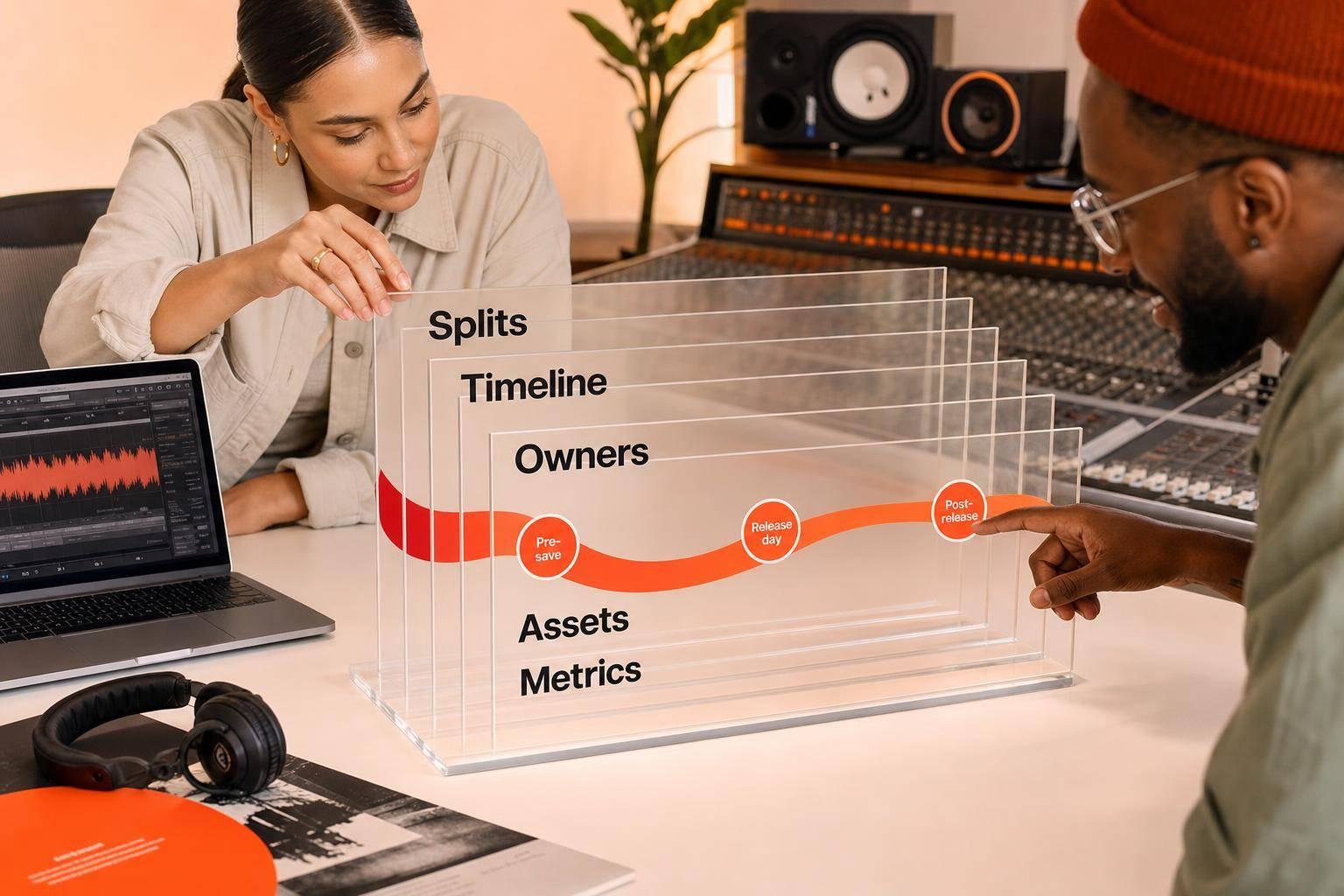
    Most music collabs fail for simple reasons: unclear splits, mixed approvals, and no shared timeline. If I want a joint release to work, I need to lock rights first, pick the right partner, assign one owner per task, and track results from pre-save to post-release.

    Here’s the short version:

    • Start with one goal. I need to decide if the campaign is for audience growth, lower costs, ticket sales, social activity, or fan response.
    • Pick the right collab type. Features, remixes, co-releases, split singles, and cross-promo each fit a different goal.
    • Set terms before promo starts. That means master splits, publishing splits, credits, billing order, approvals, budget control, and posting rights.
    • Use one calendar. Most joint releases work best with a 6–8 week pre-release window and 4–6 weeks after launch.
    • Give each task one owner. Label, artist, manager, and publicist each need clear jobs so no one duplicates work.
    • Keep one approved asset folder. Artwork, links, captions, video cuts, metadata, and press files should all live in one place.
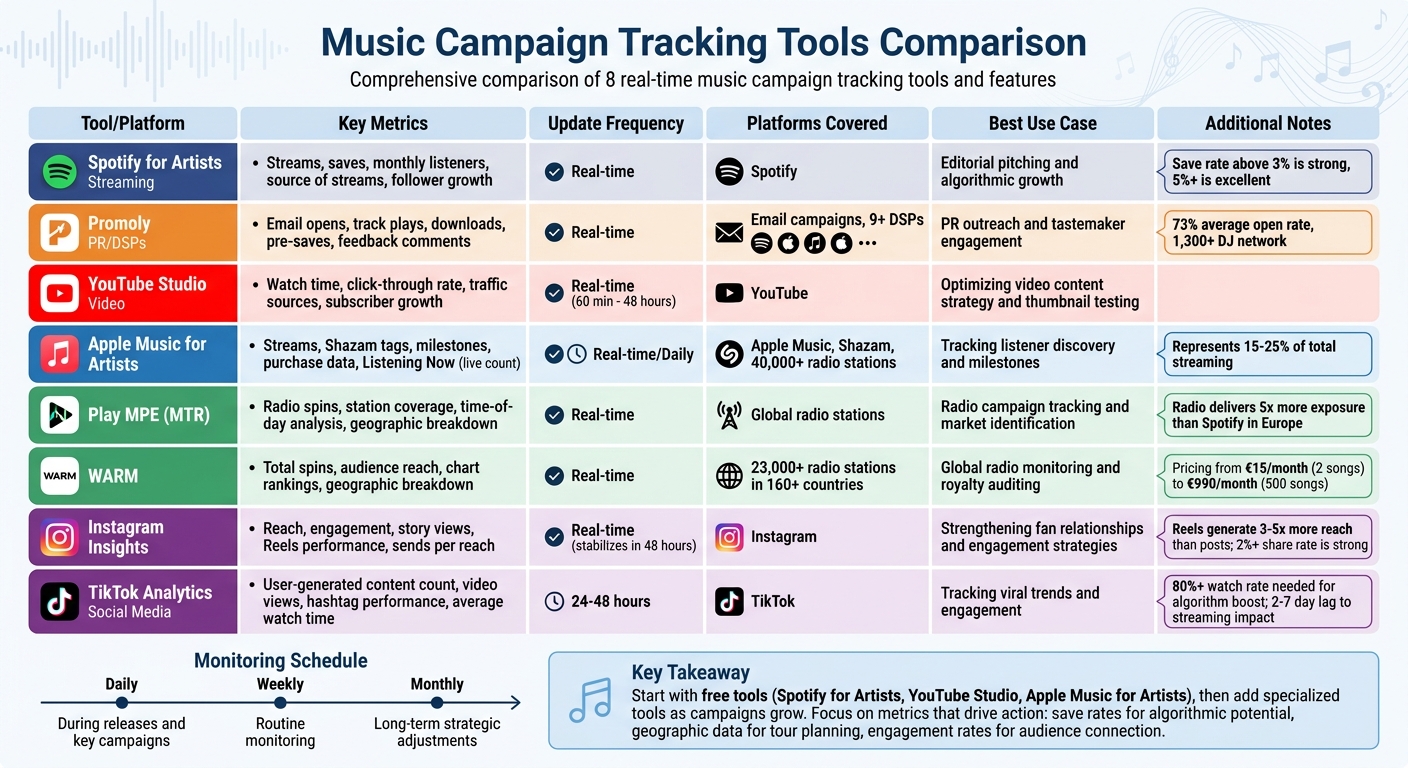
    • Track every channel. Pre-saves, open rates, clicks, downloads, first-week streams, saves, and press pickups show what is working.
    • Keep pushing after release. The first 24–48 hours matter, but follow-ups, milestone posts, remixes, and fan clips often extend the life of the campaign.

    A few numbers stand out:

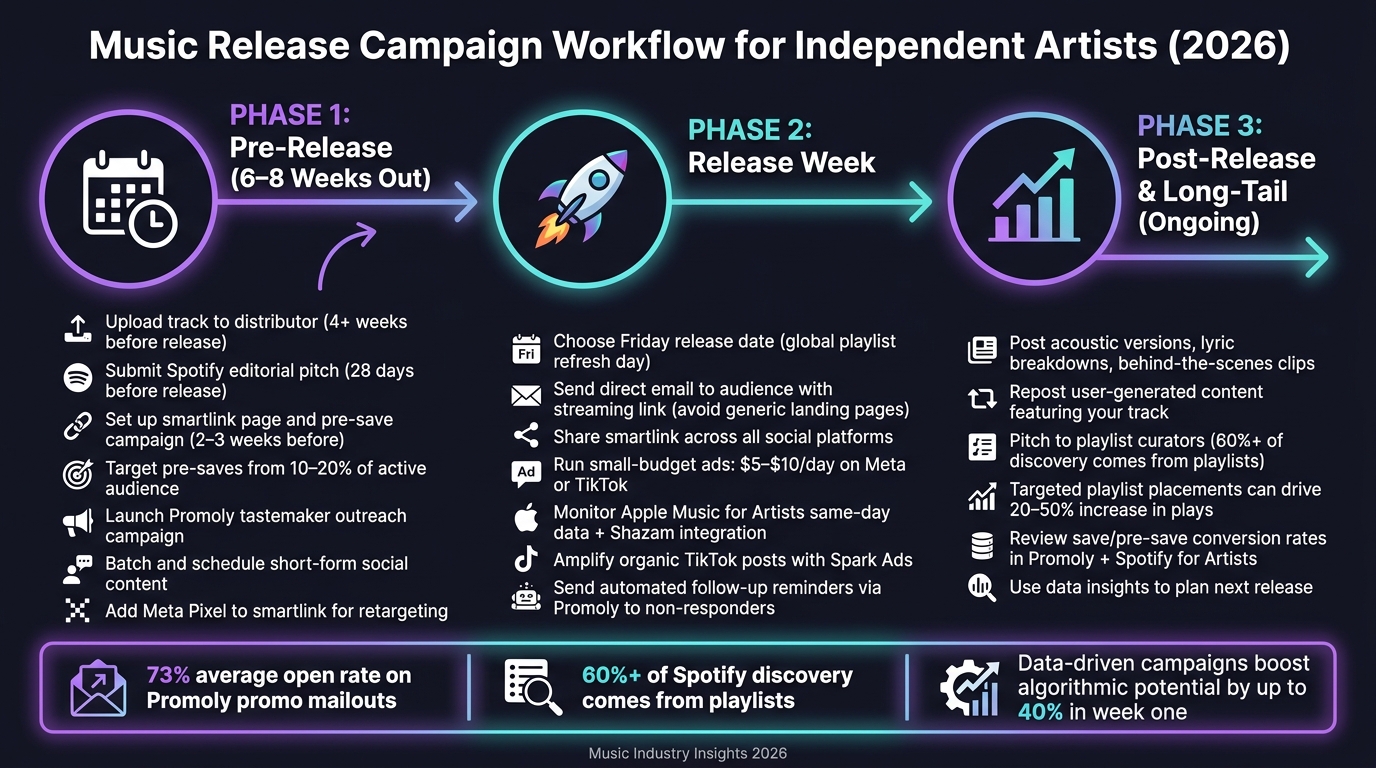
    • Upload music 4–8 weeks before release
    • Pitch Spotify editorial about 3–4 weeks out
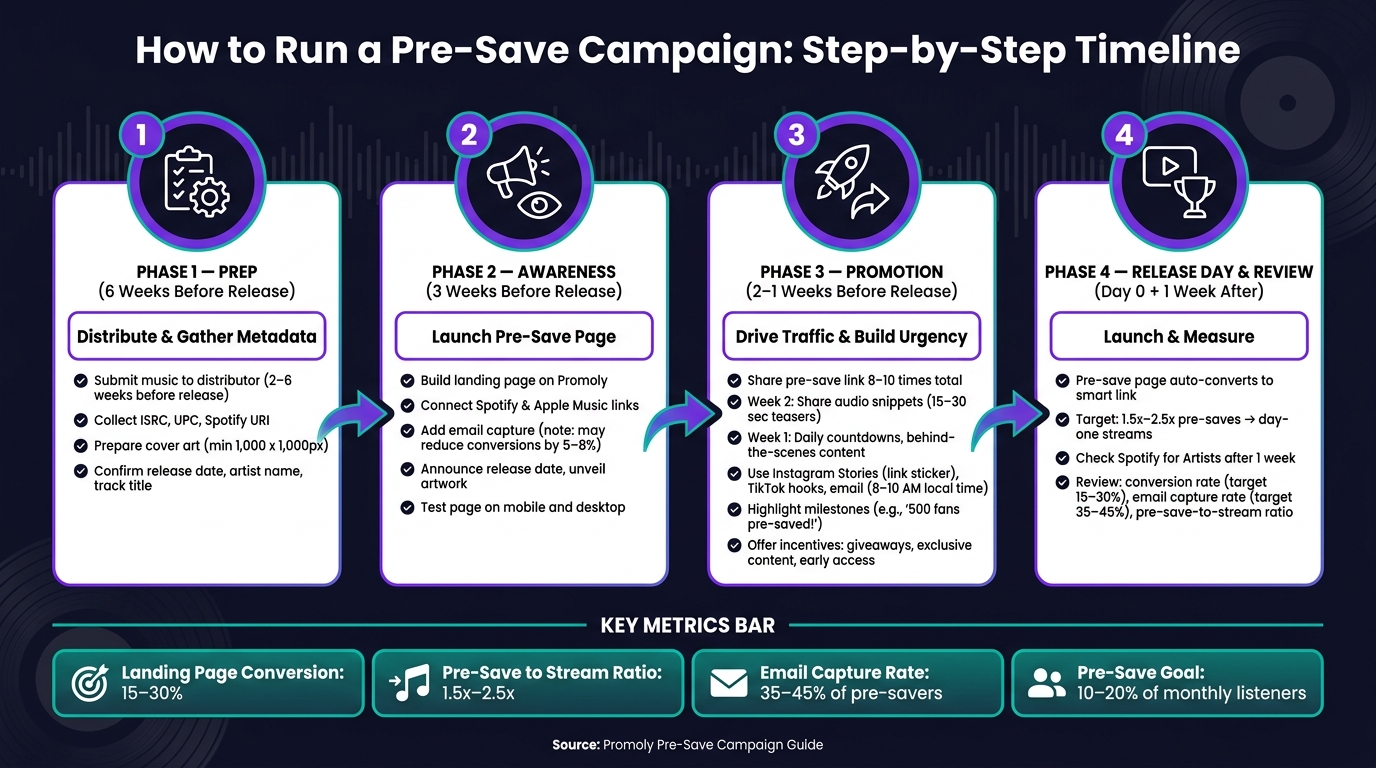
    • Launch pre-save links about 3–4 weeks before release
    • Review results daily during launch week, then weekly after that

    Quick Comparison

    Collaboration format Best use Main metric
    Feature or remix Reach new listeners Streaming lift, monthly listeners
    Co-release Split cost and workload Spend vs. results
    Split single Share release costs around one track Pre-saves, merch sales
    Co-hosted event Drive fan turnout Ticket sales, attendance
    Social cross-promo Boost social response Follower growth, shares

    My takeaway: a strong collaborative music campaign is less about hype and more about clear paperwork, one plan, one asset system, and clean reporting. If I set those pieces up early, I give the release a much better shot.

    Choose the Right Partner and Lock the Terms Early

    Evaluate Partner Fit by Audience, Activity, and Promo Value

    The biggest mistake in partner selection is chasing follower counts. Engagement matters more. A big audience looks nice on paper, but if people aren’t listening, commenting, or sharing, that number doesn’t help much.

    Instead, look at audience overlap, release consistency, and follow-through. Spotify’s "Fans also like" is a fast way to check whether your audiences line up. It’s not fancy, but it gives you a solid gut check. If the crossover isn’t there, the collab can feel forced.

    Activity matters too. Partners who put out music on a steady schedule often keep better release momentum. If someone disappears for months at a time or only drops music now and then, that’s a warning sign. In many cases, those same gaps show up later as missed deadlines, slow replies, or last-minute changes.

    Promo effort matters just as much as audience size. Before you lock anything in, confirm that the partner will support the release with scheduled posts, links, and content on their own channels – not just add their name to the credits. If someone says they’ll “post later” but won’t commit to dates, that can turn into a headache right when the release needs the most push.

    Criteria Strong Partner Fit Red Flag
    Audience Clear overlap in "Fans also like" Large following, no genre crossover
    Engagement Active comments and real interaction High follower count, low likes/comments
    Release Consistency Music every 4–6 weeks Sporadic or inactive release history
    Promo Value Commits to pre-saves and posts on schedule Reluctant to post or vague about timing
    Values Shared artistic vision and themes Misaligned brand image

    Agree on Credits, Splits, and Decision Rights

    Even a strong partner fit can fall apart if approvals and timing are fuzzy. Once you know the fit is right, put the terms in writing. Don’t leave this stuff to text threads and memory.

    A split sheet should cover royalty allocations, neighboring rights, billing order, and credits. Also check that billing order and credits are entered the right way in the distributor dashboard, so the release shows up correctly across platforms.

    Money is only part of it. You also need clear decision rights. Spell out who has final say on artwork, captions, campaign timing, and any content that needs review before release. That saves a lot of back-and-forth when things get busy.

    It also helps to put posting schedules in the agreement itself. Use specific dates and times, not loose windows. If the label, publicist, or manager is handling different parts of outreach, define those lanes clearly. Assign exact post dates, times, and outreach owners so contacts don’t overlap.

    Once the terms are locked, build the week-by-week release plan.

    Build the Campaign Timeline and Assign Responsibilities
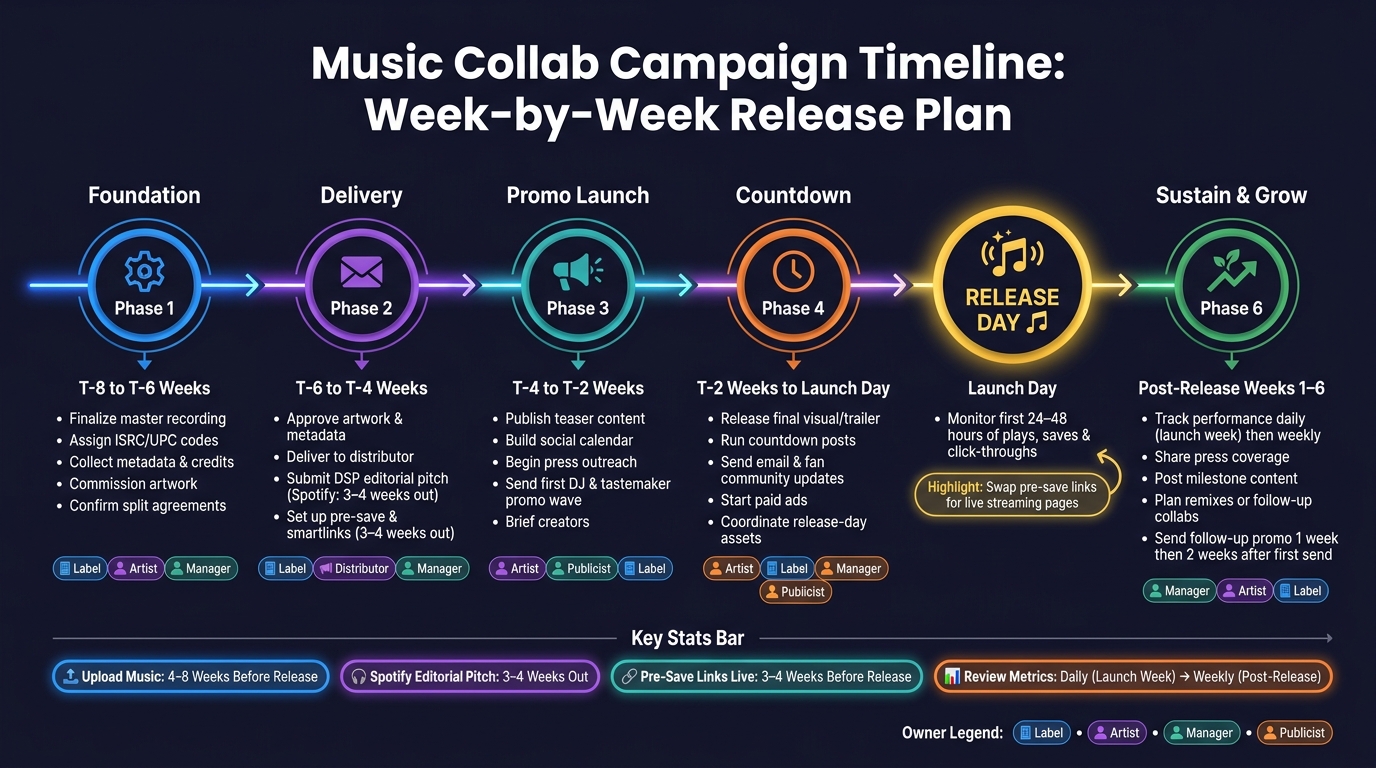
    Music Collab Campaign Timeline: Week-by-Week Release Plan

    Music Collab Campaign Timeline: Week-by-Week Release Plan

    Collaborative campaigns fall apart fast when each team is working from a different calendar. The fix is simple: use one shared timeline and give every task one clear owner before promo begins. Start with the release date, then build backward.

    Week-by-Week Release Plan from Setup to Launch Day

    Work backward from the release date. First, lock the master, artwork, metadata, and rights details. Then stack promo tasks week by week. For most collab releases, a workable timeline starts 6–8 weeks before release and runs for 4–6 weeks after launch.

    Week Key Milestones Primary Owner
    T-8 to T-6 Finalize the master; assign ISRC/UPC; collect metadata, credits, and split information; commission artwork; confirm campaign deliverables and approval deadlines Label / Artist / Manager
    T-6 to T-4 Approve artwork and metadata; deliver to the distributor; confirm distributor delivery and store submission; submit the DSP editorial pitch; set up pre-save links and smartlinks Label / Distributor / Manager
    T-4 to T-2 Publish teaser content; build the social calendar; begin press outreach; send the first DJ and tastemaker promo wave; brief creators Artist / Publicist / Label / Manager
    T-2 to Launch Day Release final visual or trailer content; run countdown posts; send email and fan community updates; start paid ads; coordinate release-day assets Artist / Label / Manager / Publicist
    Post-Release (Weeks 1–6) Track performance; share press coverage; keep social content going; celebrate milestones; plan remixes or follow-up collaborations Manager / Artist / Label

    Most distributors suggest uploading the release 4–8 weeks before launch so there’s time to catch and fix metadata problems. Spotify editorial pitching tends to work best 3–4 weeks out, while the minimum technical window is 7 days. Pre-save campaigns should usually go live about 3–4 weeks before release.

    Roles for Label, Artist, Manager, and Publicist

    Once the timeline is locked, assign one owner per task. No shared ownership. No vague handoffs. If everyone owns it, no one owns it.

    Here’s the basic split:

    • Label: distributor communication, metadata, DSP pitching, paid ads, and reporting
    • Artist: teaser content, fan engagement, and direct pre-save promotion
    • Manager: timeline control, partner outreach, and approval flow
    • Publicist: press outreach, follow-ups, and coverage tracking

    The next problem is duplicate work. One person emails the same outlet twice. Someone posts old artwork. A deadline slips because each team thought someone else had it. That’s why every owner should be tracked in one shared document, with deadlines reviewed every week.

    Coordinate Assets, Channels, and Campaign Tracking

    Once ownership is clear, the next thing that can go wrong is simple: people use different files, different links, and different timing.

    That’s how campaigns get messy. A partner uploads old artwork. Someone shares a broken smartlink. Another person posts a graphic that looks wrong on mobile. Those aren’t big artistic problems. They’re coordination problems.

    After the timeline is locked, keep every approved asset in one folder. That way, everyone pulls from the same source.

    Build One Shared Asset Package for Every Channel

    Set up one shared folder that the label, lead artist, co-artist, manager, and publicist can all access. Inside it, use subfolders for artwork, audio, video, social graphics, press materials, email assets, metadata, and event graphics.

    The point is simple: one approved folder means one version of the campaign. No outdated art. No off-message copy. No guessing.

    Be strict with specs. Cover art should be 3,000 × 3,000 px in RGB as a JPEG or PNG, with no URLs, social handles, or pricing text. For video, export a watermark-free 9:16 master first. Then make square and 4:5 crops for feed posts and Stories. Don’t stretch one design across every platform and hope it works. Build each size for the place it’s going.

    Once the package is approved, every channel should use it. This table shows who handles what, so work doesn’t get duplicated and nothing gets missed:

    Channel Label Lead Artist Co-Artist Manager Publicist
    Email / Promo Send DJ and tastemaker promo; manage sender profile and tracking Provide updated bio and press photo Provide updated bio and press photo Confirm send schedule and approvals Review messaging before send
    Smartlinks Generate and update pre-save and streaming links Add link to Instagram/TikTok bio and YouTube description Cross-post link to bio; share in newsletters Confirm links are live before posting Include link in press kit and pitches
    Social Media Post official announcement and high-res artwork Share short-form video edits; run pre-save reminders Share behind-the-scenes content; tag all partners Coordinate posting sequence and timing Share coverage links and press quotes
    Press / PR Distribute press kit; pitch exclusive premieres Available for interviews or guest features Available for joint interviews or social takeovers Coordinate interview scheduling Lead all press outreach and follow-ups
    Events Manage ticket tiers and venue details Promote show dates to local fanbase Promote appearance as special guest or co-headliner Confirm logistics and deadlines Pitch event to media and listings

    Before launch, set the embargo and posting order. Be specific about who posts first, which time zone sets the schedule, and whether co-artists can post at the same time or need to wait for the label’s announcement.

    Track Opens, Plays, Downloads, Pre-Saves, and Feedback

    Every campaign link – social posts, promo sends, email sends, and press outreach – should use tags tied to source, partner, and channel. Use the same tag format every time. If naming gets sloppy, reporting gets sloppy too.

    For DJ and tastemaker outreach, Promoly can send promo campaigns, collect feedback, and track opens, plays, and downloads in real time.

    Campaign Stage Key Metrics What the Data Tells You
    Pre-Release (Weeks 3–4) Pre-saves, promo open rates, click-throughs Low opens = weak subject line; low saves = move the CTA higher
    Launch Week Smartlink clicks, downloads, conversion rate Compare pre-save count to first-week streams to measure fan follow-through
    Post-Release Plays, DJ feedback ratings, media pickups Positive feedback becomes social proof for press and future pitches
    Ongoing Outreach Reminder engagement, list bounce rate High bounces = list hygiene needed; low reminder opens = reconsider timing

    Check metrics every day during launch week, then switch to weekly reviews after release. Share a short recap with every partner that shows which channel, partner, and piece of content got the best response. That recap should guide the next push, including which content to reuse and which partners should lead the next round.

    Review Results and Extend the Collaboration After Release

    Use Post-Release Content and Milestones to Keep Momentum Going

    After launch, the job changes. At this stage, stop focusing on scheduling posts and start looking at conversion and retention.

    On release day, swap pre-save links for live streaming pages. Then check the first 24–48 hours of plays, saves, and click-throughs. Stick with the same tagged links and channel tracking you used during launch week so the numbers stay easy to compare. In that early window, full plays and saves can tell platform algorithms that the track deserves more reach.

    Post-launch updates should reward people who already showed interest. They shouldn’t reopen cold outreach from scratch. Instead of sending a vague follow-up, send something specific: chart movement, a live set placement, or a remix. A good timing window is one week after the first promo send, then a second attempt two weeks later. If someone played several tracks all the way through or downloaded the press kit, move them to the top of the list for a personal note.

    Keep post-release content moving by reusing approved assets like:

    • behind-the-scenes clips
    • joint posts
    • fan challenges

    As you do that, watch for new followers coming in from the partner’s audience. That’s a simple way to see whether the collaboration reached past your current base.

    Once the first reporting cycle is done, document what converted and use those same channels again on the next release.

    Conclusion: What Strong Collaborative Campaigns Have in Common

    Strong collaborative campaigns usually hinge on three things: clear terms set before any asset goes live, coordinated execution with one owner for each task, and measured follow-through that shows what worked.

    Give one person the job of watching results, another the job of handling follow-ups, and another the job of choosing the next content push. That record is what separates teams that learn from teams that just run the same play again.

    FAQs

    How do I choose the right collaborator?

    Prioritize collaborators who match your brand values, musical style, and target audience. The best partnerships feel natural, not forced. When both sides share similar goals and themes, fans are much more likely to connect with the work.

    Before you commit, take a close look at their social media presence, audience demographics, and past project performance. You want a partnership that works for both sides, where each person can share resources and co-create content to grow reach.

    What should we agree on before promotion starts?

    Before you launch a collaborative campaign, get everyone on the same page about shared goals and clear roles. That way, each person knows what success looks like and what they’re responsible for.

    It also helps to line up the timeline, outreach plan, and creative direction early. On the admin side, confirm key assets like metadata, ISRC codes, and ownership splits. A little prep here can save you from duplicate work, mixed signals, or disputes later.

    How do I measure if a collab campaign worked?

    Measure success by looking at actionable engagement across every partner network, not vanity metrics. With Promoly, you can track opens, plays, downloads, save rates, pre-save conversions, and feedback to see how tastemakers and fans responded.

    Check results on day 1, day 3, day 7, and day 30. Then compare pre-saves to first-day streams, and use ratings and comments to spot patterns and improve future campaigns.
    Related Blog Posts

  • How to Spot Key Tastemakers in Music

    How to Spot Key Tastemakers in Music

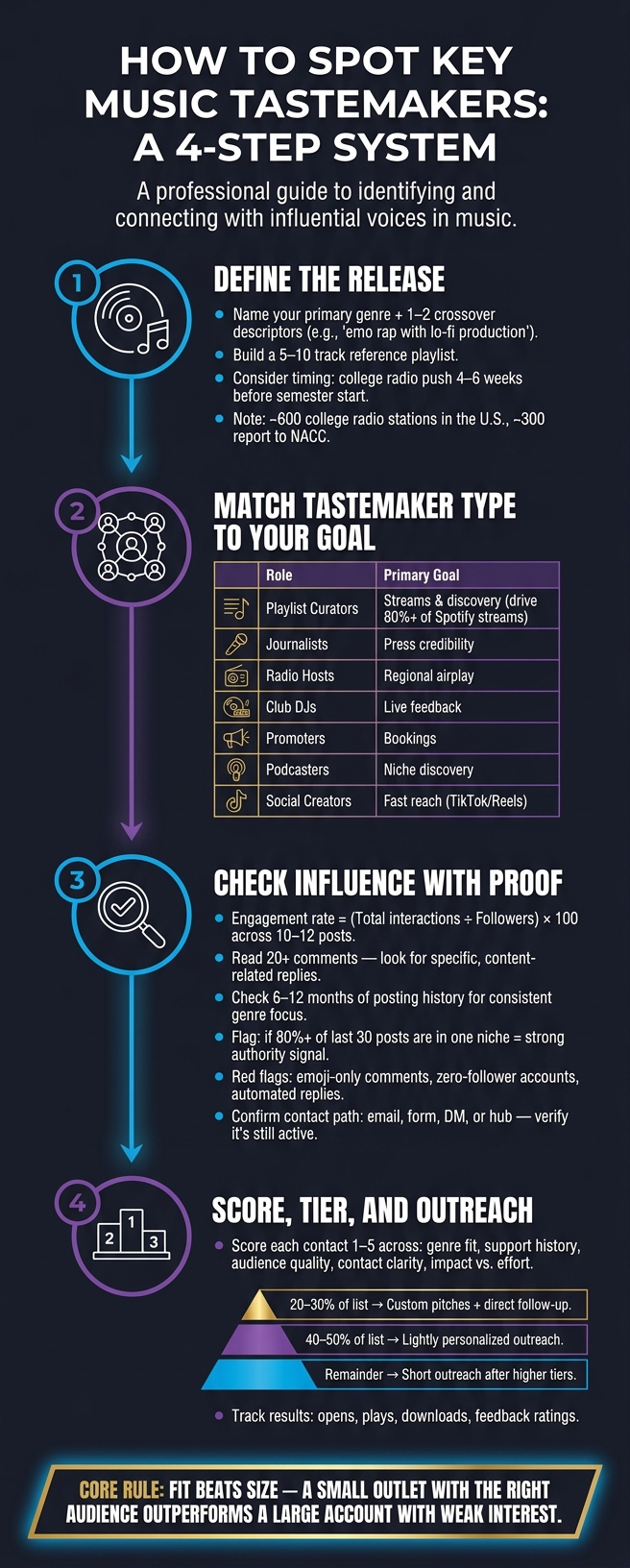
    More than 120,000 tracks hit streaming platforms each day, so I don’t look for the biggest names first. I look for the people who get listeners to act.

    If I want a release to get streams, press, airplay, bookings, or social traction, I start with four steps:

    • Define the release clearly by genre, crossover sound, scene, and timing
    • Group tastemakers by job such as curators, writers, radio hosts, DJs, promoters, podcasters, and creators
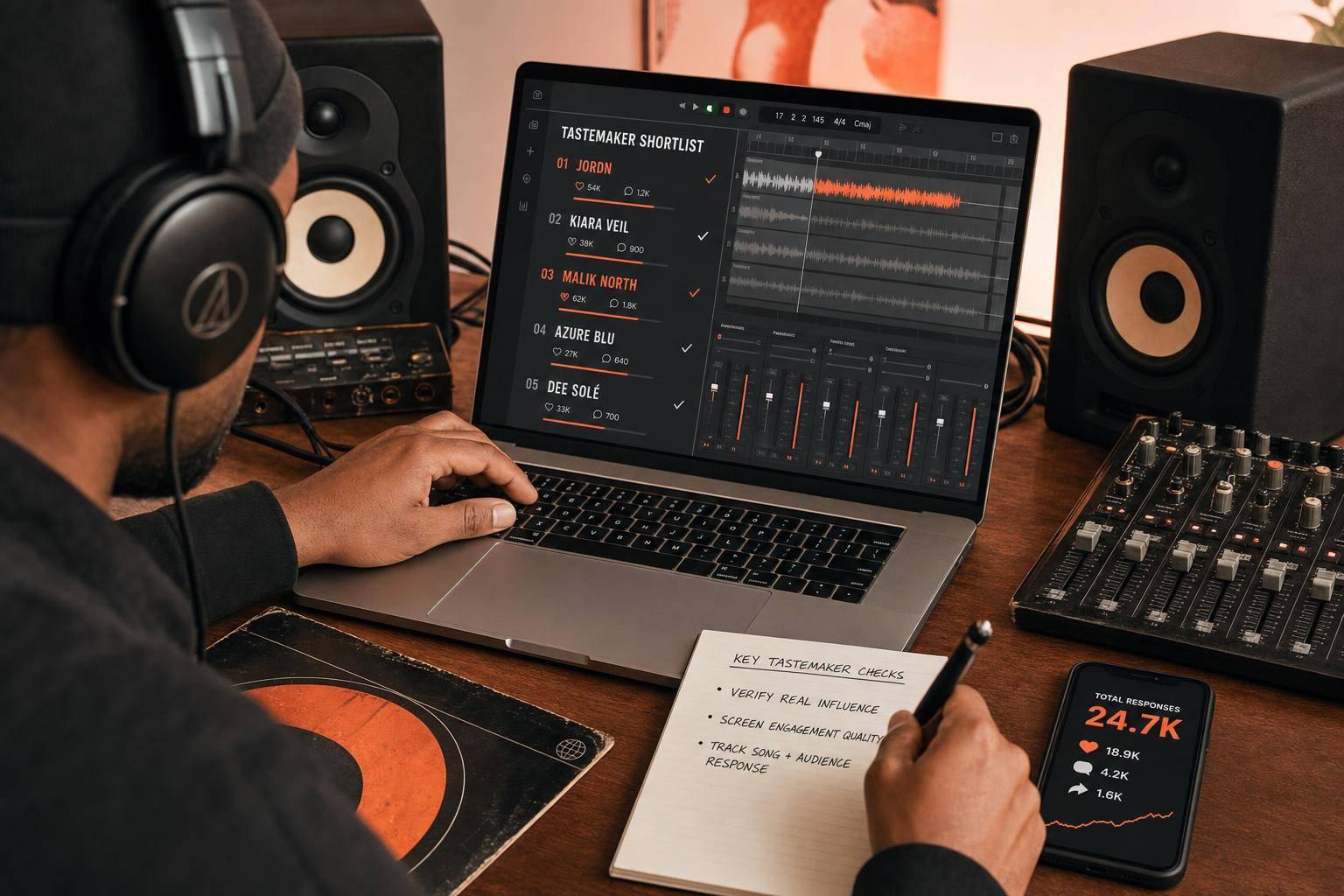
    • Check influence with proof like engagement, repeat support, niche focus, and response history
    • Rank contacts before outreach so time and promo spend go to the best-fit names

    The main idea is simple: fit beats size. A small outlet with the right audience can do more than a large account with weak interest. I also need a working contact path, clear submission rules, and a way to track opens, plays, downloads, and feedback after I send promos.

    This article breaks that process into a short, usable system I can apply to one single, EP, or album cycle.

    How to Find & Rank Music Tastemakers: A 4-Step System

    How to Find & Rank Music Tastemakers: A 4-Step System

    How to Approach Tastemakers for Music Reviews & Build Hype for Your Music Releases

    1. Start with Your Genre, Scene, and Release

    Start with one release, not your whole artist brand. A single, EP, or album cycle gives you a much sharper filter: does this tastemaker support music like this, right now?

    Match the Release to a Clear Genre Lane

    Begin by naming your primary genre plus one or two crossover descriptors. “Hip-hop” is too broad. “Emo rap with lo-fi production” is a lane. “House” is too broad too; “jackin’ house” or “deep house” gives you something you can actually use. Tastemakers build their reputation around a specific sound, so off-target pitches usually get ignored.

    Use that genre lane to find nearby releases. Put together a short reference playlist with 5–10 similar tracks. Then check the genre labels on Spotify and Apple Music, and pay attention to the terms that show up again and again. That’s the language to bring into your pitch.

    Scene and timing matter too. The U.S. has roughly 600 college radio stations, with about 300 reporting to the NACC chart. If your release fits indie, alternative, or emerging hip-hop, go after those stations 4–6 weeks before a semester starts. Summer often works better for festival-friendly and upbeat music. Late Q4 gets crowded with major releases and holiday music, which can bury smaller campaigns. Scene shows up in local radio, shows, playlists, and venue flyers, so use those as early signs of where your release fits.

    Build a Starting List from Existing Support Patterns

    Next, trace who already supports artists like you. The fastest way to find relevant tastemakers is to follow the support trail of adjacent artists – acts one tier above you with a similar sound and audience. Check who appears in “Fans Also Like” on Spotify, scan playlist tracklists that include your reference tracks, and read press coverage of artists you admire to see which names keep popping up.

    What matters most is repeated support, not a one-off mention. A blog that keeps covering similar artists is building a clear story around your scene. The same idea applies to radio shows, podcast hosts, DJ charts, and event promoters. If the same name shows up across playlists, radio archives, and venue flyers, move it to the top of your list.

    2. Match Tastemaker Types to Your Release Goals

    Now that you have a starting list, sort each name by the role it can play for this release. Tie every contact to the outcome you want: streams, press, airplay, bookings, or social lift. The idea is simple: use the right contact for the job, then double-check fit and the best way to reach them.

    Playlist Curators, Journalists, and Radio Hosts

    Playlist curators are your best bet for stream volume and online discovery. Playlists drive over 80% of all streams on Spotify. So this group can have a huge effect on how far a release travels. When you size up a curator, check for regular updates, a clear genre lane, and signs that listeners respond to new adds.

    Journalists help frame the story around your release and add credibility. Put your focus on writers who cover your genre on a steady basis. If someone only dips into your lane once in a while, they’re usually a weaker fit.

    Radio hosts work best for regional credibility and hand-picked airplay. Send promos 3–4 weeks before release, and include a clean edit if the track is explicit. That same basic approach carries over to DJs, promoters, podcasters, and social creators too, but each group looks for a different kind of signal.

    DJs, Promoters, Podcasters, and Social Creators

    These contacts matter when streams aren’t your only target.

    Club DJs give you direct feedback on how a track lands in a room. That kind of response can tell you a lot, fast. Split them by sub-genre and venue type, and make sure your metadata – artist name, track title, label, and release date – is complete.

    Promoters often look at release momentum when making booking calls. Reach out with mixes or live recordings months before festival season, when many booking decisions are being locked in.

    Podcasters can open the door to niche discovery through interviews and dedicated music segments. Look for strong interview depth and clear audience engagement.

    Social creators on TikTok and Instagram Reels can move fast. They’re often the quickest path to reach, but don’t get distracted by follower count alone. Put more weight on engagement and audience fit.

    Tastemaker Where to Find Them Key Signals
    Playlist Curators Spotify, YouTube, SoundCloud Update frequency, genre fit, listener engagement
    Journalists Music blogs, niche publications Consistent genre beat, coverage history
    Radio Hosts College stations, community radio Airplay history, reporting system usage
    Club DJs DJ pools, clubs, festivals Download rates, track ratings, tempo fit
    Promoters Local venues, festival booking offices Gig history, mix engagement
    Podcasters Podcast directories, music shows Audience engagement, interview depth
    Social Creators TikTok, Instagram, Discord Engagement-to-follower ratio, niche trust, user-generated content

    Once you’ve matched names to goals, check which contacts have actual influence and a clear, usable contact path.

    3. Check for Real Influence, Fit, and Contact Paths

    Look Beyond Follower Count When Checking Influence

    Now that you have a shortlist, the next step is simple: figure out who can actually move attention for this release.

    Follower count helps, but it’s only a starting point. What you want is repeatable response. When this person backs a track, do people listen, click, comment, save, or follow?

    A good place to start is engagement rate. Take total interactions, divide by follower count, and multiply by 100 across 10–12 recent posts. That gives you a much better read than raw audience size alone.

    Then look closer at the comments. Emoji-only replies often point to weak engagement. Read at least 20 comments across a few posts. You’re looking for specific, content-related responses from different accounts. If the replies are full of zero-follower profiles or accounts that look automated, that’s a red flag.

    Consistency matters too. Go back 6–12 months and review posts, playlists, or episodes. Is there a steady genre focus? Do they post on a regular cadence? If more than 80% of their last 30 posts sit inside one clear niche, that’s a strong sign that they hold real authority in your lane.

    Past results matter even more. Check whether support for similar artists led to bumps in streams, followers, or engagement around the date of that support. That’s the clearest sign that influence turns into action.

    Confirm Contact Details and Submission Preferences

    Once someone looks like a fit, make sure there’s an actual way to reach them.

    Look for one current submission path, such as:

    • email
    • form
    • hub
    • DM instructions

    Then verify that the contact path still works. Check post dates, make sure linked forms are live, and see whether the website has been updated lately. Also confirm their genre preferences. Many curators and DJs spell this out in Spotify playlist descriptions, SoundCloud pages, or social bios.

    If they ask for a certain subject line, file type, or a private streaming link instead of a download, follow that exactly. Miss the instructions, and it’s easy to get ignored.

    At this stage, keep only the contacts that have both a clear fit and a usable way in. Then sort them by priority.

    4. Organize, Rank, and Prepare for Outreach

    Build a Tiered Shortlist with Notes and Priority Levels

    Once you’ve confirmed fit and a clear contact path, the next step is simple: rank the list by likely impact.

    Score each contact from 1–5 across these areas: genre fit, support history, audience quality, contact clarity, and impact vs. effort. Then sort them into three tiers. Use 18–25 for Tier 1, 10–17 for Tier 2, and 0–9 for Tier 3. A solid rule of thumb is to keep the split around 20%–30% Tier 1, 40%–50% Tier 2, and the rest Tier 3.

    That way, your outreach matches the chance of a result:

    • Tier 1 gets custom pitches and direct follow-up
    • Tier 2 gets lightly personalized outreach
    • Tier 3 gets short, relevant outreach after higher-priority contacts are done

    Keep everything in one shared sheet so ranking and contact details live in the same place:

    Field What It’s For
    Name / Handle Personalization in outreach
    Role Tailor the pitch (DJ vs. journalist vs. curator)
    Region / Primary Market Helps prioritize key markets for touring or press
    Tier Drive sequencing and effort allocation
    Genre Tags Filter by release quickly
    Contact Method Standardize outreach and avoid wrong channels
    Activity Status Prevent over-contacting and track relationship freshness
    Support History Notes Inform future pitches with past context

    Before each new release, review your Tier 1 and Tier 2 contacts. Check that their role still fits, their contact details still work, and they’re still active. If someone has gone quiet or shifted focus, take them out. A shorter list with the right people beats a bloated one every time.

    Use a Promo Workflow That Tracks Opens, Plays, Downloads, and Feedback

    After ranking the list, track how each tier responds. That’s how the list gets better from one campaign to the next.

    Once your list starts to grow, it helps to use a promo platform that does more than send links. Promoly lets you send segmented promo campaigns and track opens, plays, downloads, and feedback in real time. If someone plays a release more than once, that’s often a sign of interest. That’s usually the right moment for a personal follow-up. Over time, response data shows which tastemaker types actually help move your release.

    Promoly also collects star ratings and written feedback from tastemakers. That gives you useful notes you can log right into your contact sheet. If a DJ leaves a 4/5 rating and asks for a radio edit, that’s not just feedback for today. It’s context you can use on the next release too. Automated reminders also help keep follow-up on track.

    After each campaign, use engagement data to adjust your tiers. Contacts who keep opening, playing, and downloading can move up. Contacts who never engage can move down or come off the list.

    Conclusion: Focus on Patterns, Fit, and Follow-Through

    After you rank your list, keep the focus on fit, not volume. The core rule is simple: match the release to the tastemaker’s audience, role, and response history. Different release goals call for different types of tastemakers. Match first; outreach later.

    A smaller, highly engaged niche contact is often better than a large but indifferent one. Fit comes first. Proof of influence comes next.

    It also helps to look for repeat support across releases and channels. One placement is nice, but steady backing tells you a lot more.

    Once the list is checked, the last step is straightforward: follow through fast and track the response. When a tastemaker backs your release, thank them directly, share their feature on your own channels, and log the outcome. Use a promo workflow tool like Promoly to track opens, plays, downloads, and feedback. Thank, share, and log each result so every release starts with better context.

    If the release is defined, the match is clear, influence is verified, contact paths work, and the list is ranked, the campaign is ready.

    FAQs

    How many tastemakers should I target first?

    Start with quality over quantity. In many cases, just five well-chosen, well-researched tastemakers are enough to get things moving.

    For niche campaigns, a focused list of 150 to 300 active, genre-specific contacts often does better than a generic list of 1,000. The goal isn’t the biggest list you can build. It’s getting in front of people who are likely to care, respond, and help spread the word.

    Put simply: prioritize engagement over broad reach.

    What makes a tastemaker worth pitching?

    A tastemaker is worth pitching when they’re active, match your genre or subgenre, and already support music like yours. Size and fame matter less than fit. If someone has a real interest in your sound, you’re much more likely to get honest engagement and support that lasts longer than a one-off play.

    That’s why it helps to do a little homework. Check their tracklists. Watch what they post and share on social media. See who they’ve backed before. You’re not just looking for a big name – you’re looking for someone who makes you think, yeah, this person would actually get this track.

    Promoly can help here too. Use it to group contacts by genre and engagement, so your outreach feels more targeted instead of scattered. In practice, the tastemakers that matter most are often the ones who keep opening your emails, listening to your music, and sending feedback.

    When should I start outreach before release day?

    Start your outreach before release day. That gives tastemakers enough time to listen, decide if they want to cover the track, and fit it into their schedule.

    A simple timing guide:

    • Blogs, online publications, and independent playlist curators: 2–4 weeks ahead
    • Print magazines: 2–3 months ahead
    • Editorial playlists like Spotify: 7 days to 3 weeks ahead

    Promoly can help you track opens and feedback during the campaign.

    Related Blog Posts

  • Top 7 DJ Pools for Music Promotion 2026

    Top 7 DJ Pools for Music Promotion 2026

    If I had to cut this guide down to one point, it’s this: the best DJ pool is the one that matches your genre, gives you usable feedback, and fits your release schedule.

    I’d look at four things first: DJ audience, artist/label access, file support, and reporting. That’s the fastest way to sort these seven options without getting lost in feature lists. Prices for entry plans usually sit around $10 to $25 per month, and the right choice depends less on pool size and more on who actually hears your track.

    Here’s the short version:

    • Promoly: best for direct promo, tracked opens/plays/downloads, and required ratings/comments
    • ZipDJ: best for genre-based DJ targeting
    • DJcity: best for planned campaigns with early submission
    • BPM Supreme: best if you want a club/radio DJ base, though info here is limited
    • Digital DJ Pool: best for simple pre-release uploads
    • Heavy Hits: best for early genre-matched feedback
    • Crate Connect: best for DJ-ready files, metadata, and clean delivery

    You should also send the right assets:

    • WAV and/or high-quality MP3
    • Clean, explicit, and extended versions
    • Artwork, BPM, key, genre, and UPC
    • A short promo note with release context

    And timing matters. I’d submit a few weeks before release day, not during release week. That gives DJs time to listen, test the track, and respond.

    Your Guide to the Top DJ Record Pools of 2025

    Quick Comparison

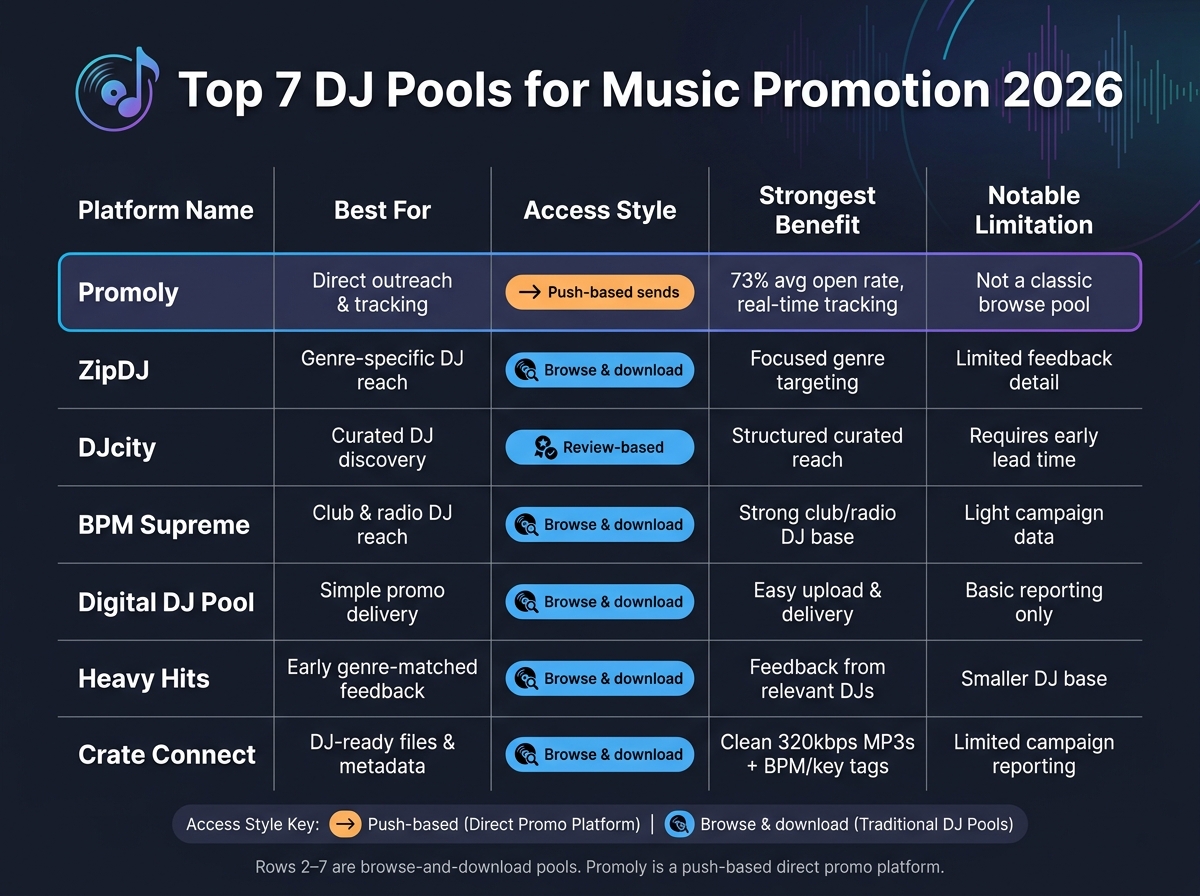
    Top 7 DJ Pools Compared: Features, Access & Best Use Cases (2026)

    Top 7 DJ Pools Compared: Features, Access & Best Use Cases (2026)

    Platform Best For Access Style Main Tradeoff
    Promoly Direct outreach and tracking Push-based sends Less like a classic browse pool
    ZipDJ Genre-specific DJ reach Browse-and-download Less direct feedback detail
    DJcity Curated DJ discovery Review-based Needs more lead time
    BPM Supreme Club and radio DJ reach Browse-and-download Light campaign data
    Digital DJ Pool Simple promo delivery Browse-and-download Basic reporting
    Heavy Hits Early feedback in a clear genre lane Browse-and-download Smaller DJ base
    Crate Connect DJ-ready files and metadata Browse-and-download Limited reporting

    My takeaway: use a DJ pool for reach, then pair it with direct outreach if you want cleaner data and follow-up. That gives you both discovery and measurable response from the same release.

    What Labels and Artists Should Look for in a DJ Pool

    When you compare DJ pools, keep it simple: look at audience fit, promo access, file support, and reporting. Those four filters will help you judge the seven pools below without getting distracted by flashy feature lists.

    DJ Audience and Genre Coverage

    DJ pools usually serve specific lanes: club DJs, radio DJs, open-format/mobile DJs, and tastemakers. That matters a lot.

    A huge pool might sound good on paper. But if the DJs inside it don’t play your kind of music, size doesn’t mean much. Genre fit matters more than pool size because DJs respond to tracks that match what they already play. That’s why audience segmentation helps keep promos relevant.

    Start here when comparing the seven pools below.

    Think about where your release belongs. Electronic and club-focused tracks tend to do better in pools with strong ties to club-chart-focused promotion and club bookings. Pop or hip-hop releases may work better with radio reach and open-format DJs.

    Promo Access for Labels and Independent Artists

    Not every pool works the same way. Some are self-serve and open to independent artists. Others lean more toward labels and use a manual approval process.

    If you’re an indie artist or a small label, you probably don’t want extra friction just to launch a campaign. A good setup lets you move fast and stay in control.

    Look for things like:

    • Self-serve submission
    • Multi-profile management
    • Gated download access that requires a rating or comment

    That last point can make a big difference. If DJs need to leave a rating or comment before they download, you get more than file delivery – you get a read on how the release is landing.

    File Types and DJ-Ready Versions

    High-quality audio is the starting point. WAV and high-quality MP3 files are the standard expectation.

    But format alone isn’t enough. The versions you upload matter just as much. DJs often need different edits depending on where they’re playing, so giving them options makes your release easier to use.

    Useful versions often include:

    • Clean edits
    • Explicit versions
    • Extended mixes

    Pools that support multiple file versions per release tend to be more helpful for labels, since they let you package one track for more than one use case.

    Reporting, Charts, and Feedback

    Data is what turns a promo campaign into something you can learn from. Without it, you’re mostly guessing.

    Look for reporting on opens, plays, downloads, ratings, and feedback comments. Each metric tells you something different. Opens show interest. Downloads show intent.

    That kind of data helps you make smarter calls on the next release – who to target, which pool to use again, and where the traction is coming from. The best pools make all of those metrics easy to track in one place.

    1. Promoly

    Promoly

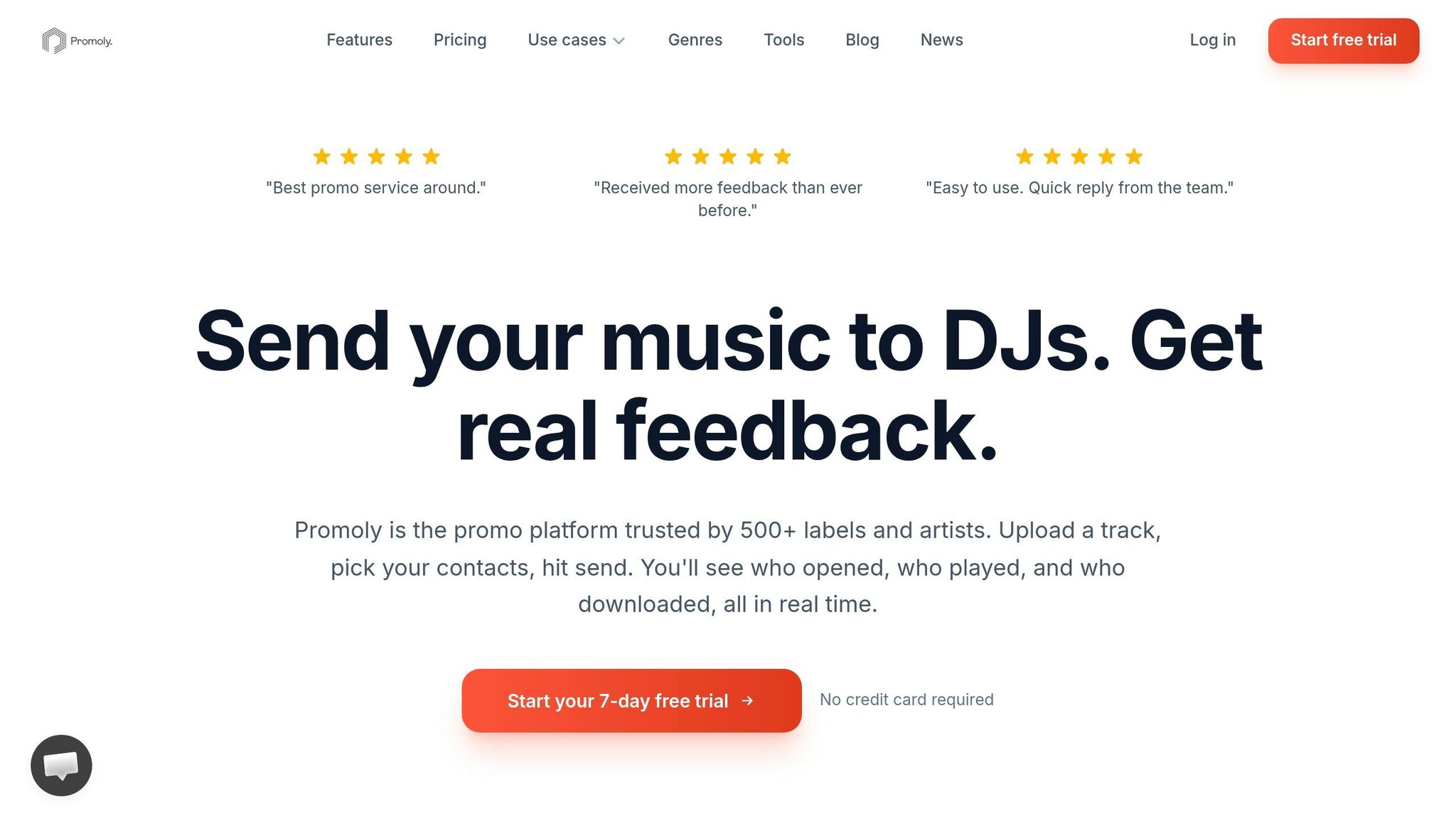
    Promoly is built for sending DJ promos, gathering feedback, and tracking engagement in real time. It’s used by 500+ labels worldwide and reports an average open rate of 73% across campaigns.

    Genre Fit and DJ Audience

    Promoly’s opt-in DJ and tastemaker network includes 1,300+ DJs and industry pros across 20+ genres. The contact base is updated on a regular basis so lists stay active and relevant.

    Label or Artist Promo Access

    This platform works for solo artists, indie labels, publicists, and larger label teams. Plans scale from single-user access to enterprise teams, and every plan comes with a 7-day free trial and 150 sends.

    A nice touch: campaign profiles let publicists and label groups manage multiple brands or clients from one dashboard. Promoly AI can help write promo copy, find fitting contacts, and automate follow-ups.

    File Quality and Edit Types

    After you’ve picked your audience, format matters. Promoly supports WAV and MP3 uploads, along with artwork and press release attachments.

    Feedback, Charts, or Campaign Data

    The big draw here isn’t just sending promos. It’s seeing what happens after the send. Recipients have to rate and comment before they can download, which gives labels and artists a cleaner feedback loop. On top of that, real-time tracking shows opens, plays, and downloads.

    If you need deeper reporting, the Pro and Premium plans include advanced analytics.

    For labels that want similar outreach with a different audience mix, the next pools lean into other DJ-focused options.

    2. ZipDJ

    ZipDJ

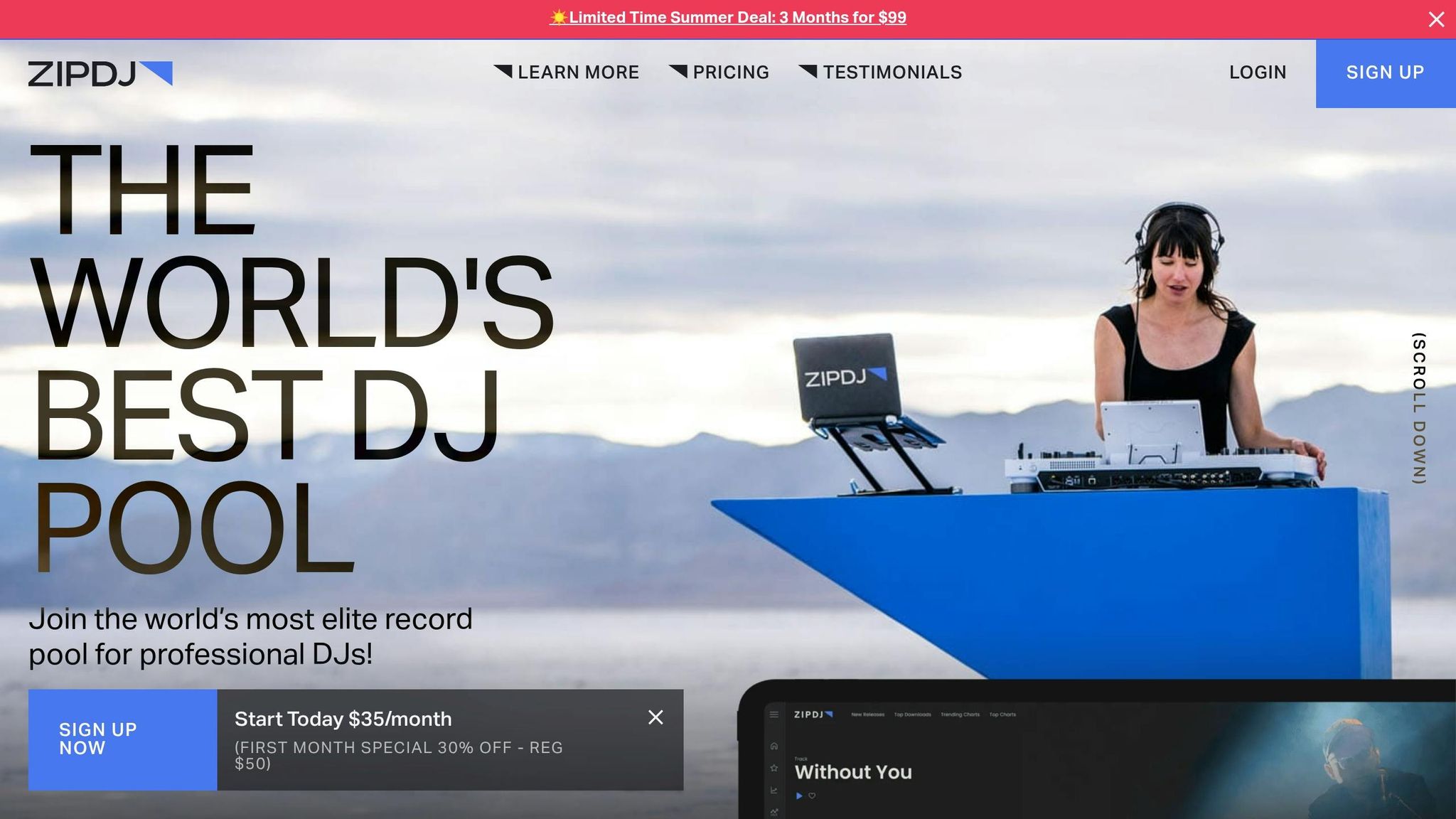
    ZipDJ works well for releases that need targeted access to vetted DJs in a specific genre. If your track sits in a clear lane and you want to get it in front of DJs who already play that style, ZipDJ is a smart pick. If you’re after a more commercial mix of DJs, the next option is DJcity.

    Genre Fit and DJ Audience

    ZipDJ sorts its network by genre, which makes it a good match for releases with a defined sound. That setup helps you reach DJs who are already active in that space instead of throwing your release into a broad pool.

    Because DJs on the platform are vetted, the audience stays more relevant and focused.

    Label or Artist Promo Access

    ZipDJ gives both labels and independent artists direct access to its DJ network. You don’t need a major-label tie-in to run a campaign, which makes it easier for indie teams to get started.

    File Quality and Edit Types

    ZipDJ supports multi-format downloads. That gives DJs room to grab the version that works best for their setup, whether they need one format for club play and another for their library.

    Feedback, Charts, or Campaign Data

    Before you submit, check which engagement metrics ZipDJ makes available. That way, you’ll know what signals to watch and whether the campaign is helping move the release forward.

    3. DJcity

    DJcity

    DJcity is a better fit for teams that like to plan ahead. It uses a curated review process, so labels and artists should send music several weeks before release with a promo note and clear genre tags. Because of that, it works better for structured promo campaigns than last-minute uploads.

    Genre Fit and DJ Audience

    Clear genre tags make a big difference here. They help DJs sort through releases fast and find the tracks that match their sets.

    Label or Artist Promo Access

    The main thing with DJcity is timing. Submit early, because DJcity reviews releases before they reach DJs.

    File Quality and Edit Types

    DJcity supports downloads in multiple formats, which gives DJs the version that fits their setup.

    Feedback, Charts, or Campaign Data

    After delivery, check what play data DJcity shows. That gives you a better read on whether the release is getting traction.

    For labels that want a broader DJ base without a formal review gate, the next pool uses a different setup.

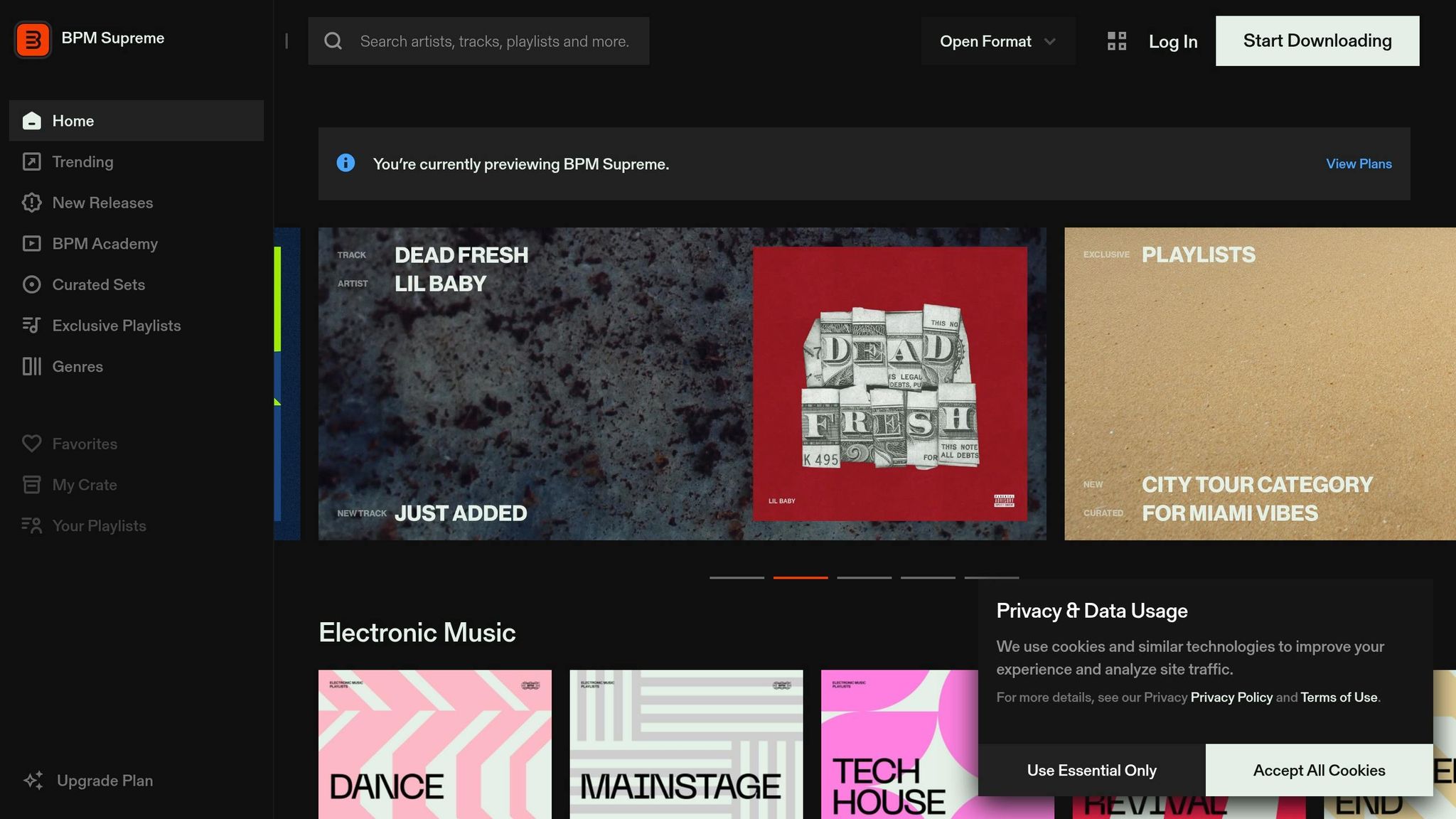
    4. BPM Supreme

    BPM Supreme

    BPM Supreme is a vetted DJ pool that follows much the same model as DJcity.

    That said, the source material available here doesn’t give us enough to go much deeper on features without guessing. So instead of stretching thin info, it makes more sense to stop there.

    For a closer look at audience reach and how submission access works, the next section breaks down Digital DJ Pool and shows how its setup differs from the pools listed above.

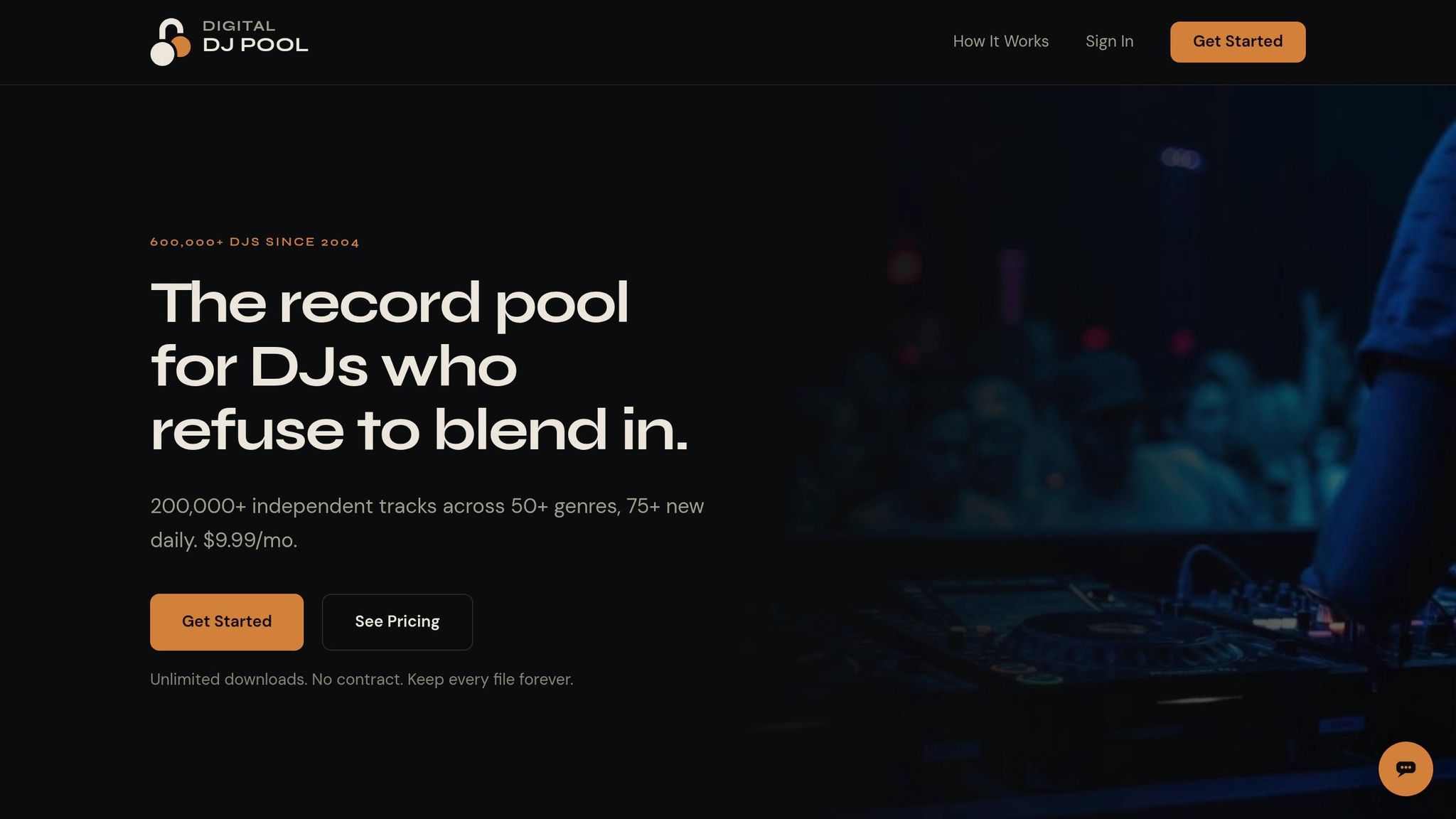
    5. Digital DJ Pool

    Digital DJ Pool

    Digital DJ Pool works well for labels that want a simple way to put unreleased music in front of DJs. The main goal is clear: build DJ support before the release goes live. What matters most here is the submission process, how files get delivered, and how well the platform tracks feedback.

    Label or Artist Promo Access

    Labels can upload unreleased tracks a few weeks ahead of release. Along with the audio file, they add a promo note and genre tags. DJs need to sign up before they can access the promo.

    Feedback, Charts, or Campaign Data

    Good pools gather star ratings and written comments. That kind of feedback can give you a better sense of how a track may land in clubs.

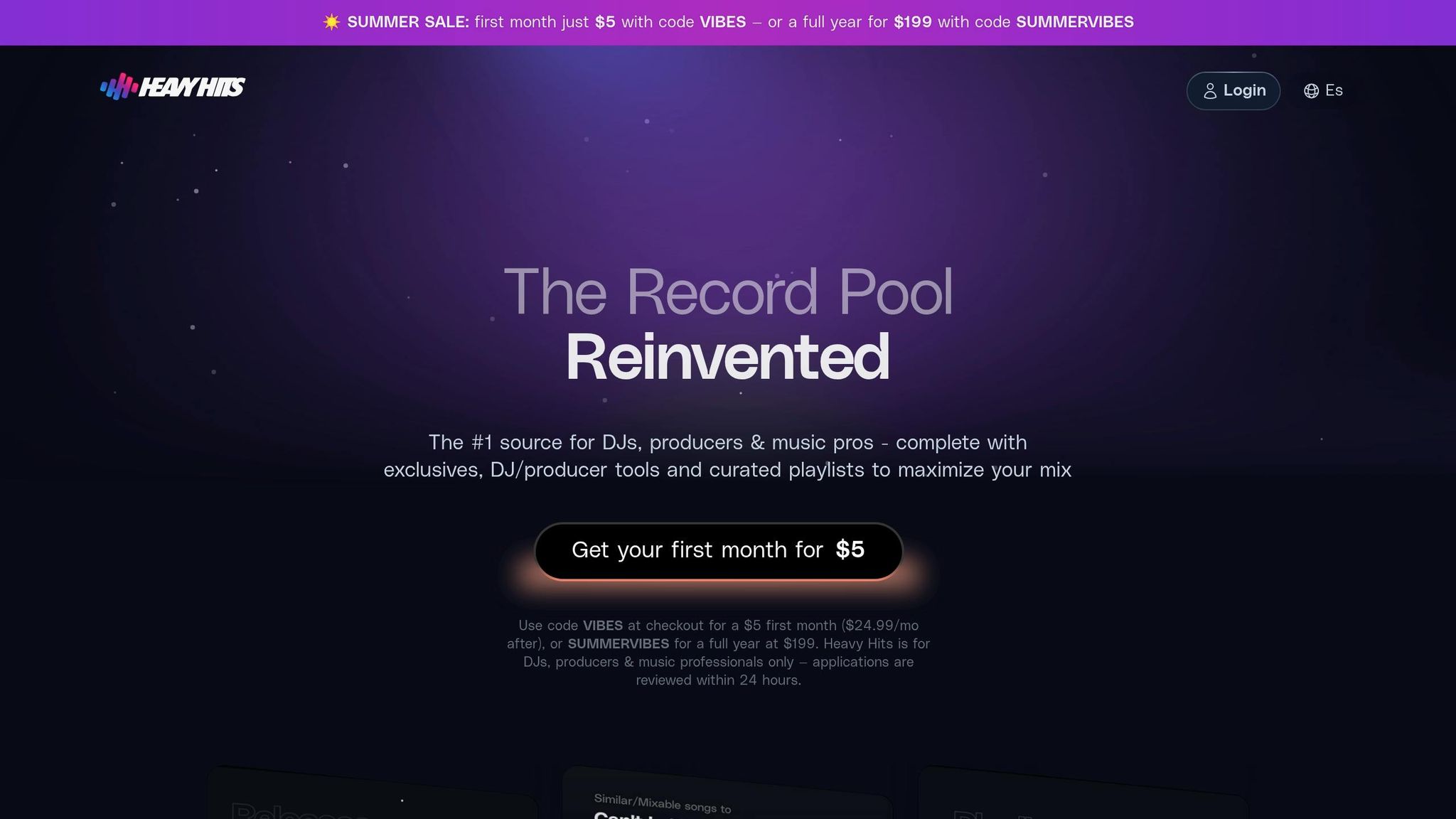
    6. Heavy Hits

    Heavy Hits

    Heavy Hits sends unreleased tracks to a vetted, genre-specific DJ list before release. That makes it a better fit for campaigns that need early feedback from the right DJs, not just a big blast.

    Genre Fit and DJ Audience

    Heavy Hits focuses on DJs who already play the same genre as the release. That helps early promo reach people who are more likely to play it, react to it, and give useful input.

    Label or Artist Promo Access

    Labels and artists can upload unreleased WAV or MP3 files with a promo note, then send them to Heavy Hits’ vetted DJ list. After upload, Heavy Hits sends the release to its vetted DJ list.

    Feedback and Campaign Data

    Heavy Hits collects DJ feedback and tracks engagement, so labels can check early response before the release goes live.

    If you need a broader commercial DJ mix, the next pool takes a wider approach.

    7. Crate Connect

    Crate Connect

    Crate Connect is built around DJ-ready audio and clean metadata for unreleased tracks. That makes it a strong fit for labels that care most about clean delivery and files DJs can use right away. If your team needs fast promo distribution without extra friction, this platform makes a lot of sense.

    With Crate Connect, labels send unreleased tracks to vetted DJs before the official release date. Those DJs can stream the music, download it, and leave feedback. On the label side, the upload process is pretty straightforward: add the tracks, include a promo note, choose the genre classification, and attach supporting credits.

    One of the main selling points is the file setup. Crate Connect provides 320kbps MP3s tagged with BPM, key, artist, and title, which is exactly the kind of detail DJs look for when they’re sorting tracks for a set. It also includes intro and outro versions, which gives DJs files that are ready to play, not files they need to fix first.

    Crate Connect makes the most sense for labels that want clean, playable assets more than deep campaign reporting. For a side-by-side look at access, file support, and reporting, see the comparison table below.

    Quick Comparison Table

    The table below boils the four filters down into one fast view: audience, access, file support, and reporting. Use it to line up each pool with the release plan that fits best.

    Platform Genre Focus DJ Audience Access Model Strongest Benefit Notable Limitation
    Promoly 20+ genres 1,300+ opt-in DJs and tastemakers Direct promo delivery, smartlinks, downloads Targeted outreach, feedback collection, real-time tracking No dedicated mobile DJ app or built-in audio watermarking
    ZipDJ Genre-specific lanes Vetted DJs sorted by genre Browse-and-download Focused genre targeting Limited direct outreach and feedback tools
    DJcity Broad, curated Vetted DJs via review process Browse-and-download Curated reach with structured submission Requires early lead time; no direct outreach
    BPM Supreme Club, hip-hop, open-format Vetted club and radio DJs Browse-and-download Strong club and radio DJ base Limited campaign tracking and feedback collection
    Digital DJ Pool Open-format, varied Vetted DJs across formats Browse-and-download Simple upload and delivery process Basic reporting; no direct outreach
    Heavy Hits Genre-specific Vetted genre-matched DJs Browse-and-download Early feedback from relevant DJs Smaller pool size than broader platforms
    Crate Connect Varied Vetted DJs seeking DJ-ready files Browse-and-download Clean metadata and DJ-ready file delivery Limited campaign reporting

    Rows 2–7 are pull-based DJ pools built for browse-and-download discovery. Promoly is a push-based platform built for direct outreach, feedback loops, and tracking – a different workflow that complements pool distribution.

    Now that the differences are easier to spot, the next move is picking the right pool at the right moment. From there, narrow the choice by submission timing, prep the right assets, and match each track to the pool that gives it the best shot.

    How to Use DJ Pools Effectively for a Release

    Once you pick a pool, execution is what decides whether your release gets played. Choosing the pool is only step one. After that, you need to send the right package at the right time.

    Prepare DJ-Ready Promo Assets

    Send clean, explicit, and radio versions, plus an extended mix when it makes sense. Add pro artwork and complete metadata: BPM, key, genre, and UPC. Include a UPC since some platforms can auto-pull metadata from it.

    Before you upload, check the file specs. Look at bitrate, sample rate, and LUFS so the track lands the way you want. Then add a short promo note with key supporters and a bit of release context.

    Time Pool Submissions Around the Release Date

    Timing can make or break the pitch. If you send promos during release week, you’re often already late. A better move is to submit a few weeks ahead of the release so DJs have time to hear the track, test it, and send early feedback.

    Match Each Track to the Right Pool

    Not every pool fits every record. Match each release to the pool’s genre and audience lane. Check which DJs are active in the pool, then line up the release with the right use case. If the DJs already play that style, your odds go up.

    That keeps the promo tight and aimed at the people most likely to use the record.

    Combine Pool Coverage with Direct Outreach

    DJ pools can put your music in front of more people, but they don’t show opens, plays, or feedback. Promoly adds tracked sends, feedback, and automated reminders, which takes care of follow-up on its own. When you pair pool submissions with a targeted Promoly campaign, labels get broad discovery and a measurable feedback loop on the same release.

    That lead-in sets up the direct-promo tradeoff below.

    DJ Pools vs. Direct Promo Campaigns

    If you want both reach and measurement, it helps to put pool distribution next to direct promo. They do different jobs: reach vs. precision. One gets your release in front of more DJs. The other shows you who opened, played, and downloaded it.

    What DJ Pools Do Well

    DJ pools are built for scale. They put a release in front of a large vetted DJ base that’s already looking for genre-matched promos.

    That makes them a strong pick when the goal is discovery. If you want more DJs to hear the track and give it a shot, pools can help get that ball rolling.

    What Direct Promo Campaigns Do Better

    Direct promo is better when you want clean tracking and tighter follow-up. You can see opens, plays, downloads, and keep a record of who engaged from one release to the next.

    Promoly reports an average open rate of 73% for its promo mailouts, and automated reminders take care of follow-up across multiple releases. That means less manual chasing and a clearer picture of who’s paying attention.

    Over time, each campaign adds to your support history. So instead of sending every new release to the same broad list, you can send it to a sharper group based on past engagement.

    When to Use Both Together

    Use both when the release has enough lead time to support two lanes of outreach.

    Let the pool do the wide push. Then use direct promo to follow up with DJs who’ve already shown support. It’s a simple split, but it works well when you want discovery and trackable engagement.

    Pros and Cons Table

    This split comes down to reach, targeting, and follow-up.

    Feature DJ Pools Direct Promo Campaigns
    Reach High – access to a large network of vetted DJs Narrow – your own curated list
    Targeting Genre-based segments Individual-level, based on engagement history
    Feedback General ratings and comments per release Detailed, tracked response across releases
    Analytics Single-release stats Long-term engagement data that builds over time
    Follow-Up Control Manual per-release setup Automated reminders and follow-ups
    Best Fit Seeding a release to new audiences Securing support from proven tastemakers

    Conclusion

    After looking at the pools above, the choice comes down to fit, timing, and reporting. There isn’t one DJ pool that’s right for every release.

    Pick based on the genre, the DJs you want to reach, and whether your main goal is broad reach or tighter tracking.

    DJ pools work well for discovery. After that, direct outreach helps move things forward. When you track opens, plays, and downloads, you can see which pools are driving actual support over time.

    Choose the pool that fits the release, then watch what gets played and shared.

    FAQs

    How do I choose the right DJ pool for my genre?

    Start with your goals and your scale. If you’re an indie label or a solo artist, a platform like Promoly can make life a lot easier because it puts promo campaigns, smartlinks, pre-save campaigns, and feedback collection in one place.

    Focus on four things: genre fit, features, data ownership, and pricing. In plain English, that means checking whether the platform reaches DJs in your genre and region, gives you the tools you’ll use, lets you track support over time, and has clear pricing that lines up with how often you release music.

    When should I submit my track before release day?

    Send your unreleased track to DJs a few weeks before the planned release date. That gives them enough time to listen, send feedback, and back the release with chart support or club and radio plays.

    With Promoly, you can upload your track, add a promo note, and track opens, plays, downloads, and feedback before launch.

    What files and metadata should I send to DJs?

    Send your audio file with key release details, a strong description, and high-quality artwork. If you have a UPC, the platform may auto-fill some of that info for you.

    You can also add promo video links, press releases, and tech details like BPM and key. A polished promo package gives DJs the context they need to review, stream, and download your music.

    Related Blog Posts

  • Music Publicist Q&A: How to Build Your DJ Contact List

    Music Publicist Q&A: How to Build Your DJ Contact List

    Getting your music heard by the right DJs can make or break your promotional efforts. A targeted DJ contact list ensures your tracks land with professionals who can amplify them to real audiences. Here’s what matters most:

    • Focus on Quality Over Quantity: Start with 10–25 DJs who align closely with your genre. Smaller tastemakers are often easier to reach and more likely to engage.
    • Research Before Contacting: Use tools like 1001Tracklists and social platforms to verify DJs’ styles and contact details.
    • Personalized Outreach: Craft short, specific emails tailored to each DJ’s preferences and recent activity. Avoid generic mass emails.
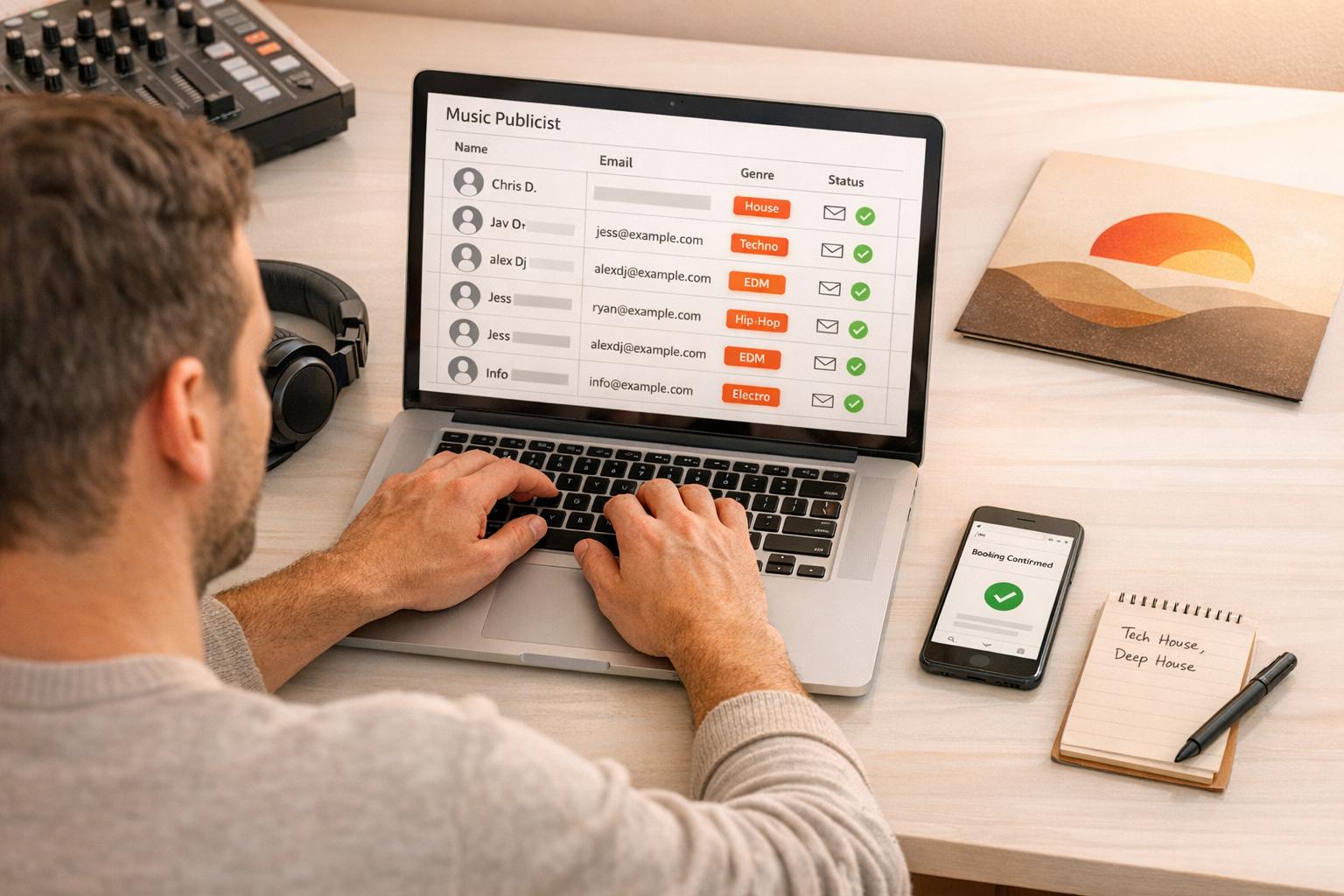
    • Organize Your List: Track not just emails but also preferences, past interactions, and feedback using tools like spreadsheets or CRMs.
    • Build Relationships: Follow up politely, thank DJs for support, and maintain long-term connections with exclusive promos or social engagement.

    Key takeaway: A well-curated, actively managed list is more impactful than blasting hundreds of irrelevant contacts. Treat DJs as collaborators, not just recipients, and you’ll see better results.

    Record labels, here’s how to run DJ and Radio Promo in-house in 2024

    Defining Your DJ Target List

    Before you start gathering names and email addresses, it’s important to figure out exactly who should be on your list. Without clear criteria, your list won’t serve any real purpose.

    Which DJs Should Be on Your List?

    The ideal DJ for your list isn’t necessarily the most famous one – it’s the one who fits your music best. For instance, does the DJ actually play your specific subgenre? A tech house DJ and a melodic techno DJ may both fall under the electronic music umbrella, but their audiences and styles are completely different. Tools like 1001Tracklists can help you see what a DJ is currently playing before you make contact.

    In addition to genre alignment, think about the DJ’s position in the industry. Resident DJs at local venues, mid-level touring artists, or hosts of niche radio shows are often more approachable – and more relevant – than globally recognized stars. Plus, they’re more likely to actually listen to what you send.

    Big-Name DJs vs. Smaller Tastemakers

    While it’s tempting to aim for top-tier DJs, keep in mind that they’re inundated with submissions – often hundreds or even thousands of tracks every week. Many rely on trusted sources like well-known labels or promo pools to filter what they hear.

    Smaller tastemakers, however, offer distinct advantages: they’re easier to reach, more likely to match your genre, and can help you build meaningful connections. Getting support from 10 respected DJs within your subgenre can create real social proof in the industry. This kind of credibility can be a game-changer when pitching to bigger labels later on. As OBSCUUR puts it:

    "One DJ who genuinely champions your music is worth more than a thousand indifferent downloads." – OBSCUUR

    How Many DJs Should You Start With?

    The short answer: fewer than you might think. Instead of casting a wide net, focus on a list of 10–25 highly targeted DJs. Mass emailing 200 semi-relevant contacts won’t get you far. For context, tech house labels alone receive over 1,000 demo submissions per month, with acceptance rates hovering around 3–5%. Smaller, niche labels often have lower submission volumes and higher acceptance rates – sometimes 2 to 3 times higher.

    A smaller, focused list also makes your outreach manageable. You can personalize each message, keep track of responses, and build genuine relationships. These are things you simply can’t do when you’re sending hundreds of cold emails at once. Start small, analyze your results, and expand strategically.

    With your target list in place, the next step is learning how to efficiently find and verify these contacts.

    Finding and Verifying DJ Contacts

    Where to Find DJs Who Accept Promos

    Social media platforms like Instagram, TikTok, and Threads are excellent starting points. DJs often share set videos, tracklists, and genre-specific content, giving you a snapshot of what they’re currently spinning. Festival lineups and event pages are also goldmines, offering lists of active DJs categorized by genre and market level.

    For a more organized approach, check out booking marketplaces like GigSalad. These platforms feature professional DJs actively seeking work, making them easy to reach. Bandcamp is another overlooked option, especially for connecting with independent DJs and artists who maintain a direct relationship with their audience and might welcome exclusive promos. Once you’ve identified potential DJs, it’s essential to verify their details to ensure your outreach hits the mark.

    How to Verify Contact Information

    After spotting a DJ, take time to confirm their contact details by comparing information across platforms like Facebook, Instagram, and official websites. This cross-checking helps you verify the most up-to-date promo address.

    To ensure your promos align with their style, use resources like 1001Tracklists. As Leonardo Fiamenghi Lauretti from Abstrakt Music Lab emphasizes:

    "If you keep on sending irrelevant promos to DJs, you’ll likely end up in their spam box, so checking if what you’re sending to these DJs is still what they are playing is crucial."

    You can also send a direct Instagram message to the DJ or their management team to confirm the preferred contact address. Be mindful of the type of email you find – a dedicated [email protected] address is a strong signal they’re open to submissions. On the other hand, a general management inbox might require you to ask for permission first. Once verified, approach DJs in ways that respect their preferences.

    Avoiding Spam and Respecting DJ Preferences

    Even with verified contacts, respecting how DJs prefer to receive music is key to building a good relationship. Sending generic mass emails can backfire, as they’re often ignored or flagged. Considering that at least 27% of global email traffic consists of spam and phishing attempts, it’s no surprise that DJs are cautious about unsolicited files.

    Only reach out to DJs who have publicly stated they accept promos, whether through a promo-specific email, a submission form, or a direct conversation. Always include an easy way for them to opt out of future emails, and ensure your outreach complies with CAN-SPAM and CCPA regulations. A short, personalized message that references their recent work will resonate far better than a generic email blast – and it’s far less likely to end up in the spam folder.

    Organizing and Managing Your DJ Contact List

    Spreadsheet vs. CRM for DJ Contact Management

    Spreadsheet vs. CRM for DJ Contact Management

    Once you’ve confirmed accurate contact information, the next step is organizing it in a way that makes your outreach both effective and personal.

    What Information Should You Store?

    Having just an email address isn’t enough.

    "An email address on its own is almost useless. A good promo list includes notes." – Promoly

    Your list should go beyond basics like name, email, and social handles. Include genre preferences, mood tags, preferred audio formats (like WAV, MP3, or streaming links), and a detailed history of your interactions: what you pitched, when, and how they responded. Keeping track of these details helps you craft outreach that feels personal rather than automated. For example, noting that someone "prefers vinyl rips" or "loves analog synths" can make your next email stand out.

    To build meaningful relationships, log new contacts within 24 hours of meeting them. After a hectic festival or conference, details can quickly slip your mind, so acting promptly ensures your notes are accurate and actionable.

    Spreadsheet vs. CRM: Which Tool Should You Use?

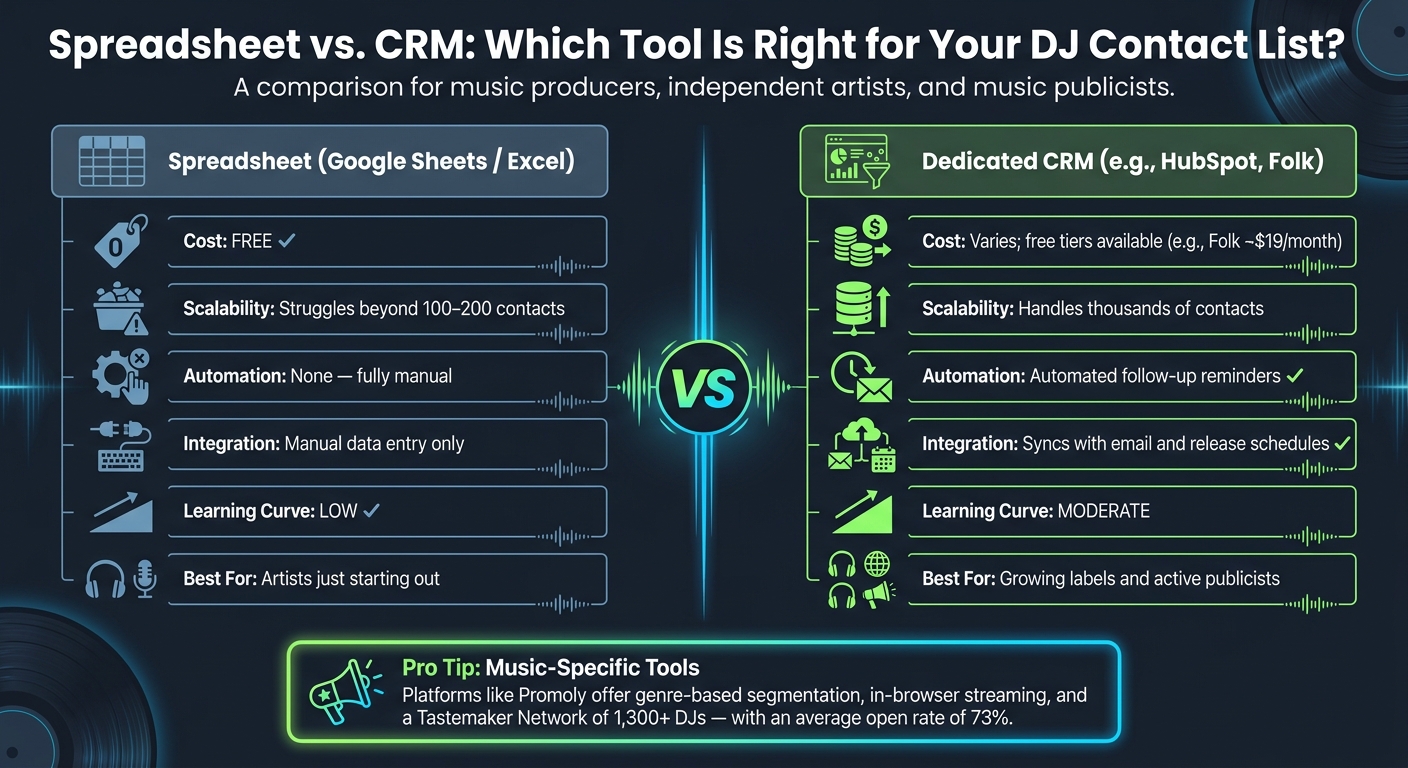
    If you’re just starting out, a simple Google Sheet might be all you need. It’s free, easy to use, and requires no special skills. However, as your contact list grows past 100 to 200 names, manually managing everything becomes time-consuming. Here’s how spreadsheets compare to dedicated CRM tools:

    Feature Spreadsheet (Google Sheets/Excel) Dedicated CRM
    Cost Free Varies; free tiers available
    Scalability Struggles with 100–200 contacts Handles thousands of contacts
    Automation None; fully manual Offers automated follow-up reminders
    Integration Manual data entry only Syncs with email and release schedules
    Learning Curve Low Moderate

    While general-purpose CRMs like HubSpot (with a free tier) or Folk (around $19/month) add features like email tracking and pipeline management, they’re not specifically designed for music promo campaigns. Still, as your needs grow, these tools can save time and keep your outreach organized.

    How Promoly Can Help You Manage Your List

    Promoly

    Promoly takes organization a step further by tailoring its platform specifically for music promotions. It enables genre-based segmentation and builds workflows around the needs of promo campaigns. Instead of just storing contacts, it focuses on engaging them. For example, its Tastemaker Network gives you access to over 1,300 DJs and media contacts, pre-sorted by genre. This ensures your deep house track doesn’t end up in a techno DJ’s inbox.

    "The key difference between a generic email blast and a proper promo campaign is tracking." – Promoly

    Promoly’s in-browser player allows DJs to stream tracks directly from their email, eliminating the hassle of downloads and encouraging higher engagement. It also supports multiple sender profiles, making it easy for publicists managing multiple artists or labels to keep analytics separate under one account. With an average open rate of 73% across campaigns, Promoly demonstrates how organized, targeted outreach can lead to better results than generic mass emails.

    Outreach and Relationship Building With DJs

    How to Write a Good Promo Email

    With more than 120,000 tracks uploaded daily in 2026, your promo email needs to grab attention fast. Many emails fail because they’re too long, impersonal, or feel like they’ve been copy-pasted.

    Tip: Use Instagram DMs for promos only if the DJ specifically requests it.

    Keep your email short – 100–150 words max. Include essential details like the artist name, track title, genre, mood, BPM, key, and release date. DJs are busy, and a long-winded email is likely to be ignored. Your subject line should be clear and informative. For instance, "Support for your sets: [Track Name] (Deep House) – 124 BPM" works much better than something vague or overly clever.

    Personalization is key to making your email stand out. Mention a recent set or radio show the DJ played and explain how your track fits into their style. For example, say something like, "This track would work perfectly for a peak-time 1–2am slot." Avoid sending irrelevant promos – it’s a quick way to end up in their spam folder. Always double-check that your track aligns with what they’re currently playing.

    Important: Never CC multiple DJs in the same email and never send unfinished tracks.

    Once you’ve nailed the email, the next step is following up.

    When and How to Follow Up

    Following up is an essential part of building a connection, but timing and tone matter. A good follow-up ensures your music stays on their radar without becoming intrusive.

    Wait one week after sending your initial promo before following up. Keep it polite and professional – one reminder is enough unless you have a specific reason to reach out again.

    "A follow-up should add value, not pressure." – allaboutmusicbusiness.com

    The best follow-ups include updates that add context, like early support from a notable DJ, a chart milestone, or an approaching release date. If a DJ hasn’t opened your email after a week, send one polite nudge and then move on. Often, silence is due to a busy inbox, not outright rejection.

    Follow-up Stage Timing Content Guidelines
    Initial Follow-up 1 week after promo Check in politely; confirm they received the link
    Value-Add Update When milestones occur Share news like early support or release reminders
    Post-Support Thank-You After a track is played Express gratitude and offer early access to future tracks
    Relationship Maintenance Monthly Share their sets or send music tailored to their style

    Turning DJs Into Long-Term Supporters

    Building a lasting relationship with DJs goes beyond the initial email and follow-up. Personalized outreach can lead to response rates of 30% or more, compared to the 3–5% typical of generic mass emails.

    When a DJ plays your track, thank them immediately and share the moment on social media. Tagging the DJ and the venue not only shows your appreciation but also strengthens the connection. Over time, deepen the relationship by sharing their mixes on your social channels, attending their gigs, or even sending them tracks from other artists that align with their sound. This shows that you value their taste, not just your own releases.

    "The labels that build long-term support are the ones that treat DJs like collaborators, not just contacts." – MN2S

    Offering exclusive access is another great way to build loyalty. Sending a trusted DJ an unreleased "white label" track or early stems for remixing gives them something unique – and gestures like this go much further than a generic mass email ever could.

    Conclusion: Building a DJ Network That Lasts

    A well-organized DJ contact list isn’t just a collection of names – it’s an asset that gains value with every release. When managed effectively, it minimizes the need for cold outreach and helps foster meaningful connections. The secret? Quality over quantity. A tight-knit network of 50 engaged DJs will always outshine a massive list of 500 who’ve lost interest.

    In today’s competitive music scene, trust is everything. Consistent, thoughtful, and respectful communication lays the groundwork for DJs to anticipate your releases – even before you reach out.

    The process is simple but impactful: focus on your genre, confirm contact details, and track essential information with a reliable tool. Treat DJs as collaborators, not just entries in a database. Regularly review your list – every six months is a good rule of thumb – to keep it fresh and aligned with current trends.

    "Industry connections are business assets, not popularity contests." – SubmitLink

    Start small, stay consistent, and watch your network grow through authentic relationships.

    FAQs

    What’s the fastest way to find DJs who actually play my subgenre?

    The fastest way to discover DJs who align with your subgenre is by leveraging tools that analyze playlists and artist support. Platforms like RadioPromo.io or PlaylistOwl allow you to search by artist, genre, or specific keywords to pinpoint DJs based on their track history. Another great resource is 1001tracklists, where you can identify DJs supporting tracks similar to yours. Prioritize reaching out to local and mid-level DJs – they’re often more accessible and receptive to fresh music.

    How do I ask a DJ for their correct promo email without sounding pushy?

    Be concise and professional when reaching out. Start by checking their social media bios, website, or radio show descriptions for a listed email. If you can’t find one, send a polite message through social media asking for their preferred promotional contact. Briefly explain how your music aligns with their style, keeping your message short. If they don’t reply, avoid following up multiple times.

    What should I send instead of an attachment to avoid spam filters?

    Instead of sending an MP3 or ZIP file as an attachment, opt for a clean external listening link, like a private streaming link. This makes it easier for DJs to access the track on both desktop and mobile devices. Plus, large attachments can trigger spam filters or overcrowd inboxes. Keeping your email lightweight improves the chances of it being delivered successfully.

    Related Blog Posts

  • Smartlinks vs Traditional Links: Which Converts Better?

    Smartlinks vs Traditional Links: Which Converts Better?

    Smartlinks consistently outperform traditional links for music promotion. Why? They cater to diverse audiences by allowing fans to choose their preferred platform, reducing drop-offs. Traditional links, while simple and fast, only direct to one platform, alienating users who prefer alternatives like Apple Music or YouTube.

    Key Takeaways:

    • Smartlinks: Offer platform options, track analytics, support pre-saves, and enable retargeting. Ideal for campaigns targeting broad audiences.
    • Traditional Links: Direct to a single platform, work for niche audiences or straightforward needs but lack flexibility and tracking.

    Quick Comparison:

    Feature Smartlinks Traditional Links
    Routing Multi-platform options Single destination only
    Analytics Tracks clicks, sources, etc. Basic click count only
    Pre-save Support Yes No
    Retargeting Yes (e.g., Facebook Pixel) No
    Setup Time ~5 minutes Instant copy/paste

    For campaigns aiming to maximize reach and engagement, smartlinks often deliver a 35–50% boost in streams compared to traditional links. Choose based on your goals and audience needs.

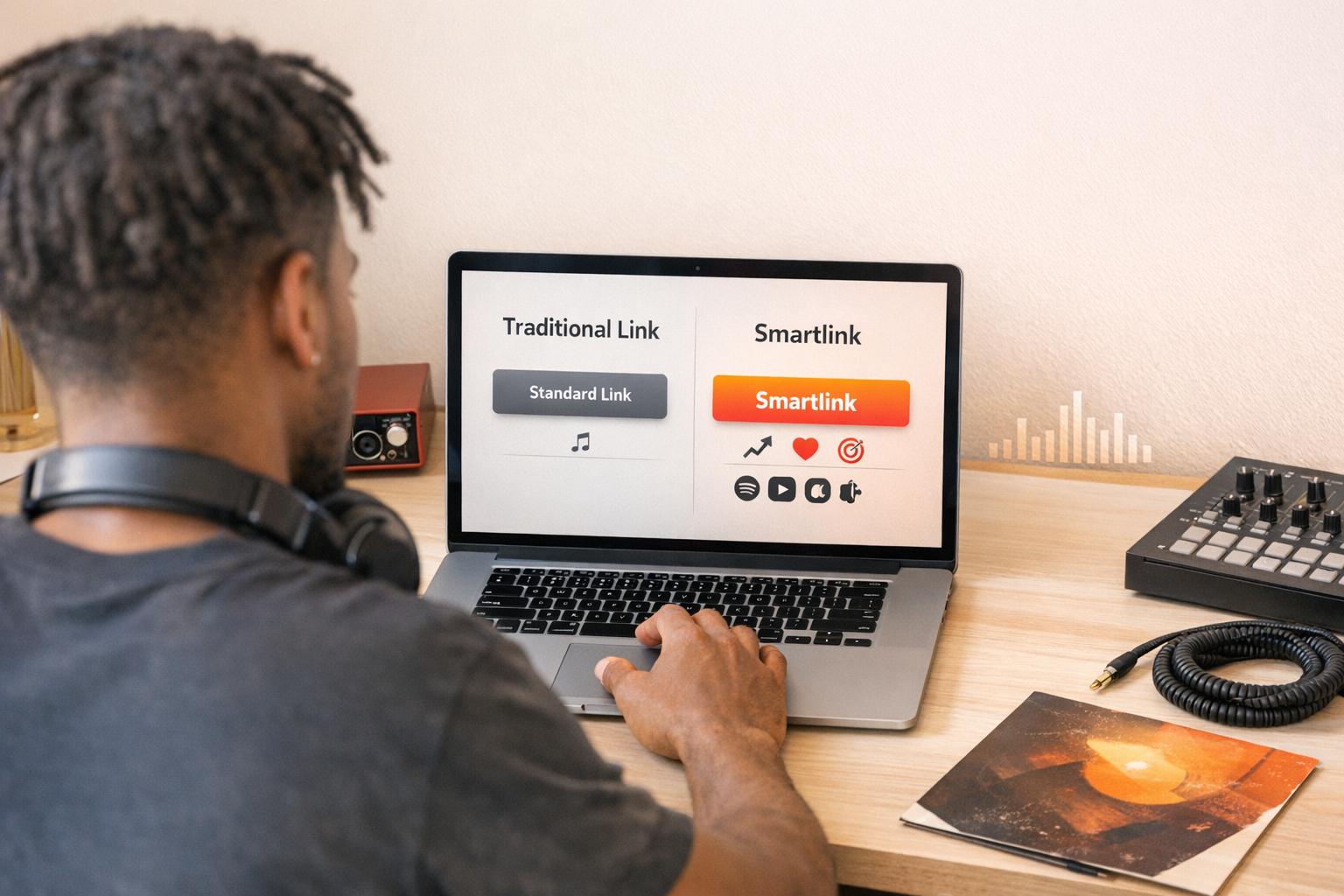
    A smartlink is a single, shareable URL that leads to a landing page where listeners can pick their favorite streaming service. Instead of tying fans to just one platform, it brings together access to all the big names – like Apple Music, YouTube Music, and Amazon Music – in one place. Smartlinks rely on your track’s ISRC code to locate and match your music across platforms. They also provide targeted analytics and routing options. When a fan clicks a smartlink, it either shows them a selection of platforms or automatically redirects them based on their device. Let’s dive into what makes smartlinks stand out.

    Smartlinks go beyond simple routing, offering tools designed to boost engagement and streamline the listener experience.

    Dynamic routing is one standout feature. It identifies a listener’s device and preferred app, then directs them to the right place. This reduces the chances of losing fans mid-click and increases the likelihood they’ll finish streaming your track. By eliminating unnecessary steps, dynamic routing helps convert interest into action.

    Geo-targeting is another handy feature. It displays region-specific content, like local tour dates or country-specific storefronts, based on where the listener is located. This makes your promotions feel more relevant and personalized.

    For unreleased tracks, pre-save functionality is a game-changer. It allows fans to save a track to their library before it’s even out, ensuring it’s ready for them on release day. At the same time, this feature can collect fan emails, helping you build a direct connection with your audience.

    Additionally, retargeting pixel support lets you embed Meta, TikTok, or Google pixels into the landing page. This enables you to re-engage anyone who clicked the link through paid ads, extending the life of your campaigns.

    Smartlinks are designed to keep listeners engaged by sending them directly to their preferred platform. With over 80% of smartlink clicks coming from mobile devices, ensuring a seamless transition to apps is essential for minimizing drop-offs.

    "A smart link is not just a convenience page. It is the handoff point between attention and listening." – Florencia Flores

    For labels, smartlinks provide an analytics layer that tracks clicks, geographic data, and platform preferences across a catalog of releases. For publicists, branded smartlinks in press releases look more polished than raw URLs and offer a clean, platform-neutral way for media to access your content. For independent artists, tools like Promoly combine smartlinks with pre-save campaigns and email collection, making it easier to grow your fanbase while promoting your music.

    A click-through rate (CTR) above 60% shows strong performance, while anything below 40% suggests your landing page could use some fine-tuning.

    A traditional link is a simple, static URL that takes users to a single destination – no landing pages, no routing options, and no flexibility for the audience. Unlike smartlinks, these links don’t cater to varying streaming preferences, which makes them less effective for reaching audiences across multiple platforms. On the plus side, they’re free to create, require no setup, and work immediately.

    "A raw Spotify link tells the audience nothing about their viewing options." – SongPort

    Traditional links can be useful in specific situations. For example, they work perfectly fine when you’re sharing a track with an audience that you know uses a particular platform. They’re also great for non-music destinations – like directing fans to a merch store, a page for tour dates, or a newsletter sign-up – where only one destination is relevant.

    But when it comes to connecting with a broader, cross-platform audience, these benefits are quickly outweighed by their shortcomings.

    The biggest issue with traditional links? Lost audience members. By relying on just one platform, you risk alienating around 40% of your potential listeners. Fans who prefer a different service are left to search for your music manually – and most simply won’t bother.

    Traditional links also lack key features for today’s marketing needs. They don’t provide cross-platform analytics, so you can’t track whether clicks came from Instagram, TikTok, or an email campaign. They don’t support retargeting pixels or pre-save campaigns either. And if your track gets re-released or the URL changes, the link can break entirely, leaving you to fix it manually.

    "If you post an Apple Music link and 60% of your followers use Spotify, you’ve just made it harder for the majority of your audience to hear your music. They have to manually search for the song, and most won’t bother." – PromoLinks

    Factors That Drive Conversions in Music Promotion

    Getting someone to click a link is just the beginning. The real challenge lies in turning that initial interest into streams. What makes some campaigns succeed while others struggle? It often comes down to three key elements.

    Friction and User Experience

    Every extra step between a fan and your music increases the chance they’ll drop off. If a listener lands on a page and has to figure out what to do next, you’ve already lost some momentum. And since over 80% of link clicks from social platforms come from mobile devices, a clunky or slow-loading page can seriously hurt your chances of converting those clicks into streams.

    Smartlinks help by automatically directing users based on their device, minimizing unnecessary steps and keeping the process smooth. In some cases, though, offering fans a choice page can work better, giving them control over their experience.

    "The best smart link is not the prettiest one. It is the one that wastes the fewest clicks." – Florencia Flores

    Traditional links, on the other hand, funnel all traffic to a single platform. If that platform isn’t what a listener prefers, you’ve just created an unnecessary hurdle.

    Tracking and Analytics

    A simple click count doesn’t tell the full story. Analytics give you a deeper look into what’s working and what’s not. For example, smartlinks create unique URLs for different channels, making it easy to see which sources are bringing in engaged listeners and where fans might be dropping off.

    Platforms like Promoly take it a step further by integrating tools like Facebook Pixel directly into campaigns. This way, every click feeds into your retargeting efforts, helping you fine-tune future ads.

    "Clicks tell you nothing about the journey. And the journey is where careers are shaped." – MusicBizQR

    In contrast, traditional links usually just provide a basic click count, leaving you in the dark about traffic sources or audience behavior.

    Audience Segmentation and Personalization

    A one-size-fits-all link won’t cut it when fans have different preferences. Smartlinks allow for audience segmentation by incorporating retargeting pixels from platforms like Meta, TikTok, and Google. This lets you build custom ad audiences, ensuring future campaigns reach fans who’ve already shown interest.

    Adding email capture to pre-save pages is another way smartlinks go beyond the basics. It turns a single click into an ongoing connection, giving you a direct line to your audience and opening the door to long-term engagement.

    Artists who switch from standard links to smartlinks often see a 35–50% boost in total streams per release. These tools don’t just streamline the fan journey – they make it more effective, setting the stage for a closer look at how different link strategies impact music campaigns.

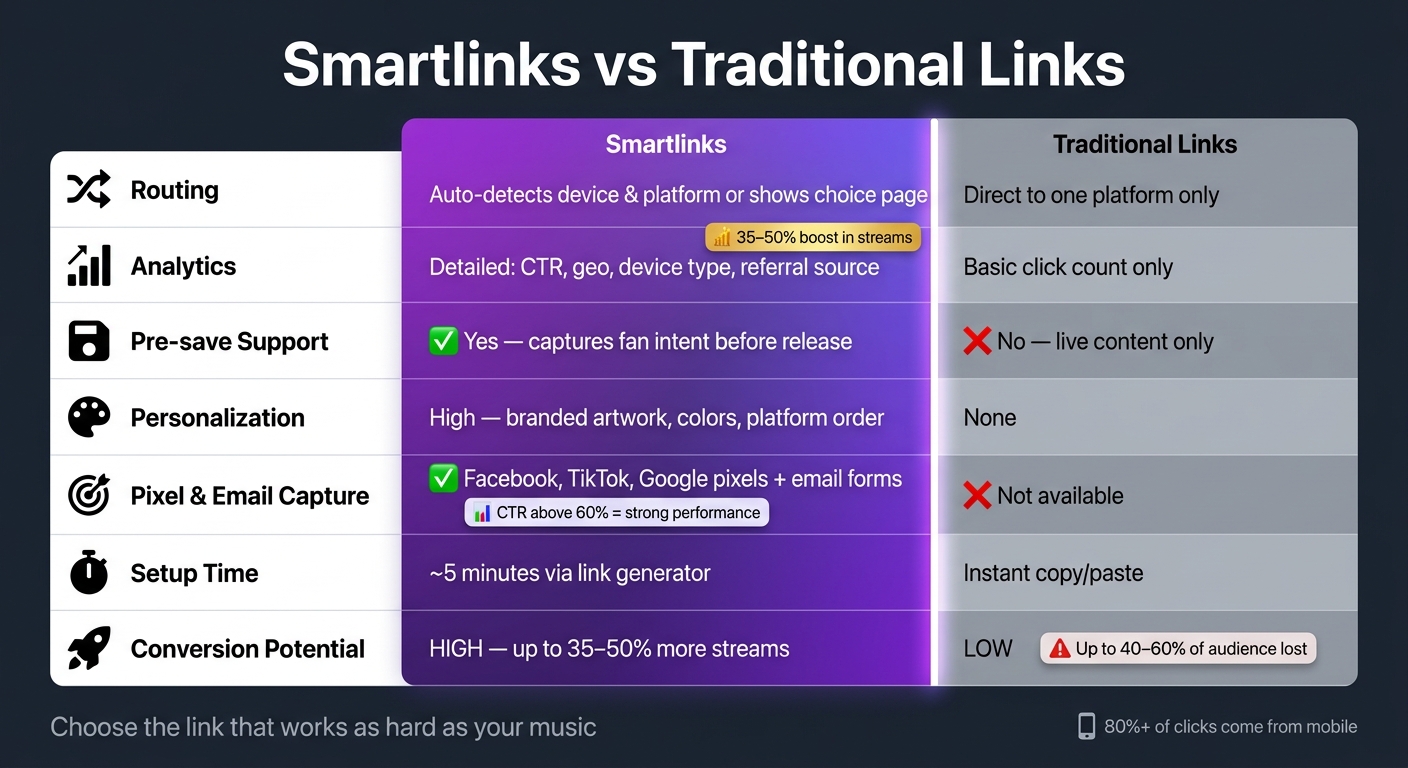
    Smartlinks vs Traditional Links: Feature Comparison for Music Promotion

    Smartlinks vs Traditional Links: Feature Comparison for Music Promotion

    When it comes to driving conversions, smartlinks and traditional links take very different approaches. Think of traditional links as a one-way street – they lead users to a single destination. Smartlinks, on the other hand, act more like a guided tour, offering flexibility and personalization along the way.

    Comparison Table

    Feature Smartlinks Traditional Links
    Routing Auto-detects device/platform or offers a choice page Direct to one platform only
    Analytics Detailed – CTR, geo, device type, referral source Basic click count at best
    Pre-save Support Yes – captures fan intent before release day No – only works for live content
    Personalization High – branded artwork, custom colors, platform order None
    Pixel & Email Capture Yes – Facebook, TikTok, Google pixels + email forms Not available
    Setup Time ~5 minutes via a link generator Instant copy/paste
    Conversion Potential High Low

    This table lays out the key differences in how these link types perform, particularly in terms of audience engagement and conversion rates.

    Strengths and Weaknesses of Each Approach

    Smartlinks excel when you’re targeting a diverse audience across multiple platforms. For example, a Spotify-only link could cost you up to 30% of first-day streams from fans who prefer other platforms. Smartlinks eliminate that risk by offering users options tailored to their preferences.

    "A smart link is a guided journey. Not a menu. Not a container. Not a place to list everything. A movement." – MusicBizQR

    The real magic of smartlinks lies in their ability to boost conversions. Tools like Promoly integrate features such as Facebook Pixel, which transforms clicks into retargeting opportunities, helping turn casual visitors into loyal fans. However, they do require some initial setup, and if the landing page isn’t optimized, it can hurt performance. A click-through rate (CTR) below 40% signals a problem, while anything above 60% is considered strong.

    Traditional links, on the other hand, are quick and easy to use. They’re perfect for scenarios like internal communications, press kits, or campaigns targeting a single platform. But their simplicity comes at a cost – they lack the analytics, personalization, and retargeting capabilities that make smartlinks so effective for broader campaigns.

    In short, traditional links are great for straightforward needs, while smartlinks offer more power and flexibility for campaigns aiming to maximize reach and long-term engagement. Both have their place, depending on your goals.

    The answer depends on what you’re trying to achieve. However, for most modern music campaigns, smartlinks tend to outperform traditional links by a wide margin.

    Smartlinks are your go-to when you’re targeting a broad, multi-platform audience. The streaming world is highly fragmented, with fans spread across platforms like Spotify, Apple Music, YouTube Music, Tidal, and others. Sharing a link to just one platform risks alienating up to 60% of your audience. Smartlinks simplify this by offering a single landing page that caters to everyone, reducing friction and boosting conversions.

    Beyond convenience, smartlinks also provide powerful tools like precise channel tracking. This makes them essential for paid ads and analyzing performance across different channels. Platforms such as Promoly streamline this process, offering features like pre-save campaigns, Facebook Pixel integration, and real-time analytics – all in one place.

    "Fans don’t convert because of features. Fans convert because of how they feel when they land." – MusicBizQR

    Here’s a tip: Since over 80% of social media clicks come from mobile devices, always test your smartlink landing page on a phone before launching your campaign. A seamless mobile experience can make or break your results.

    That said, traditional links still have their place, depending on the situation.

    For campaigns where you’re directing traffic to a single destination – like sharing a press kit with a journalist or targeting an audience that primarily uses one platform – traditional links can still work well. In cases where tracking and multi-platform reach aren’t priorities, their simplicity can be an advantage. They’re particularly useful for low-budget campaigns or when the goal is straightforward and doesn’t require advanced analytics.

    Final Recommendations

    Ultimately, your choice between smartlinks and traditional links depends on the scope of your campaign and your need for data. If you’re a label or publicist managing multi-platform campaigns, smartlinks are essential – they provide the infrastructure for tracking, retargeting, and optimizing your efforts. On the other hand, for single-destination campaigns, traditional links can be perfectly adequate.

    A key indicator that it’s time to switch to smartlinks? If you’re investing in ads or growing your fanbase, the tracking and retargeting capabilities of smartlinks deliver measurable results. Artists who transition from platform-specific links to smartlinks typically see a 35–50% increase in total streams per release. That’s a boost you can’t afford to ignore.

    FAQs

    Smartlinks are built to improve the user experience, not hinder it. These tools function as quick-loading landing pages, efficiently guiding fans to their favorite streaming platforms. By leveraging advanced technology, modern smartlinks ensure pages load in just milliseconds, boosting click-through rates. Features such as mobile-friendly design and instant redirects reduce delays, creating a smooth and efficient journey for users.

    What should I track to prove conversions?

    To measure conversions effectively, focus on tracking metrics that provide clear insights. For instance, click-through rates (CTR) are a great indicator of engagement – rates above 60% often signal strong interest. Keep an eye on audience geography to uncover regional trends and preferences.

    Leverage UTM parameters to pinpoint which traffic sources are driving the most results. If you’re using platforms like Spotify, tracking conversions to streams or sales can offer valuable performance data. Additionally, capturing email signups and implementing retargeting pixels can help you assess deeper audience interactions that go beyond just clicks.

    Yes, smartlinks can collect emails legally, but only when users give explicit consent. This often happens through features like pre-save campaigns or email signup forms, where users voluntarily opt in. It’s crucial to always follow relevant data protection laws, like the GDPR or CAN-SPAM Act, to ensure compliance when gathering email addresses.

    Related Blog Posts

  • Low Engagement on Music Promos? 8 Quick Fixes That Work

    Low Engagement on Music Promos? 8 Quick Fixes That Work

    If your music promos aren’t connecting, you’re not alone. With over 120,000 new tracks uploaded daily, standing out is tough. Low engagement often stems from poor targeting, weak messaging, bad timing, or disorganized campaigns. But these issues are fixable. Here’s how to boost your music’s visibility and performance:

    • Identify the Problem: Analyze key metrics like save rates, skip rates, and open rates to pinpoint weak spots.
    • Refine Targeting: Segment your audience and pitch to the right people, like playlist curators or fans of similar artists.
    • Improve Messaging: Use engaging subject lines and hooks that focus on the recipient’s interests.
    • Optimize Visuals & Landing Pages: High-quality cover art and streamlined landing pages can increase clicks and saves.
    • Perfect Timing: Send emails on optimal days (Tuesday–Thursday mornings) and follow up strategically.
    • Pitch Smarter: Focus on niche playlists and personalize your outreach.
    • Tailor Social Media: Use platforms like TikTok for discovery and Instagram for fan engagement.
    • Leverage Data: Track engagement and adjust your strategy based on analytics.

    8 Music Marketing Strategies That Actually Work | Ditto Music

    Ditto Music

    Identify the Real Engagement Problem First

    Before tweaking your campaign, figure out exactly where engagement is falling short. Low engagement isn’t just one issue – it can stem from multiple challenges, each needing a tailored fix. If you treat all problems the same, you risk wasting time and money.

    Start by breaking your metrics into two types: leading indicators (which predict future outcomes) and lagging indicators (which reflect past performance). For instance, monthly listeners are a lagging indicator, showing what already happened. On the other hand, your save rate – the number of saves divided by total streams – is a leading indicator. A drop in save rate today often signals a decline in monthly listeners within three weeks.

    "Monthly listeners is a lagging indicator – it confirms what already happened. Leading indicators, by contrast, give you signal before the outcome appears. A falling save rate today predicts a monthly listener decline in three weeks." – Chartlex

    Here’s a quick guide to core metrics, their benchmarks, and potential red flags:

    Metric Healthy Benchmark Red Flag
    Save Rate 15% or higher Below 8% – could point to a hook or track issue
    Follower Conversion 20% or higher Below 10% – indicates a profile or catalog problem
    Stream Velocity Flat or growing Declining for three straight weeks
    Algorithmic Traffic Split 40%+ from algorithmic sources Below 30% – too reliant on playlists
    Intro Skip Rate Low High skips within the first 15 seconds

    Streaming metrics are just part of the picture. Email promotions can also highlight engagement issues. For example, if your open rate is under 30%, the problem might lie in your subject line or the quality of your email list – not your music. And if people click but don’t save, you might be targeting the wrong audience.

    Platforms like Spotify for Artists give you insights into streams, saves, and audience demographics. During the pre-release phase, tools like Promoly can help you track promo opens, how long tracks are being listened to, and audience feedback. This data shows whether a track is connecting with listeners before you scale up your efforts.

    "Sending promos without collecting feedback is like throwing a party and never checking if anyone showed up." – Promoly

    The key is not to get overwhelmed by data. Focus on the metrics that are underperforming and take action right away.

    1. Tighten Your Promo Targeting and Segmentation

    If your metrics are lagging, it’s time to revisit the basics: Who exactly are you trying to reach? Casting too wide a net often leads to poor engagement. With over 120,000 new tracks uploaded daily to streaming platforms, sending promos to the wrong audience not only drains your budget but also hurts your reputation.

    "One of the fastest ways to get ignored is sending the right track to the wrong person." – Promoly

    Start by segmenting your contact list based on role and genre. A radio programmer, a playlist curator, and a music blogger all have different priorities and workflows. Tailored pitches designed for specific curators have a 28% placement rate, compared to only 4% for generic, copy-paste emails. You can refine this even further by dividing your audience into engaged and less responsive groups. Offer early access or exclusive material to your most loyal fans, while using re-engagement strategies for those who are less active. Tools like Promoly’s campaign dashboard allow you to track who’s opening your promos and for how long, so you can focus your energy on the most interested recipients.

    A smart way to begin is by researching five artists similar to you, particularly those with 10,000–50,000 monthly listeners. Look at the playlists they’re featured on, their niche, and where their fans are concentrated. This kind of “sonic neighbor” research helps you zero in on specific playlists, regional influencers, or niche blogs that align with your sound. A targeted, thoughtful approach like this will always outperform a broad, scattershot strategy.

    2. Rewrite Your Subject Lines, Titles, and Opening Hooks

    Your subject line is your first – and often only – shot to grab attention. Promoly highlights this perfectly: "Music inboxes are overcrowded. Your subject line has about two seconds to convince someone to open." That’s an incredibly tight window, yet many music promo emails still rely on bland lines like "My new single is out now on Spotify", which are easily ignored. If you want to stand out, it’s time to rethink your approach.

    The key? Shift the focus from yourself to your audience. Chris Robley from Reverbnation explains:

    "The formula is pretty simple: Make it about them, not you; Personalize it when appropriate; Don’t use musician lingo; talk about feelings and stories; Create a sense of urgency or mystery."

    This audience-first mindset is essential to boosting engagement. Instead of just announcing your release, craft a subject line that speaks directly to the recipient’s interests. For instance, "Dark electronic, influences: Moderat, Burial" gives a curator exactly what they need to decide quickly. Nadav Peleg reinforces this point:

    "Editors don’t need your excitement. They need fit. Name the mood, listener moment, or anything that stands out."

    Specificity matters. Personalized pitches can achieve placement rates of around 28%, compared to just 4% for generic ones. That’s a huge difference, and it all starts with being deliberate in your messaging.

    Once your subject line grabs their attention, your opening hook has to seal the deal. Start with a single sentence that explains why your track is relevant to them right now. Reference something specific, like a playlist they curate or an article they’ve written recently. This kind of personalization does far more than a long-winded email full of generic hype. Also, steer clear of rookie mistakes like using all caps, spammy words like "free" or "click here", and BCCing multiple contacts – it screams mass email and kills credibility.

    Here’s a formula that works: Genre + Context + Hook. For example, a subject line like "Indie folk single, recorded in a cabin during a wildfire season" immediately creates intrigue and offers context. Combine this with A/B testing across different recipient groups to figure out what resonates best.

    3. Improve Your Promo Assets and Landing Page Experience

    Even the perfect subject line won’t save a campaign if the experience that follows feels clunky or unprofessional. Your visual assets and landing page are where initial interest either turns into action – or fades away. And it all starts with your cover art.

    Cover art is the first thing listeners and curators notice. A clean, focused image with high contrast and minimal text performs better. In fact, cover art with these qualities sees a 19% higher click-through rate in playlist contexts when compared to designs that are cluttered or low-contrast. To ensure your cover art meets platform standards, stick to these specs: 3,000×3,000px, RGB color mode, JPG or PNG format.

    But visuals are just one piece of the puzzle. Many promotional efforts falter at the landing page. Sending users directly to a Spotify URL can be a missed opportunity. Without tracking tools like a Meta or TikTok pixel, you’re left with clicks but no real data on conversions. A dedicated landing page with tracking capabilities solves this problem while also making the user journey smoother. As AllAboutMusicBusiness says:

    "The fewer clicks between curiosity and playback, the better."

    For industry-specific promos, your landing page should offer both a private streaming link and a downloadable file. DJs, A&Rs, and music supervisors often have different needs. Providing both options ensures you’re not losing engagement simply because of a format mismatch.

    Finally, consider adding dynamic elements like Spotify Canvas to your strategy. This looping 3–8 second vertical video can increase listener engagement by an average of 5%, and tracks with Canvas are 4x more likely to be shared on social media. It’s a simple way to show curators and listeners that you’re serious about your release while also boosting visibility.

    4. Make Email Promos Shorter and Easier to Scan

    When it comes to email promos, brevity and clarity are your best friends. Industry professionals sift through hundreds of emails daily, so if yours doesn’t quickly convey who you are and why you’re reaching out, it’s likely to get skipped.

    "If your email appears laborious to scan, it won’t be read." – All About Music Business

    The solution? Keep it under 150 words. That’s just enough space to introduce yourself, include a listening link, and make a single, clear request. Stick to a simple three-part structure: a short intro, a prominent streaming link, and a direct call to action like "Let me know if you’d like a download link". This approach works hand-in-hand with targeted messaging to maximize impact.

    Formatting plays a big role in making your email easy to digest. Highlight your call to action (CTA) so it stands out immediately. Use bullet points sparingly for key details – artist name, track title, genre, and release date – allowing readers to grab the essentials at a glance. Make sure your streaming link is easy to find and tap, especially for mobile users, as many curators review emails on their phones. Adding white space can also make your email feel less cluttered and more inviting.

    Promoly sums it up perfectly:

    "Be brief, confident, and let your music shine."

    Element Recommendation
    Total Word Count Under 150 words
    Subject Line Length 30–50 characters
    Visuals 1 high-quality image
    CTA Single, bold, and clear
    Links Embedded player or clean streaming link

    These adjustments can make your emails more effective, ensuring they grab attention and deliver your message without wasting time.

    5. Fix the Timing and Frequency of Your Campaigns

    Timing can make or break a promo campaign. It’s not just about when your email lands in someone’s inbox but also about how often they hear from you. Let’s dive into how to get the timing and frequency just right to make your promotions more effective.

    The best days to send music promo emails? Tuesday through Thursday mornings. That’s when industry contacts like curators, DJs, and journalists are actively sifting through their inboxes. As Promoly explains:

    "Send emails Tuesday through Thursday in the morning when contacts are actively working through their inbox."

    Avoid weekends and late nights – those are low-activity times when open rates tend to drop. Fridays, especially major release days, can also be tough since inboxes get flooded with competing releases.

    Lead time is another critical factor. Different recipients need varying amounts of notice to plan effectively. Here’s a breakdown of recommended lead times for key contacts:

    Target Recipient Recommended Lead Time Purpose
    Radio Programmers 4–6 weeks before release Format planning and scheduling
    Spotify Editorial 3–4 weeks before release Editorial review and placement
    Playlist Curators / Press 2–3 weeks before release Review and inclusion in launch-day lists
    Core Fan Email List Release Day Driving immediate stream velocity

    When it comes to how often you should email, less is more during a release cycle. Stick to three emails:

    • A main announcement on release day.
    • A follow-up on Day 3 or 4 with fresh content like behind-the-scenes clips or lyric highlights.
    • A third email only if you have new, noteworthy material to share.

    In between releases, aim to send two updates per month to keep your audience engaged without overwhelming them.

    For tastemakers like curators or journalists, follow up politely 3–4 days after your initial email. Usually, one follow-up is enough – any more, and you risk coming across as overly persistent.

    6. Sharpen Your Playlist and Tastemaker Pitching

    Once you’ve refined your targeting and messaging, it’s time to focus on your playlist and tastemaker strategy to boost your track’s algorithmic momentum. The key to success here isn’t about landing a single massive playlist. Instead, aim for placements on multiple relevant playlists at the same time. Why? Tracks featured on three or more targeted playlists simultaneously are 4.2 times more likely to show up on algorithmic playlists like Discover Weekly. It’s all about building enough engagement to let the algorithm do the heavy lifting.

    Focus Your Pitch for Maximum Impact

    Broad, generic pitching can dilute your efforts. Instead of targeting broad categories like "indie rock", get specific. Think about mood or setting – terms like "late night drive" or "Sunday morning focus" can lead you to playlists with more engaged audiences. These smaller, niche playlists often have more active listeners. For example, playlists with 500–5,000 followers typically see an average save rate of 4.8%, compared to just 2.1% on larger editorial lists.

    Vet Playlists Before Pitching

    Before sending your pitch, take a closer look at the playlists you’re targeting. Check if they’ve been updated in the last 2–4 weeks, as stale playlists are less likely to drive meaningful engagement. Also, be cautious of inflated numbers. A playlist with 50,000 followers but only 200 monthly listeners likely relies on bots. Spotify’s crackdown on artificial streaming activity led to the removal of over 10,000 playlists in 2025.

    Personalize Your Pitch

    When pitching, keep it short and to the point – 100 to 150 words is ideal. Personalization is crucial. Mention a specific track already on the playlist and explain how your song complements it in terms of mood or BPM. Skip lengthy bios and focus on how your track fits the playlist’s vibe. Always include a direct Spotify link instead of attachments, and craft subject lines that include the playlist name – this simple tweak can boost your email’s open rate by 27%.

    Timing and Follow-Ups

    Timing matters. Reach out to independent curators 7–14 days before your release. If you don’t hear back, send a follow-up email 5–7 days later. Avoid excessive follow-ups, as they can hurt your chances and might even get you blocked.

    These targeted adjustments, combined with earlier improvements to your email strategy, can help you build a cohesive and effective promotional plan.

    7. Tailor Social Media Promos to Each Platform

    Social media isn’t one-size-fits-all, especially when it comes to music promotion. Each platform has its own strengths and quirks, and understanding how to use them can make a world of difference. For instance, TikTok has become a powerful discovery tool for reaching new listeners, while Instagram excels at converting casual fans into loyal followers. Knowing this distinction can help you refine your content strategy.

    Here’s what the numbers tell us: nearly half (47%) of listeners find new songs on short-form video platforms like TikTok before they even hear them on Spotify. Plus, a staggering 84% of the songs that made it onto the Billboard Global 200 in 2024 first gained traction on TikTok. These stats highlight the importance of a well-thought-out content plan.

    "A viral video that reaches 2 million people who do not care about your music is worth less than a video that reaches 5,000 people who save the song." – Orphiq

    To help you navigate, here’s a breakdown of how to approach each platform in your music promo campaign:

    Platform Primary Role Posting Cadence Best Content Type
    TikTok Discovery 4–7x per week Behind-the-scenes clips, song snippets, trending challenges
    Instagram Conversion 3–5 Reels + daily Stories High-energy Reels, personal Stories
    Facebook Community & Events 1x per day (release week) Storytelling, giveaways, local show updates
    YouTube Evergreen Catalog 2–4 Shorts + 1–2 long-form/mo Music videos, acoustic sessions

    Key Tips for Each Platform

    • Instagram Reels perform best when they’re 7–15 seconds long, with over 80% of viewers watching with the sound on.
    • On TikTok, the algorithm prioritizes watch-through rates and replays over likes or follower counts. This means your content needs an attention-grabbing hook in the first 1–2 seconds.
    • Avoid posting TikTok videos with watermarks directly to Instagram Reels – Instagram’s algorithm suppresses these posts.

    To keep your content consistent and manageable, consider batching your efforts. Dedicate 2–4 hours each week to filming and editing 5–8 short-form videos. A single studio session can yield content tailored for TikTok, Instagram Reels, and YouTube Shorts. Artists who post short-form videos at least three times a week see 2.5× more visits to their Spotify profiles from external sources.

    8. Use Feedback and Analytics to Adjust Campaigns Fast

    Making quick adjustments based on data can transform your promotional efforts. Engagement challenges often surface only after a campaign goes live, so keeping a close eye on your metrics and acting promptly is crucial. Here’s what to focus on for meaningful insights.

    While total streams and follower counts might seem impressive, it’s the high-intent metrics like save rates, listen-through rates, and playlist adds that reveal how well your audience is connecting with your content. For instance, if a track has strong streaming numbers but a low save rate, it suggests listeners are only passively hearing it – maybe on a playlist they don’t find engaging. This usually points to a targeting issue rather than a problem with the track itself. Similarly, low open rates or click-through rates (CTR) in email campaigns can highlight issues with either your targeting or the content.

    One critical behavior to monitor is the skip rate. Data shows that tracks with intros longer than 15 seconds tend to have a 23% higher skip rate on average. If your analytics reveal listeners dropping off before the 30-second mark, it’s a signal that your hook isn’t grabbing attention quickly enough. In this case, shortening the intro and testing again can make a big difference.

    Set aside just 30 minutes each month to analyze which content formats are driving saves and shares, and cut out those that consistently underperform. If you notice repeated listens without engagement, consider following up thoughtfully using this data to guide your approach. Small, steady tweaks often outperform infrequent, large-scale changes.

    Tool Comparison Table

    Music Promo Platform Comparison: Best Tools for Every Stage

    Music Promo Platform Comparison: Best Tools for Every Stage

    Choosing the right tools to tackle engagement challenges is just as important as refining your promotional strategies. Whether you’re focused on pitching, optimizing landing pages, or analyzing post-release performance, the right tool can make all the difference. Here’s a breakdown of key tool categories and what they bring to the table:

    Tool Category Key Features Primary Use Case Data Insights Provided
    Promo Delivery (e.g., Promoly) Branded players, secure delivery, pre-save pages, feedback, automated reminders Pitching to DJs, A&Rs, radio programmers, and tastemakers Open rates, play duration, listener location
    Smartlink Platforms Pre-save pages, multi-platform routing, bio links Directing social media traffic to streaming platforms Click-through rate (CTR), platform preference, geographic data
    Analytics Suites (e.g., Spotify for Artists, Apple Music for Artists) Native dashboards, algorithmic tracking, demographic data Monitoring long-term audience behavior and stream sources Save rate, completion rate, skip rate, source of streams
    Fan CRM Tools Email/SMS capture, fan profiles, segmentation Building owned audiences independent of platform algorithms Conversion, fan lifetime value, and open rates

    Each tool plays a unique role in boosting engagement when paired with well-timed messaging and targeting strategies.

    For instance, promo delivery platforms like Promoly offer detailed insights such as open rates and play duration, helping you refine your pitch for DJs, tastemakers, and other key contacts. On the other hand, analytics suites like Spotify for Artists provide a broader view of how your music performs across your listener base, tracking metrics like save rates and stream sources. Together, tools like these give you a full picture of your promotional efforts.

    "The first job of a promotion tool is not to get you attention. It is to stop you wasting the attention you already earned." – NotNoise

    One standout statistic? Email promo tools achieve open rates of 20–30%, compared to just 1–3% on social media. That’s a compelling reason to keep a promo delivery tool in your arsenal, especially for pre-release outreach to industry contacts.

    If you’re curious about Promoly, their free trial lets you send up to 150 emails over seven days – no credit card needed. It’s a low-risk way to test the waters and gather real engagement data before committing to a paid plan.

    Conclusion

    Low engagement is often a sign that your promotional strategy needs a fresh approach. The eight fixes discussed here tackle various weak points in the process, from refining your audience targeting and crafting better subject lines to upgrading your promo materials, perfecting your timing, improving your pitches, and making data-driven decisions.

    The good news? These adjustments don’t require a massive budget – just consistency. In a landscape where over 120,000 new tracks are released daily and most artists struggle to surpass 1,000 streams per release, success comes from running smart, intentional campaigns.

    The key is to treat promotion as a repeatable system. Small improvements add up: better subject lines can lead to higher open rates, which drive more listens and nudge streaming algorithms in your favor. Each tweak – whether it’s better email targeting or an optimized landing page – contributes to a stronger promotional framework. Letting your metrics guide you ensures steady progress over time.

    "Sustainable promotion is less about one viral moment and more about building predictable systems for exposure, engagement, and monetization that amplify each new release over time." – Jamal Farouk, Motivi Loves Music

    Start small: pick one or two fixes, track the results, and refine your approach. Independent artists who maintain a clear, measurable marketing strategy are 3.5 times more likely to achieve their streaming goals. It all begins with understanding what to monitor and why.

    FAQs

    Which one metric should I fix first?

    Streaming platforms like Spotify rely heavily on engagement metrics to determine which tracks deserve more visibility. Among these metrics, your save rate – the percentage of listeners who save your song to their library or playlist – is a key indicator of how well your music connects with audiences.

    A high save rate tells the algorithm, "This song is worth sharing." This boosts your chances of landing on editorial playlists and being included in algorithmic recommendations like Discover Weekly or Release Radar.

    Here’s the thing: before you dive into scaling paid promotions, make sure your music is already driving genuine engagement. Focus on creating tracks that encourage listeners to save, listen all the way through, and even follow your artist profile. These organic signals are what fuel long-term algorithmic support and help your music reach a wider audience.

    How do I know if my list targeting is wrong?

    If you’re sending your music to people who don’t work with your genre or subgenre, your list targeting might need some fine-tuning. Common signs include high silence rates or pitches being ignored – especially if your outreach feels generic or mismatched. Instead of relying on broad, non-specific lists, focus on curators who are a good fit for your style. Double-check that your metadata accurately describes your music, and research artists with a similar sound to ensure you’re reaching out to the right people.

    What’s the fastest change to boost saves?

    The fastest way to boost saves is by hosting listening parties. These events often result in 2–3x higher first-day save rates compared to typical release announcements. Another effective strategy? Simply ask your fans. Use social media posts or emails to encourage them to save your music, and explain how saves help algorithms recommend your track to more listeners.

    You can also use video clips on Spotify Countdown Pages to grab attention. This approach has been shown to double pre-saves, creating early momentum that fuels algorithmic growth.

    Related Blog Posts

  • Best Music Promotion Tools for Independent Artists in 2026

    Best Music Promotion Tools for Independent Artists in 2026

    Promoting your music in 2026 is all about using the right tools to reach your audience and keep them engaged. Independent artists now have access to advanced platforms for distribution, playlist pitching, fan communication, and analytics – tools that were once exclusive to major labels. Here’s what you need to know:

    • Distribution: Services like DistroKid and CD Baby make it easy to get your music on streaming platforms.
    • Playlist Promotion: Spotify for Artists allows direct pitching to editorial playlists, while tools like Promoly connect you with tastemakers and DJs.
    • Social Media Management: Platforms like Buffer and Later help you schedule posts across TikTok, Instagram, and YouTube.
    • Fan Communication: Email tools like MailerLite offer a direct way to connect with fans, achieving better engagement than social media.
    • Analytics: Free tools from Spotify and Apple Music provide real-time insights, while services like Chartmetric consolidate data across multiple platforms.

    The key takeaway? Focus on "owned momentum" – building direct, lasting relationships with your fans through email, SMS, and smartlinks, rather than relying on unpredictable social media algorithms.

    Below, we’ll explore how these tools work and how to integrate them into your strategy for maximum impact.

    Top Tools for Indie Artists 2026: Distribution, Direct 2 Fan, Marketing+

    Key Categories of Music Promotion Tools

    Promoting music in 2026 requires a set of tools tailored to specific tasks, each playing a crucial role in your strategy. Knowing how these tools fit into your workflow helps you avoid overspending and keeps things streamlined – something that can be a challenge for independent artists. Here’s a breakdown of the main categories and how they contribute to your promotional efforts.

    Distribution and Profile Management

    Before you can start promoting, your music needs to be available on the right platforms with all the correct details. Digital distributors like DistroKid (starting at $24.99/year for unlimited uploads) and CD Baby ($9.95 per single, one-time fee) handle the heavy lifting of getting your tracks onto streaming services. Once your music is live, it’s essential to claim your profiles on Spotify for Artists, Apple Music for Artists, and YouTube Studio – all free tools. These platforms let you manage your visual branding, pitch unreleased tracks to editorial teams, and access exclusive data about your listeners that third-party tools can’t provide.

    "Most music promotion tools are built for labels and sold to independent artists. That’s the core problem nobody wants to talk about." – Ulises, NotNoise Team

    Playlist and Tastemaker Promotion

    Playlists remain one of the best ways to get your music in front of new audiences. Through Spotify for Artists, you can pitch unreleased tracks directly to Spotify’s editorial team – just make sure to do it at least 28 days before release (7 days is the minimum). Beyond editorial playlists, there are platforms that connect you with independent curators, bloggers, and even radio hosts. Keep in mind that having clean audio files, accurate metadata, and a well-maintained artist profile is critical – sloppy submissions are a quick way to get overlooked.

    Social Media and Content Scheduling

    Social platforms like TikTok, Instagram, YouTube, and Threads are where music discovery happens most often today. However, keeping up with real-time posting across multiple platforms can be exhausting. Tools like Buffer (free for up to 3 channels; $20/month for the Essentials plan) help you plan and schedule content in advance, ensuring your profiles stay active without overwhelming you. Consistency is key – the algorithm favors regular posting, and gaps in activity can cause you to lose momentum.

    Email and Direct-to-Fan Communication

    Social media reach is never guaranteed – it’s borrowed space. Email, on the other hand, gives you a direct connection to your audience. While Instagram posts typically reach around 12% of your followers, email open rates exceed 50%. Building an email or SMS list early – even with just 100 engaged fans – gives you a reliable way to communicate that isn’t affected by algorithms. Tools like MailerLite (free for up to 1,000 subscribers) make it easy to start building this critical fan base.

    Analytics and Tracking

    Effective promotion depends on understanding your audience, and that starts with data. Free tools like Spotify for Artists and Apple Music for Artists provide insights into who’s listening and where they’re located. For a more comprehensive view across multiple platforms, services like Chartmetric (starting at $9.99/month) consolidate data from Spotify, Apple Music, YouTube, TikTok, and more. To get the most out of these tools, make it a habit to review your analytics weekly, not just after a release, so you can identify trends early and refine your strategy.

    Playlist, DJ, and Tastemaker Promotion Tools

    Getting your music in front of curators and DJs isn’t just about having their contact details – it’s about making sure your pitch gets noticed and tracked effectively.

    Promoly

    Promoly

    Promoly simplifies this process. This promo platform helps you send music directly to DJs, playlist curators, and tastemakers while tracking every interaction – whether it’s an open, play, or download – in real time. Plus, its Tastemaker Network gives you access to over 1,300 DJs and curators who have opted in to receive new music, saving you from the hassle of building a cold contact list from scratch.

    Setting up a campaign is quick and easy – just paste your UPC, and Promoly automatically fills in metadata and streaming links. From there, its AI assists with crafting your promo copy and recommending the most relevant contacts based on your genre and release type.

    "It takes about one minute to start and send a campaign but still has everything you need." – TJ Flanders, Never Say Die Records

    One standout feature is its feedback mechanism. Recipients are required to leave a rating and comment before downloading, ensuring you get actionable insights instead of radio silence. For those who don’t engage right away, automated follow-ups handle reminders – perfect for building momentum in the critical week before a release. Promoly boasts an average open rate of 73% for its promo mailouts, far surpassing typical email outreach stats.

    To streamline your U.S. release strategy, here’s a suggested timeline:

    • Four weeks before release: Set up a pre-save smartlink and add it to your Instagram bio to start collecting fan data.
    • Two weeks before release: Send your first promo mailout to the Tastemaker Network to generate early buzz.
    • Three days before release: Use automated reminders to re-engage anyone who hasn’t interacted yet.

    Promoly supports pre-save campaigns across nine platforms, including Spotify, Apple Music, and Beatport, making it a versatile tool for modern music marketing.

    Feature Manual Outreach (Email/DM) Promoly Platform
    Setup Time High – individual emails Quick and efficient
    Tracking None – blind sending Real-time tracking of interactions
    Feedback Rare and inconsistent Mandatory ratings and comments
    Follow-ups Manual and time-consuming Automated and timely
    Network Access Limited to personal contacts 1,300+ opted-in tastemakers
    Metadata Entry Manual Auto-filled via UPC

    Source:

    These features integrate smoothly into any release process, offering independent artists tools to manage their promotions with ease.

    Promoly provides a 7-day free trial, including 150 free sends, with no credit card required. This allows you to test its capabilities on a real release before deciding on a paid plan.

    "We feel much happier knowing that our client base has a strong piece of software to help manage their music promotion business." – Jorge Brea, CEO, Symphonic Distribution

    Social Media and Content Management Tools

    Social media has become the first stop for fans discovering independent artists. In 2026, 47% of listeners found new songs on short-form video platforms before hearing them on Spotify. This means your content strategy is nearly as important as your music. To make the most of these platforms, you need creativity, brevity, and tools to stay on top of your posting schedule.

    Short-Form and Video Platforms

    TikTok remains the leader in music discovery, with 75% of users discovering new songs there, and 67% of those users searching for the song on streaming platforms. The formula for success? Short clips, ideally 15 to 30 seconds, with a hook that grabs attention in the first 1 to 3 seconds. Seven-second loops are particularly effective for crafting memorable hooks.

    Instagram Reels thrives on even shorter clips – 7 to 15 seconds is the sweet spot for maximum reach. Interestingly, 80% of Instagram users watch Reels with sound on, making it a great place to showcase your music. Behind-the-scenes content, like studio footage, often outperforms polished promotional posts, generating 2 to 4 times more engagement. Instagram’s 2025 algorithm update also introduced personalized topic selection, which can boost your content’s reach by 40–50% if it aligns with a specific niche.

    YouTube Shorts, with its 2.5 billion monthly users, offers a unique opportunity for monetization through its revenue-sharing model for creators who use licensed music. Threads, while newer, is worth considering for casual updates and direct fan interactions – it’s low effort but can help build stronger connections with your audience.

    To handle these platforms effectively, having a streamlined posting system is essential.

    Content Scheduling and Multi-Platform Posting

    Managing multiple platforms can feel like a full-time job. Hasan Cagli of PostPlanify highlights the challenge:

    "The algorithm rewards consistency – but consistency across five platforms without a system is a full-time job on its own."

    Scheduling tools simplify this process by letting you create content in batches and automate distribution. Many artists follow a workflow like this: film on Monday, edit on Tuesday, and schedule posts on Wednesday. This approach allows for 3 to 5 posts per week without cutting into valuable studio time.

    Here’s a breakdown of some top tools for independent artists:

    Tool Free Plan Starting Price Best For
    Buffer Yes (3 channels) $6/month per channel Simplicity
    Later Yes (5 posts/month) $18/month Instagram visual planning
    PostPlanify 7-day trial $79/month Release campaign workflows
    Metricool Yes (50 posts/month) Paid tiers available Analytics and competitor tracking
    Hootsuite No (trial only) $99/month Labels and larger teams

    PostPlanify is particularly useful for musicians, offering AI-generated captions tailored for music promotion and templates for release days and other campaign milestones. Buffer is another strong option, with advanced scheduling features and best-time-to-post suggestions based on data from over 2 million posts. If Instagram aesthetics are a priority, Later provides a drag-and-drop visual planner to curate your grid.

    One caveat: most scheduling tools can’t auto-publish TikTok posts with trending sounds. You’ll get a push notification to finalize the post manually within the TikTok app, where you can select the audio natively. Be sure to account for this extra step when planning your workflow.

    Scheduling tools are great for keeping your social media active, but they don’t give you lasting control over your audience. Social platforms can change their algorithms overnight, slashing your reach in an instant. That’s why it’s crucial to focus on channels where you own the connection with your fans. This idea ties back to the "owned momentum" strategy we touched on earlier. Direct-to-fan tools like email allow you to maintain consistent engagement, no matter what happens on social media.

    Email and Direct Messaging

    An email list is one of the most powerful tools for independent artists. Why? Because unlike social media followers, your email subscribers are yours – no algorithms, no middlemen. To make the most of this, follow a straightforward release cycle: send out a teaser a week before your release, an announcement on launch day, and a follow-up shortly after. Between releases, keep your fans engaged with newsletters featuring tour dates, behind-the-scenes updates, or exclusive content.

    Want to take it further? Segment your email list by location. This way, you can send specific updates – like upcoming shows – to fans in certain cities without spamming your entire audience.

    While email builds relationships, tools like smartlinks and pre-saves help turn those connections into streams and engagement. A smartlink simplifies the process for your fans. Instead of worrying about which streaming service they use, you can direct them to a single page that links to all major platforms, making it easier for them to listen.

    Pre-save pages take this a step further. They allow fans to save your release before it’s even out, ensuring it’s in their library the moment it drops. This can give your release a strong start, increasing your chances of getting featured on algorithmic playlists.

    Platforms like Promoly make this process seamless. They offer smartlinks and pre-save campaigns that automatically detect DSP links using a UPC, saving you time on setup. Plus, you can add a Meta Pixel to your smartlink pages, making it easy to retarget fans with ads later. Think of your smartlink as more than just a convenience – it’s the first step in building a deeper connection with your audience.

    Analytics, Data, and Campaign Optimization

    Smartlinks and email campaigns can deliver measurable results, but without tracking, it’s like navigating without a map. Data helps pinpoint where your audience is expanding, which channels are driving actual streams, and how your budget is being utilized. Let’s take a closer look at native platform analytics and how integrated promo tools can sharpen your strategy.

    Platform Native Analytics

    Free analytics dashboards from tools like Spotify for Artists, Apple Music for Artists, and YouTube Studio are excellent starting points. For most independent artists, these provide enough actionable data without any additional cost.

    Spotify for Artists breaks down listeners into categories like "Super Listeners", "Monthly Active," and "Programmed" (algorithmic/editorial), offering a clear picture of engagement levels. One key metric to watch is the intent rate – how often listeners save or add your track to a playlist. This is a strong indicator of engagement, with high Discovery Mode intent rates leading to 40% higher intent rates in subsequent display campaigns.

    Apple Music for Artists leverages Shazam data and Radio Spins, pulling airplay stats from over 40,000 terrestrial and digital radio stations across more than 200 countries. If your track is being Shazamed frequently in specific regions, it’s a clear sign to focus your marketing or touring efforts there.

    "Success on Spotify is more than putting music out – it’s about pulling your audience in." – Spotify for Artists

    These built-in analytics provide a solid foundation, but for a broader view, cross-campaign tools can connect the dots between your promotional efforts and audience growth.

    Cross-Campaign and Promo Analytics

    While native dashboards tell you what’s happening on individual platforms, they don’t always link your marketing efforts to streaming spikes. That’s where cross-campaign tools like Promoly step in.

    Promoly tracks real-time engagement, showing you who opened, played, or downloaded your track. With an average email open rate of 73% for music promo campaigns, it’s a powerful way to measure the impact of your outreach. Automated reminders also help re-engage recipients who didn’t respond initially. By comparing this data with Spotify listener growth during the same timeframe, you can directly tie tastemaker outreach to audience gains.

    As TJ Flanders from Never Say Die Records puts it:

    "It takes about one minute to start and send a campaign but still has everything you need." – TJ Flanders, Never Say Die Records

    For those wanting even more detailed insights, tools like Songstats (starting at $5/month) and Chartmetric ($120–$400/month) consolidate data from streaming platforms, social media, and playlists into a single dashboard. This gives you a comprehensive view of your growth across multiple channels, making it easier to refine your strategies.

    Building a Release Campaign Workflow

    Music Release Campaign Timeline for Independent Artists (2026)

    Music Release Campaign Timeline for Independent Artists (2026)

    Planning a music release requires a solid 6–8 weeks of preparation for distribution, asset creation, pitching, and promotion. Think of it like a funnel: guiding fans through stages of awareness, intent, action, and finally, retention.

    Pre-Release Stage

    Start by securing a Friday release date. Why Friday? It’s when global playlists refresh, giving your track the best chance to land on Spotify’s Release Radar. Upload your track to your distributor at least four weeks in advance. This ensures it appears in Spotify for Artists in time for you to submit an editorial pitch. Spotify recommends pitching 28 days before release for the best shot at playlist placement.

    While your distribution is underway, focus on setting up your smartlink page and launching a pre-save campaign 2–3 weeks before release. Aim for pre-saves from 10–20% of your active audience, whether that’s your email list subscribers or your monthly listeners. Use tools like Promoly to organize your promo contacts and schedule tastemaker outreach ahead of time. Planning is key – batch your social content in advance, prioritizing short-form videos with your track as the original audio.

    Release Week

    Release week is all about executing your plan. On launch day, send a direct email to your audience with a link to your preferred streaming platform. Avoid general landing pages – direct links drive stronger streaming signals. Share your smartlink across social media and run small-budget ads ($5–$10/day) on platforms like Meta or TikTok to expand your reach.

    Keep a close eye on your analytics. Apple Music for Artists now offers same-day data and Shazam integration, allowing you to track engagement in real time. If a TikTok post starts gaining organic traction, amplify it with a Spark Ad instead of launching a new campaign from scratch.

    "A release without data is a shot in the dark. A data-driven campaign turns your release into a calculated launch, boosting algorithmic potential by up to 40% in the first week." – Artist.Tools

    This structured approach sets the stage for effective post-release strategies.

    Post-Release and Long-Tail Promotion

    The buzz on release day is just the beginning. In the weeks that follow, keep your audience engaged with fresh content like acoustic versions, lyric breakdowns, or behind-the-scenes clips. Repost user-generated content from fans using your track. On Spotify, playlists account for over 60% of discovery, and securing targeted placements can drive a 20–50% increase in plays. Use real-time data to guide your outreach to playlist curators now that your track is live and reviewable.

    Dive into your analytics on platforms like Promoly and Spotify for Artists. Pay attention to metrics like save and pre-save conversion rates – they’ll offer valuable insights for your next release. Use this data to fine-tune your ongoing campaign and lay the groundwork for future launches.

    Conclusion: Choosing the Right Tools for Independent Artists

    In 2026, success in music promotion hinges on picking the right tools. With a streamlined approach, most independent artists can manage a professional marketing setup for less than $50 per month. The key? Keep it simple – one tool for each task, and make sure every tool justifies its spot in your lineup.

    Once you’ve chosen your core tools, focus on layering their functions effectively. Start with the basics: streaming profiles and smartlinks lay the groundwork. Add Promoly to handle tastemaker outreach and pre-save campaigns. Use social scheduling tools to stay consistent, email marketing to keep your audience engaged, and analytics to refine your efforts.

    "The best music marketing tools solve specific problems without creating new ones." – Orphiq

    One critical takeaway: understand the difference between owned and rented channels. Social media might give you reach, but it’s unpredictable. Your email list and fan data, on the other hand, are assets you truly control.

    Make it a habit to audit your tools every quarter. If a tool isn’t delivering measurable results, cut it. As Orphiq wisely puts it, "Tools support execution but do not replace strategy". By staying lean and focused, you’ll ensure every tool works to push your music career forward.

    FAQs

    What does “owned momentum” mean for artists?

    "Owned momentum" refers to the consistent growth an artist achieves using their own resources. This includes leveraging tools like their fanbase, social media platforms, and email list. The focus is on creating progress independently, rather than relying on external platforms or short-lived viral moments. It’s about building something sustainable that the artist fully controls.

    How early should I upload and pitch a release to Spotify?

    To increase your chances of getting your track onto a playlist, submit your release to Spotify at least 7 days before the release date. For even better results, try to pitch it 2 to 4 weeks in advance. This gives your submission more time to be reviewed and considered.

    Which 3 tools should I start with on a small budget?

    Start by using free tools that can help you manage and promote your music more effectively. For instance, Spotify for Artists offers streaming analytics and lets you pitch your tracks to playlists. When it comes to social media, apps like Buffer or Meta Business Suite make scheduling posts a breeze. And for creating a central hub for your links, platforms like Linktree or Carrd are great options. The best part? These tools don’t require any upfront investment, making them perfect for artists just getting started.

    Related Blog Posts

  • Pre-Save Campaigns Explained: A Complete Guide for Artists

    Pre-Save Campaigns Explained: A Complete Guide for Artists

    Pre-save campaigns are a must-have for artists releasing new music. They allow fans to save your song to their Spotify or Apple Music library before it’s even out, ensuring a strong start on release day. Here’s why they matter and how to run one effectively:

    • Why Pre-Saves Work: They drive early engagement, which streaming platforms like Spotify use to decide if your song gets playlisted on Release Radar or Discover Weekly.
    • Timing is Key: Launch your campaign 2–3 weeks before release to build momentum without losing interest.
    • How to Set It Up: Use tools like Promoly to create a simple landing page with your pre-save link. Focus on clarity and ease of use.
    • Promote It: Share the link multiple times across social media, email, and direct messages. Highlight milestones like pre-save counts to encourage more participation.
    • Track Metrics: Monitor conversion rates, pre-save-to-stream ratios, and email signups. Use these insights to improve future campaigns.
    Pre-saves don’t just boost streams – they help you build deeper connections with your audience while signaling to algorithms that your music deserves attention.

    Key Benefits and Metrics to Track

    How Pre-Saves Influence Algorithms

    Pre-saves don’t directly boost your song’s ranking in Spotify’s algorithms. Instead, they work indirectly by triggering immediate library adds, which Spotify interprets as a sign of high listener intent.

    "Pre-saves do not influence algorithms themselves. They influence listener behavior, and listener behavior is what algorithms measure." – Sonikit

    When someone pre-saves your track, it’s automatically added to their library as soon as it’s released. This signals Spotify that the listener didn’t just stumble upon the song – they actively sought it out beforehand. This kind of high-intent engagement creates what’s called “engagement velocity,” a surge in activity that helps your track reach a broader audience faster.

    This is particularly important for personalized playlists like Release Radar and Discover Weekly. Pre-saves concentrate listener activity right when Spotify is evaluating your track for these playlists, increasing the chances of inclusion.

    In short, pre-saves set the stage for strong initial performance by maximizing engagement right out of the gate.

    Building Day-One Momentum

    Spotify pays the most attention to a track during its first 24 to 72 hours. A strong debut can establish a performance profile that leads to broader reach through Spotify’s algorithms.

    Pre-saves are especially useful here because they ensure that listener actions are concentrated within this critical window. Fans don’t have to remember your release date or search for your song – it’s already in their library, ready to play. That convenience often translates into immediate day-one streams.

    "Timing, not just volume, is the real advantage [of pre-saves]." – Sonikit Blog

    A helpful benchmark to aim for is a 1.5x to 2.5x ratio of first-day streams to pre-saves. For example, if you collect 400 pre-saves, you should ideally see 600 to 1,000 streams on release day. If your ratio falls below 1.5x, it may indicate that pre-savers aren’t actually listening, which could signal an issue worth investigating.

    Tracking these metrics can help you fine-tune your strategy for future releases.

    Metrics Worth Tracking

    Not all data points are equally insightful. Here are the key metrics that provide meaningful feedback on your campaign’s success:

    Metric Benchmark What It Tells You
    Landing page conversion rate 15% – 30% Whether your page design and offer are compelling enough to drive action
    Pre-save to stream ratio 1.5x – 2.5x Whether pre-savers are converting into actual listeners on release day
    Email capture rate 35% – 45% of pre-savers How effectively you’re building a long-term, owned audience
    Save rate (post-release) Higher = better Saves are a stronger signal for Discover Weekly inclusion than passive plays

    These metrics aren’t just numbers – they’re tools to help you optimize your release strategy.

    Check your Spotify for Artists dashboard about a week after your release to see if your track has been picked up by Discover Weekly. Also, review which social platforms drove the most pre-saves. This data can help you focus your efforts more effectively for future campaigns.

    "Pre-saves count as saves, not streams. Spotify treats saves as a stronger engagement signal than passive plays. A track with 300 saves and 500 streams will likely get more algorithmic push than one with 100 saves and 1,000 streams." – NotNoise

    For best results, aim for pre-saves to equal 10%–20% of your monthly listeners or email contacts. This goal ties directly to your audience size, making it more realistic and actionable.

    Spotify Pre-Save Campaigns The EASY Way | Here’s How

    Spotify

    How to Set Up a Pre-Save Campaign

    Pre-Save Campaign Timeline: From Setup to Release Day

    Pre-Save Campaign Timeline: From Setup to Release Day

    The first step in setting up a pre-save campaign is to gather the necessary metadata from your distributor. To ensure everything is ready on time, submit your music 2–6 weeks before the release date. This allows your distributor to generate essential details like your ISRC, UPC, and Spotify URI. Once processed, you can access your Spotify URI through Spotify for Artists. Be sure to have your release date, artist name, track title, and high-resolution cover art (minimum of 1,000 x 1,000px) ready to go.

    Building a Pre-Save Landing Page with Promoly

    Promoly

    Once you have your pre-save links, it’s time to create a landing page that encourages fans to take action. Promoly makes this process simple, even if you don’t have design or technical skills. Upload your cover art, enter the release details, and connect your platform links – Spotify and Apple Music are must-haves. The landing page should focus entirely on driving pre-saves.

    A successful landing page answers three key questions:

    • What is this?
    • When is the release?
    • What action should I take?

    Keep the design clean and distraction-free. Avoid including links to other songs or a full artist bio. Most importantly, make sure the call-to-action button is easy to spot without scrolling, especially on mobile devices, which will likely account for the majority of clicks.

    Promoly also offers an optional email capture feature. While this can help you grow your mailing list, it’s worth noting that adding an email field may reduce pre-save conversions by about 5–8%. On release day, Promoly automatically transforms your pre-save page into a live smart link by pulling in all your streaming URLs as soon as your track becomes available.

    Timing and Setup Tips

    Timing is everything. Aim to launch your campaign 2–3 weeks before the release date. Starting too early can cause momentum to fizzle out, while starting too late might limit the number of pre-saves you can gather.

    Before going live, test your landing page on both mobile and desktop devices. Double-check that the artwork displays correctly, buttons work as intended, and email capture (if enabled) functions smoothly. Even a single broken link could cost you valuable pre-saves. If possible, add a countdown timer to your page to create urgency and encourage immediate action. Once your page is ready, shift your focus to driving as much traffic to it as possible.

    How to Promote Your Pre-Save Campaign

    Building a Promotion Schedule

    Once your pre-save landing page is live, the next step is driving traffic to it. To get fans to take action, you’ll need to share your pre-save link multiple times – at least 8 to 10 times during your campaign. Research shows fans often need 3 to 5 exposures to the link before they click.

    Using a three-phase approach can help you stay organized and focused:

    Phase Timing Focus
    Awareness Three weeks before release Announce the release date, unveil artwork
    Intent Two weeks before release Share audio snippets, short teasers (15–30 seconds), promote the link
    Urgency One week before release Post daily countdowns, behind-the-scenes content, and incentive reminders

    On social media, Instagram Stories with link stickers are highly effective because they make it easy for fans to access your landing page with just one tap. TikTok works well for discovery – use short hook teasers with text overlays directing fans to the link in your bio. However, email remains the most reliable channel for conversions. A personalized email sent between 8 AM and 10 AM (local time for your audience) often gets the best results.

    As momentum builds, highlight milestones to create social proof. For instance, posting something like "500 fans have already pre-saved – thank you!" can encourage others to join in.

    "A pre-save link without a promotion strategy is like a flyer nobody sees. The link is easy. The strategy around it is what separates a 50-stream release day from a 5,000-stream release day." – Florencia Flores

    Using Incentives to Drive Pre-Saves

    Incentives can give fans an extra reason to pre-save your music instead of putting it off. The type of incentive you choose should align with your career stage and audience.

    Incentive Type Best For Example
    Giveaways Emerging artists Signed merch, concert tickets, personal shoutouts
    Exclusive Content Established fanbases Behind-the-scenes videos, demo versions, early audio access
    Early Access Core superfans First listen before the public release
    Email Capture All artists "Get notified the moment it drops"

    Make the reward easy to access. After a fan pre-saves, redirect them to a thank-you page where they can instantly receive their incentive. This could be a private YouTube link, a discount code, or a sneak peek of your track that isn’t available anywhere else.

    "An email address is worth more than a pre-save. A pre-save is a one-time interaction tied to a single release. An email address is an owned connection you can reach for every future release." – Orphiq

    By tailoring incentives to your audience, you can make your campaign even more effective.

    Targeting Different Audience Groups

    To maximize your pre-save campaign’s impact, customize your messaging for different audience segments. Each group has unique motivations, and speaking directly to those can make a big difference.

    • Core Fans: These are your most loyal listeners. They value exclusivity, so offer them early access, demo versions, or even private community invites. They’re also more likely to share your pre-save link with others.
    • Casual Listeners: These fans know your name but aren’t deeply invested yet. Keep your message straightforward – focus on the release date and what makes your track stand out.
    • Tastemakers: This group includes playlist curators, music bloggers, and influential fans. They respond best to personal outreach. A direct message explaining why your release fits their audience is far more effective than a general social media post.

    Using tools like Promoly can help streamline your communication with these different groups, ensuring your campaign stays organized and effective across all platforms.

    Reviewing and Improving Future Campaigns

    Measuring Campaign Performance

    Once your campaign wraps up, it’s time to dive into the data and use it to fine-tune your next effort. Start by analyzing your landing page’s conversion rate – this is the percentage of visitors who completed the pre-save action. If your rate is below 10%, it might be time to rethink your page design or the incentive you’re offering.

    To make this process easier, consolidate your metrics using your campaign dashboard. This avoids the hassle of pulling data from multiple sources.

    Metric Healthy Benchmark What a Low Number Signals
    Conversion Rate 15–30% Landing page or offer needs adjustment
    Pre-Save Total 10–20% of active audience Tease phase lacked impact or duration
    Day-One Streams Higher than previous release Early engagement wasn’t prioritized
    Email Captures Growing with each release Incentive failed to attract signups

    These metrics provide a clear starting point for refining your strategy and improving your next campaign.

    Refining Your Approach Over Time

    Armed with performance data, you can start tweaking your campaign strategy. For instance, if you’re seeing high traffic but low pre-saves, consider simplifying the landing page. Remove unnecessary links, move the pre-save button to a prominent spot above the fold, and make sure the page loads quickly on mobile. If engagement fizzled out before release day, try shortening your campaign timeline or ramping up urgency-driven posts in the final week.

    Take a closer look at your messaging, too. If your copy relied heavily on "support me" language, switch to something more enticing, like "be the first to hear it" or pair the action with an exclusive reward. Additionally, review which platforms – Instagram, TikTok, or email – drove actual conversions, not just clicks, and focus more energy there next time.

    Tracking Results Across Releases

    Keeping tabs on your metrics across multiple releases helps you spot trends that can shape future campaigns. Maintain a simple log of key stats like pre-save counts, conversion rates, email signups, and day-one streams. Over time, patterns will emerge: you’ll see which types of content generate the most engagement, which incentives are most effective, and whether your audience is growing with each release.
    One key insight: email subscribers are 5–10x more likely to stream, save, and share on release day compared to social media followers. This makes tracking email list growth just as important as monitoring streams. By steadily building a larger owned audience, you’ll set yourself up for smoother and more successful launches with every new release.

    Conclusion

    Pre-save campaigns play a key role in building momentum and signaling strong engagement to streaming platforms. They encourage fans to commit before a release, collect valuable contact information, and provide data you can use to fine-tune future efforts.

    "A pre-save link without a promotion strategy is like a flyer nobody sees. The link is easy. The strategy around it is what separates a 50-stream release day from a 5,000-stream release day." – Florencia Flores

    To succeed, start your campaign 2–3 weeks before release. Focus on creating a clear landing page, offer fans an incentive, and promote the campaign consistently across your channels. Tools like Promoly make this easier by letting you build pre-save pages, capture email addresses, and monitor performance – all in one platform. This approach not only boosts your immediate results but also helps shape smarter strategies for future releases.

    Every campaign is a chance to learn. Metrics like pre-save counts, conversion rates, and email list growth provide insights to improve your next effort. As Sonikit wisely points out:

    "The moment a song releases is no longer the beginning of promotion. It is the outcome of it."

    FAQs

    Do pre-saves help Spotify playlist my song?

    Pre-saves are a powerful way to increase the likelihood of your song making it onto Spotify’s Release Radar and Discover Weekly playlists. By encouraging early engagement – such as saves and streams – pre-saves send positive signals to Spotify’s algorithm, which can help your music get promoted to a wider audience.

    How many pre-saves do I need for a good release-day start?

    Aiming for at least 100 pre-saves is a smart goal for independent artists looking to create buzz around a new release. Pre-saves act as early engagement signals, which can improve the chances of your track being picked up by algorithms like Spotify’s Release Radar. While larger campaigns can certainly amplify your reach, even achieving 50-100 pre-saves can make a noticeable difference – especially if you actively promote your track in the weeks leading up to its launch.

    What should I offer as a pre-save incentive?

    Offering rewards is a great way to get fans involved in your pre-save campaign. Think about offering exclusive content, a chance to win a contest or giveaway, or other perks that make pre-saving your release worthwhile. Highlight these incentives when sharing your pre-save link to drive more engagement and encourage participation, helping you hit those pre-save targets.

    Related Blog Posts

  • 10 Ways to Track Music Campaign Performance in Real-Time

    10 Ways to Track Music Campaign Performance in Real-Time

    Every day, 99,000 new songs hit streaming platforms, making real-time tracking a must for music campaigns. Instead of waiting days for reports, you can monitor performance instantly to make smarter, faster decisions. This is especially important in the first 72 hours of a release, when platforms like Spotify and Apple Music prioritize early engagement signals like saves, shares, and repeat plays. Here’s how you can stay ahead:

    • Spotify for Artists: Monitor streams, saves, playlist adds, and listener locations in real time.
    • Promoly Campaign Dashboard: Track email opens, pre-saves, and tastemaker feedback.
    • YouTube Analytics Studio: Get instant updates on video views, retention, and Shorts performance.
    • Play MPE & WARM: Track global radio airplay and identify growth markets.
    • Apple Music for Artists: See live listener counts, Shazam data, and same-day release stats.
    • Instagram & TikTok Analytics: Analyze Reels, posts, and viral trends to boost engagement.
    • Facebook Pixel in Promoly: Understand post-click actions like streams and merch views.
    • Pre-Save Campaign Analytics: Measure pre-release interest and algorithmic potential.

    Key takeaway: Real-time data helps you act fast, adjust strategies, and maximize your music’s reach. Use tools like Spotify for Artists, Promoly, and TikTok Analytics to track metrics that matter most, such as save rates, geographic trends, and engagement levels.

    How To Use Music’s Best Marketing Tool Chartmetric

    Chartmetric

    1. Spotify for Artists Dashboard

    Spotify for Artists

    Spotify for Artists is a free tool that gives you near real-time insights into how your music is performing. The dashboard updates throughout the day, so you can quickly see the impact of a new release, a social media campaign, or a playlist feature without waiting for weekly reports. This immediate access helps you track both short-term reactions and long-term trends in audience behavior.

    Key metrics to watch include Streams (plays lasting at least 30 seconds) and Monthly Listeners (unique users over a 28-day period), along with engagement indicators like Saves (when listeners add your song to their Liked Songs) and Playlist Adds. These metrics can help predict future growth. For example, a save rate above 3% is strong, while anything over 5% is excellent. While streams show what’s happening now, metrics like saves, followers, and listener location can guide your next steps.

    The dashboard also breaks down where your streams are coming from. These sources include Editorial Playlists, Algorithmic Playlists (like Discover Weekly or Release Radar), your listeners’ personal libraries, and External Sources like social media links. You can even categorize your audience into groups such as Super Listeners, Active Listeners, and Programmed Listeners to better understand the depth of your fanbase.

    Geographic and demographic data provide even more insights. The dashboard highlights the top cities and countries where your listeners are based, along with details about their age and gender. If a city has over 2,000 monthly listeners, it might be a good spot for a small venue show, with a typical conversion rate of 2.5–5%.

    Planning ahead is crucial for playlist success. Use the "Upcoming" tab to submit unreleased tracks at least 7 days in advance – ideally 3–4 weeks – to improve your chances of landing on editorial playlists and Release Radar. During the release week, check the "Home" tab daily to track spikes in activity or new playlist adds. Then, 2–4 weeks after your release, review your save rate to measure listener engagement.

    2. Promoly Campaign Dashboard

    Promoly

    The Promoly Campaign Dashboard brings everything together – promo mailouts, smartlinks, and pre-save campaigns – all in one place. It gives you instant insights into opens, plays, and downloads, making it easier to spot engagement from key industry players like DJs and tastemakers. This means you can follow up quickly and effectively when it matters most.

    One standout feature is the ability to require recipients to leave a star rating and comment before accessing downloads. This ensures you’re getting real, actionable feedback from professionals. Promoly boasts an impressive average open rate of 73% across its campaigns, is trusted by over 500 record labels globally, and connects users to a Tastemaker Network of more than 1,300 DJs.

    Here’s what else it offers:

    • Tracks smartlink clicks across nine streaming platforms.
    • Provides a live counter for pre-save campaigns.
    • Collects fan email addresses for future promotions.
    • Integrates with Facebook Pixel to build retargeting audiences.
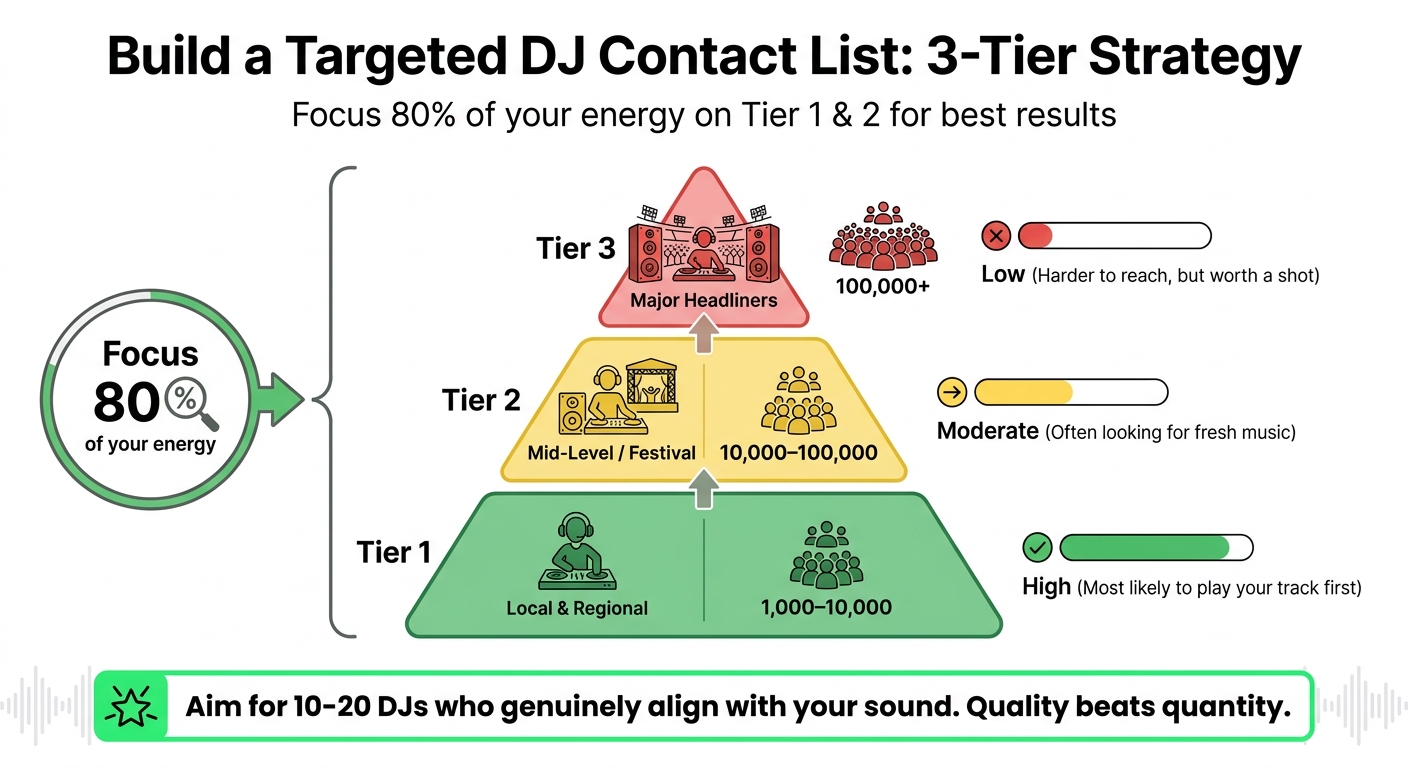
    "You’ll see who opened, who played, and who downloaded, all in real time." – Promoly

    Promoly’s detailed tracking tools allow you to fine-tune your pre-release strategy on the fly. Launch pre-save campaigns, gather DJ feedback during the pre-release phase, and keep an eye on engagement once your promo goes live. Plus, you can send campaigns in under 60 seconds with automated reminders. New users can test it out with a 7-day free trial, which includes 150 free sends.
    3. YouTube Analytics Studio

    YouTube Analytics Studio

    YouTube Analytics Studio provides real-time performance data for your music videos and releases. The Real-time Activity report tracks estimated views over the past 60 minutes and up to 48 hours, making it perfect for assessing how your content performs shortly after release.

    The Song Rollup Analytics feature combines metrics from all versions of your track, including official videos, lyric videos, live performances, and even fan uploads. Additionally, the Fastest Moving Songs in Shorts metric ranks your tracks based on recent growth over a 13-day average, focusing on content that’s at least 5 days old.

    Engagement metrics like watch time, average view duration, and retention graphs offer deeper insights. These graphs help identify where viewers drop off or rewatch, segmented by new, returning, and top fans. Such data allows you to refine your strategy on the fly, especially when paired with other real-time tools.

    While most analytics update instantly, keep in mind that revenue data usually takes about two days to appear. The best part? YouTube Analytics Studio is completely free for anyone managing an Official Artist Channel.

    4. Play MPE Airplay Tracking

    Play MPE

    Tracking radio play is an essential layer to understanding your campaign’s performance in real-time. Play MPE’s MTR (Music Tracking Reports) provides up-to-the-minute data on when and where your songs are being played on radio stations worldwide. Unlike traditional weekly charts, MTR updates as broadcasts happen, offering immediate insights into your radio campaign’s effectiveness.

    This tool tracks critical metrics like spin counts, station coverage, and time-of-day analysis, showing when your song airs during key slots like morning or late-night hours. You can also filter data by specific timeframes to evaluate promotional efforts. The geographic breakdown allows you to identify markets actively supporting your release. This is particularly impactful since radio in Europe delivers up to five times more exposure than Spotify and can influence 14% to 23% of album and track sales. These real-time insights make it easier to adjust your promotional strategy on the fly.

    "Since I discovered MTR, I’ve been able to get an accurate picture of the artists’ songs represented on the radio. You can see the exact number of airplays with the songs of the artists represented on the stations where they are broadcast", says Julia Smile, Radio Promoter at Pistage Radio.

    MTR also simplifies how you respond to radio campaign performance. You can access it by exporting tracks from Play MPE’s Caster distribution or uploading songs directly into the MTR interface. Subscription options include 1-, 3-, or 6-month plans, with annual enterprise plans available for larger rosters. The tool is accessible on both desktop and mobile (iOS/Android).

    With MTR, you can confirm that radio adds are turning into actual spins, identify growth markets for focused follow-ups, and build stronger relationships with stations. Artist-songwriter Jared KF Jones shares, "It’s super helpful in identifying with whom, and where your song is resonating… so you can connect and share your gratitude".

    5. WARM World Airplay Monitor

    WARM

    WARM (World Airplay Radio Monitor) takes radio tracking to a global scale. By monitoring over 23,000 radio stations across 160+ countries in real time, WARM uses advanced audio fingerprinting and recognition technology to identify exactly when and where your song gets airplay.

    The platform delivers key metrics like total spins, audience reach, chart rankings, and a detailed geographic breakdown of your song’s performance. Each play is time-stamped, offering a complete picture of your track’s radio journey. These insights complement data from streaming platforms and social media, giving you a broader understanding of your campaign’s overall reach. The data can be accessed through an intuitive web-based dashboard or integrated into your systems via API. Reports are exportable in various formats, including PDF, CSV, and XLS.

    "WARM allows me to monitor the lifecycle of a release and track its market reach on the global radio market – just like a proper record label. The real-time data is impressive!" – Ten Katestraat, Singer & Songwriter

    With WARM, you can pinpoint emerging markets where your song is gaining organic traction and adjust your promotional budget to target high-performing regions. Additionally, the detailed airplay reports can help you audit collection agencies for unpaid royalties or provide evidence during negotiations with labels and booking agents.

    WARM offers a free 30-day trial for tracking up to 5 songs. After that, monthly plans start at €15 for 2 songs and go up to €990 for 500 songs. Jamie Kemp from Toolroom shares:

    "WARM is our go-to platform to monitor our music at international radio. The ongoing need for information for our busy release schedule means that we need an easy to use platform with reliable and ‘instant’ data that we can share with major DSPs, Radio partners, artists and their teams." – Jamie Kemp, Toolroom

    This global tracking tool helps you focus your promotional efforts where they’ll make the biggest impact.

    6. Apple Music for Artists Metrics

    Apple Music for Artists

    Apple Music for Artists is a free tool that gives musicians real-time insights into how their music is performing on one of the biggest streaming platforms out there. With its real-time features, you can track your campaign’s momentum as it unfolds – no need to wait days for updates.

    One standout feature is the Listening Now widget, which refreshes every five seconds to show live listener counts over a rolling 48-hour window. This tool is perfect for spotting immediate reactions to things like social media posts, playlist placements, or live performances. For instance, if you drop a new single on Instagram at 3:00 PM, you can literally see the Listening Now count climb within minutes. It even breaks down maximum and average listener counts for added detail.

    For release day stats, the New Release Insights module is a game-changer. It provides same-day data on your launch, letting you skip the usual 48-hour analytics delay. You’ll get a breakdown of total plays, top-performing tracks, and even which cities are streaming your music the most – all within hours of your release. This makes it easier to compare new releases with past ones quickly.

    Another unique aspect of Apple Music for Artists is its integration with Shazam. This feature tracks how your music is discovered in real-world settings. For example, if Shazam activity spikes without any digital promotion, it’s often a sign your track is being played in places like retail stores, clubs, or even on terrestrial radio. On top of that, it monitors radio spins across more than 40,000 stations globally, covering both digital and traditional airplay.

    You can access all this data through the web dashboard at artists.apple.com or via the iOS app. Apple Music typically accounts for 15% to 25% of an artist’s total streaming numbers, and with its real-time tracking and Shazam integration, it’s an essential tool for understanding your music’s reach beyond just digital platforms.

    7. Instagram Insights for Reels and Posts

    Instagram Insights offers real-time data to track how your music content is performing, with metrics typically stabilizing within 48 hours of posting. You can access these insights for free if you have a Professional account, either through the Professional Dashboard or by tapping "View Insights" on individual posts.

    Instagram has simplified its metrics by using "Views" as the standard measurement across Reels, Stories, and Posts. One of the most important metrics to watch is "Sends per Reach" – this measures how often your content is shared via direct messages compared to its reach. According to Adam Mosseri, Instagram’s Head, this is a key indicator for the platform’s algorithm. A share rate above 2% of total plays is considered strong performance.

    When it comes to music campaigns, Reels are where the magic happens. Reels generate 3 to 5 times more reach than static posts and are projected to account for over 70% of all Instagram views by 2026. To gauge success, focus on metrics like New Followers (to see how well your content converts viewers into fans), Average Watch Time (to determine if your opening hook is effective), and Sends per Reach. For instance, if you’re getting lots of views but low watch time, it’s a sign your content caught attention but didn’t sustain it – time to rethink those first few seconds. These insights are especially useful for understanding your social media impact alongside other tools.

    Keep in mind, Instagram only retains native data for 90 days, so make it a habit to export metrics regularly for long-term tracking. For mid-tier accounts, engagement rates between 3–5% are solid, while anything above 5% is excellent. Additionally, if 40% or more of your reach comes from non-followers, it means the algorithm is actively pushing your content to fresh audiences.

    TikTok Analytics is a powerful tool for tracking how your music is gaining traction on the platform. Updated every 24–48 hours, these insights are only available to users with a Creator Account – not a Business Account. Creator Accounts unlock the full music library and provide access to detailed analytics.

    One of the most critical metrics to watch is Average Watch Time. If your video achieves an 80%+ watch rate, it’s more likely to be distributed widely by TikTok’s algorithm. For example, a video with 10,000 views and a 90% watch time can outperform one with 100,000 views but only a 40% watch time. To maximize your reach, make sure the first 2–3 seconds of your video grab attention, aiming for at least a 50% watch rate within the first 48 hours.

    "Shares predict virality better than likes. Sound page data shows whether your music is being used by others, the real indicator of TikTok-driven streaming growth." – Orphiq

    For music campaigns, Sound Page Analytics is a must-watch feature. This tracks "Videos Using This Sound", which reveals how many creators are using your music – a vital sign of viral success. A notable example comes from indie artist Mia Voss, who used this data in March 2025 to spot a growing trend. She launched a targeted promotion that led to a 300% increase in overall streams. Trends like this are accelerating; by 2026, viral songs were hitting the 100,000-video mark in just 50 days, compared to 340 days in 2020. These insights allow you to refine your TikTok strategy and capitalize on momentum.

    It’s also important to track Traffic Source Types. Ideally, at least 60% of your views should come from the "For You Page" rather than your followers’ feeds. This indicates your content is reaching new audiences and expanding your fanbase. Keep in mind, there’s often a 2–7 day lag between a TikTok surge and its effect on streaming platforms like Spotify or Apple Music. By combining TikTok’s analytics with other real-time tools, you can adjust your music campaigns on the fly and make the most of these trends.

    9. Facebook Pixel Integration in Promoly

    Facebook Pixel

    Facebook Pixel integration takes tracking to the next level by capturing what fans do after they click your promo links. This feature doesn’t just stop at platform analytics – it helps you understand post-click actions like streams, merch views, and saves. Even better, this data feeds directly into Meta’s advertising algorithm, making it easier to target fans who are more likely to engage, not just casual scrollers.

    To get started, simply add your 15-digit Facebook Pixel ID to Promoly smartlinks and campaign pages. Once set up, the Pixel tracks conversions across nine streaming platforms: Spotify, Apple Music, Beatport, SoundCloud, Deezer, Bandcamp, Amazon Music, YouTube Music, and Tidal. This allows you to see which platforms your audience gravitates toward and which ads are driving the most streams.

    "Without a pixel, Meta only sees that someone clicked an ad, but has no data on whether they became a fan or customer." – Promoly

    One of the Pixel’s standout features is its ability to create retargeting audiences based on fan behavior. For instance, if a fan visits your pre-save page but doesn’t follow through, you can build a custom audience to re-engage them with follow-up ads. This is especially useful when building excitement and engagement before release day.

    Before diving into a full campaign, use the Meta Pixel Helper Chrome extension to ensure everything is working correctly. Look for a green checkmark to confirm the Pixel is firing as expected.

    For best results, avoid linking directly to streaming platforms. Instead, route traffic through a Promoly smartlink with the Pixel embedded to capture conversion data. If you’re spending more than $500 a month on ads, consider using Meta’s Conversion API alongside the Pixel. And remember, ad optimization takes time – don’t pause your campaign after just $15 in spend. Allow Meta’s algorithm to learn and refine ad delivery, ensuring your budget is focused on turning casual visitors into dedicated fans.

    10. Pre-Save Campaign Analytics in Promoly

    Pre-save campaigns offer a real-time look at fan engagement by tracking every save your upcoming track gets across nine streaming platforms. These pre-saves reflect intentional listener interest, which can help trigger algorithmic placements like Spotify’s Release Radar and Discover Weekly.

    With Promoly, you can monitor key metrics like click-through rates, email signups, and conversion percentages in real time. A good save rate typically falls between 5% and 10%, while rates under 2% may suggest your messaging or creative assets need adjustment. For pre-save landing pages, conversion rates usually range from 15% to 30%. Adding an email capture feature might lower conversions by 5%–8%, but it provides direct access to your fans, bypassing platform algorithms.

    "Pre-saves count as saves, not streams. Spotify treats saves as a stronger engagement signal than passive plays." – Florencia Flores, NotNoise

    Pre-save data allows you to act quickly and keep your campaign momentum strong. Start your pre-save campaign two to three weeks before your release date. Use the first week to share teasers and snippets, then ramp up in the second week with direct link stickers on social media. After the release, compare your total pre-saves to first-day streams – a solid ratio is between 1.5× and 2.5×. For example, 200 pre-saves should ideally result in 300 to 500 first-day streams.

    Setting up your campaign in Promoly is straightforward. Enter your release’s UPC, EAN, or ISRC to automatically pull artwork and metadata. Embed your Facebook Pixel to track which ads lead to saves, and use the collected email list to send automated release-day notifications at 8 AM.

    Key Metrics Comparison Table

    Real-Time Music Campaign Tracking Tools Comparison Chart

    Real-Time Music Campaign Tracking Tools Comparison Chart

    Each tool serves a unique purpose in shaping your promotion strategy. Platforms like Spotify for Artists and YouTube Studio offer detailed, platform-specific listener insights, while aggregators like Chartmetric and Soundcharts compile data from multiple sources to provide a broader perspective on your career’s overall trajectory[2,9].

    To help you grasp the key differences, here’s a summary of essential metrics, update frequencies, and use cases for each tool. Metrics like save rate are critical for gauging engagement, while city-level data can be invaluable for planning tours. For reference, a typical conversion rate from monthly listeners to ticket buyers ranges from 2.5% to 5%.

    Tool Key Metrics Update Frequency Platforms Covered Best Use Case
    Spotify for Artists Streams, saves, monthly listeners, source of streams, follower growth Real-time Spotify Editorial pitching and algorithmic growth
    Promoly Email opens, track plays, downloads, pre-saves, feedback comments Real-time Email campaigns, 9+ DSPs PR outreach and tastemaker engagement
    YouTube Studio Watch time, click-through rate, traffic sources, subscriber growth Real-time YouTube Optimizing video content strategy and thumbnail testing
    Apple Music for Artists Streams, Shazam tags, milestones, purchase data Daily Apple Music, Shazam Tracking listener discovery and milestones
    Soundcharts Radio airplay (2,400+ stations), playlist adds, competitor data Real-time Radio, DSPs, socials Monitoring airplay and market positioning globally
    Chartmetric Playlist reach, social growth, trigger cities, cross-platform trends Daily/Real-time Major DSPs and socials Professional reporting and A&R analysis
    TikTok Analytics User-generated content count, video views, hashtag performance Real-time TikTok Tracking viral trends and engagement
    Instagram Insights Reach, engagement, story views, Reels performance Real-time Instagram Strengthening fan relationships and engagement strategies

    For routine monitoring, check your analytics weekly. During key campaigns or releases, daily reviews are essential to ensure you’re on track. Monthly reviews work best for long-term strategic adjustments[8,9]. If your save rate dips below 2%, don’t jump to conclusions about your song’s appeal – instead, evaluate whether you’re targeting the right audience[8,10]. Regularly analyzing these metrics allows for quick adjustments to keep your campaign effective throughout its cycle.

    Conclusion

    Real-time tracking transforms guesswork into informed decision-making. The data you gather in the first 48–72 hours can reveal whether a song is picking up steam or starting to stall.

    "Real-time data isn’t just a report card; it’s a compass. Monitoring campaign performance as it happens allows you to steer your strategy toward what’s actually working." – Artist.tools

    With the help of these tools, your strategy can adapt on the fly. Start by leveraging free dashboards like Spotify for Artists and YouTube Studio – these are essential for accessing accurate first-party data. These platforms provide a solid foundation for understanding your audience and tracking performance. As your campaigns grow, consider adding specialized tools for tasks like playlist tracking, email engagement (e.g., Promoly), and aggregating data across platforms.

    Focus on metrics that lead to actionable insights. For example, save rates can hint at algorithmic boosts, geographic data can inform tour planning, and engagement rates show how well your audience is connecting with your music. To make the most of your data, follow a strategic timeline: check on Day 1 to confirm everything is running smoothly, Day 3 for early trends, Day 7 for a deeper analysis, and Day 30 to evaluate the full campaign’s impact.

    Experiment with platforms, zero in on critical metrics, and use the insights to fine-tune every release. Success in music today isn’t just about creating great tracks – it’s about ensuring the right audience gets to hear them. Data is your tool to make that happen.

    FAQs

    What should I check in the first 72 hours after release?

    In the first 72 hours after releasing your music, keep an eye on early engagement metrics such as save rates, playlist additions, and geographic reach. Check these metrics once on release day and then again around day three to get a sense of how your audience is responding and whether your track is gaining traction on playlists. Resist the urge to check too frequently – real-time data can be misleading and inconsistent. Instead, dive deeper into the detailed performance metrics after the first week. This will help you spot trends and make adjustments to your promotion strategy based on what’s working.

    What save rate is considered “good” on streaming platforms?

    A "good" save rate on streaming platforms is generally seen as a high percentage of saves relative to streams. This shows that listeners are not only enjoying the song but also feel connected enough to save it for future listening. It’s a strong indicator of how well the track resonates with its audience.

    How do I connect ad clicks to actual streams or pre-saves?

    Want to know which of your ads are actually driving streams or pre-saves? Start using UTM tracking parameters. By adding tags like utm_source, utm_medium, and utm_campaign to your links, you can track exactly where your traffic is coming from.

    Here’s how it works: when you share these tagged links in your ads, tools like Google Analytics can give you insights into which platforms or campaigns are sparking the most engagement. With this data, you can connect streams or pre-saves directly to specific ad clicks. This makes it easier to refine your promotional strategies and focus on what’s working best.

    Related Blog Posts

  • How to Get Feedback from DJs on Your Tracks

    How to Get Feedback from DJs on Your Tracks

    Getting DJs to review your music is one of the smartest ways to refine your tracks before releasing them. DJs test your sound on big systems and gauge crowd reactions, offering insights you can’t get in the studio. Here’s how you can connect with DJs and use their feedback to improve:

    • Target the right DJs: Focus on those who play your subgenre (e.g., Tech House, Melodic Techno) to increase response rates.
    • Personalize your outreach: Send short, tailored messages referencing the DJ’s style or recent sets. Include streaming links (like private SoundCloud links) and downloadable files in high-quality formats (WAV, AIFF, or MP3).
    • Use promo tools: Platforms like Promoly simplify outreach, track engagement, and collect feedback, saving time and effort.
    • Organize feedback: Use spreadsheets to track who responds, what they say, and how to improve your track.
    • Follow up professionally: Send polite reminders and thank DJs for their input, even if they don’t play your track.

    Getting meaningful feedback is about building relationships, not spamming. Start small with local and mid-level DJs, then work your way up to bigger names. Their input can help you tweak your sound for both the dancefloor and streaming playlists.

    3 techniques for getting feedback to improve your music production

    Finding DJs in Your Genre

    DJ Tier Targeting Strategy: Contact List Segmentation by Follower Count and Response Rate

    DJ Tier Targeting Strategy: Contact List Segmentation by Follower Count and Response Rate

    Skip the scattershot approach – focus on DJs who spin your specific subgenre. This targeted strategy can dramatically improve your response rates, jumping from a typical 3–5% to as high as 30% or more.

    Instead of using broad labels like "EDM", pinpoint your subgenre. Are you creating Tech House, Melodic Techno, Deep House, Progressive House, or Bass House? Once you’ve nailed that down, compare your track to 5–10 well-known tracks in the same style. Check if your BPM, energy, and structure match up. As industry expert Manasa Boggaram puts it:

    "DJs receive enough music in the genre they usually play. They wouldn’t particularly be interested in including music that doesn’t blend well with their sets."

    The goal here isn’t just to send your track to anyone – it’s to connect with DJs who can offer meaningful feedback and might actually play your music. Next, let’s dig into how to research DJ sets and build a solid contact list.

    Listen to DJ Sets and Mixes

    Platforms like SoundCloud and Mixcloud are goldmines for understanding a DJ’s style. Dive into their most recent 1–2 hour sets to see if your track fits their vibe. You can also check their SoundCloud "likes" to get a sense of what resonates with them.

    For a more detailed approach, use tools like 1001Tracklists to identify DJs already supporting tracks similar to yours. Don’t stop there – look at genre-specific charts on Beatport and Traxsource, and even Bandcamp profiles of users who’ve purchased music in your style. These steps can help you find DJs and producers who are naturally aligned with your sound.

    Build a Targeted Contact List

    Once you’ve identified potential DJs, organize them into tiers based on their reach and likelihood of responding:

    Tier DJ Type Follower Range Likelihood of Response
    Tier 1 Local & Regional 1,000–10,000 High (Most likely to play your track first)
    Tier 2 Mid-Level / Festival 10,000–100,000 Moderate (Often looking for fresh music)
    Tier 3 Major Headliners 100,000+ Low (Harder to reach, but worth a shot)

    Put about 80% of your energy into Tier 1 and Tier 2 DJs. These are the ones most likely to reply and help you gain traction. Aim for a list of 10–20 DJs who genuinely align with your sound. Quality beats quantity here – you’ll get better results by focusing on DJs who are a good match rather than blasting your track to hundreds of random contacts.

    To save time and increase your chances of success, check Instagram and SoundCloud bios for promo email addresses. Many DJs list their preferred way to receive new music, which can streamline your outreach.

    Once your contact list is ready, the next step is crafting professional, personalized messages. This approach not only boosts your response rates but also sets the foundation for meaningful follow-ups and lasting connections.

    Writing Professional Outreach Messages

    Once your targeted DJ list is ready, the next step is crafting a message that grabs attention. DJs are inundated with promo emails daily, so a generic "check out my track" message is likely to get lost in the shuffle. To stand out, your outreach needs to be concise, relevant, and personal.

    "In the crowded digital landscape where DJs are constantly bombarded with new music, crafting a personalised message is essential to stand out and capture their attention."
    Audio Jacked

    The key is to keep your email short – just one or two sentences that reference something specific about the DJ’s recent work while explaining why your track fits their style. For example: "I caught your Melodic Techno set from Output Brooklyn last week – loved how you blended those driving basslines with atmospheric pads. My new track ‘Midnight Drive’ at 126 BPM mirrors that energy perfectly."

    Personalize Each Message

    Address the DJ by name and mention something specific, like a recent set, track, or chart they’ve been featured on. This shows you’ve done your homework and aren’t just sending a mass email.

    "Avoid sending generic, mass-produced emails or direct messages, as these are often quickly disregarded."
    – Audio Jacked

    Be clear about why your track is a good fit. For instance, if your track is a Tech House banger at 128 BPM with punchy drums and a rolling bassline, reference how it aligns with the DJ’s recent style or playlist. Using genre-specific language demonstrates that you understand their sound. On the flip side, don’t pitch a 140 BPM Drum & Bass track to a Deep House DJ – it’s unlikely to resonate.

    Make it easy for DJs to access your track by including both streaming and download options. A private SoundCloud link is ideal, as it displays your cover art and lets you track listens. Enable downloads and offer high-quality formats like WAV or AIFF for club playback, alongside a 320kbps MP3 for quick previews.

    Here’s a quick breakdown of the best formats for DJ promos:

    Format Quality Metadata Support Best Use for DJ Promo
    WAV Highest (Uncompressed) None High-quality playback; potential organization issues
    AIFF Highest (Uncompressed) Yes High-quality playback with full metadata support
    MP3 (320kbps) Good (Lossy) Yes Broad compatibility and convenience for quick previews

    Label your files clearly using a consistent naming convention like ArtistName_TrackTitle_OriginalMix.wav. Also, add metadata tags with details like your artist name, track title, BPM, and key. This helps DJs keep their digital libraries organized and ensures they can easily find your track when needed.

    Finally, include a link to your Electronic Press Kit (EPK). This should contain your bio, professional photos, and social media links, all in one place. Keep it simple and streamlined – one click should provide everything the DJ needs to learn more about you. A well-organized EPK can pave the way for stronger connections and effective follow-ups.

    Using Promo Platforms to Get Feedback

    Personalized emails are great for building one-on-one relationships, but they can be a logistical nightmare when you’re trying to reach a large group of DJs. Sending individual emails means juggling multiple conversations, tracking who opened what, and remembering to follow up with people who didn’t respond. Promo platforms solve this headache by centralizing everything. They let you scale your outreach while keeping all feedback neatly organized in one place. For example, Promoly, used by over 500 labels worldwide, offers a 7-day free trial with 150 free sends – no credit card required.

    Here’s how Promoly simplifies both outreach and feedback gathering.

    Send Promos with Promoly

    Promoly

    Promoly’s Campaign Dashboard makes creating promo mailouts incredibly quick – just upload your track, artwork, and description, and you’re good to go in under a minute. If your track has a UPC, Promoly even pulls in metadata like the track title and artist name automatically, saving you time. You can send promos to your own contact list or use the Tastemaker Network, which connects you with over 1,300 DJs who have opted in to receive promos.

    "It takes about one minute to start and send a campaign but still has everything you need."
    – TJ Flanders, Never Say Die Records

    Promoly’s AI does some heavy lifting too. It drafts professional promo copy for you and suggests contacts based on their genre preferences and how they’ve engaged with your promos in the past. You can also segment your audience by location or music style, ensuring your track lands in the inboxes of DJs most likely to play it.

    Once your promo is sent, the focus shifts to monitoring how it’s received and acting on the feedback.

    Track Feedback in Real-Time

    Promoly’s system requires DJs to rate and comment on your track before they can download it. This means every download comes with useful insights – whether it’s a positive comment like "Perfect for my Friday night warm-up set" or constructive criticism about the mix. The real-time dashboard keeps you updated on who’s engaging with your promo by tracking opens, plays, downloads, and feedback as it happens.

    To make sure no one slips through the cracks, automated reminders nudge DJs who haven’t opened your promo yet, increasing your chances of a response.

    "I’ve received more feedback than ever before! The software is so easy to use."
    – Corey T., Artist/User

    Following Up and Building Connections

    Building strong, lasting relationships with DJs can take your music from a one-time spin to being a regular feature in their sets. The key lies in what happens after that first contact. While follow-up emails help maintain digital connections, nothing beats the impact of meeting DJs in person.

    Send Follow-Up Emails

    After your initial submission, wait about two weeks before sending a follow-up email. This gives DJs enough breathing room to go through their inbox without feeling pressured. Keep your message short and to the point – include the streaming link again so they can easily revisit your track. Stick to just one follow-up email; sending multiple can come across as pushy or unprofessional.

    If your track gets rejected, don’t let it discourage you. Respond politely and ask for specific feedback on how you can improve. This approach not only helps you grow but also shows DJs that you’re serious about your craft. As Promoly puts it:

    "If a DJ rejects your track, be polite and get helpful feedback. Find out how you can polish your track to suit their needs".

    Connect at Events and on Social Media

    While emails are a great starting point, face-to-face interactions and social media engagement can take your relationships to the next level. Meeting DJs at shows or events creates a personal connection that emails simply can’t replicate. Local DJs are especially valuable since they can test your music live and share firsthand how the crowd reacts. Plus, attending events connects you with fans who are tapped into the local scene – potential supporters who might share your tracks within their circles.

    On social media, Instagram stands out for its higher response rates. When reaching out, mention something specific, like a recent set or radio show, to show that you’re familiar with their work. You can also join producer-focused groups on platforms like Facebook or SoundCloud to build a network of peers who can offer constructive feedback. As producer Pheek explains:

    "Other artists usually have nothing to gain from you except a possible friendship if they like you and your music, so the chances that they’re true to their word are good".

    Investing time and effort into these connections can pay off in a big way. A single DJ who regularly supports your music is far more valuable than hundreds of passive downloads.

    Using Feedback to Improve Your Music

    Once you’ve gathered and organized DJ feedback, the real work begins: turning those insights into actionable changes for your track. Feedback is just the starting point – it’s up to you to analyze it carefully, spot patterns, and focus on the updates that will make the biggest difference.

    Organize Feedback for Easy Analysis

    A single, well-structured spreadsheet can be your best tool for managing DJ feedback. Include columns like DJ Name, Contact Method, Analytics Data (e.g., listen duration or downloads), Follow-up Dates, and Final Results. This setup makes it easier to identify recurring themes. For example, if multiple DJs comment that your bassline is muddy or your intro feels too long, those are clear areas to address.

    Start by reviewing engagement metrics. DJs who listen to your entire track and download it are showing strong interest – reach out to them within 24 hours. On the flip side, if analytics reveal that most DJs stop listening after 30 seconds, it could mean your hook isn’t grabbing attention or the track isn’t resonating with the right audience. As OBSCUUR explains, detailed feedback is invaluable:

    "Comments like ‘Huge reaction on the dancefloor in Ibiza’ or ‘Supporting this on my Rinse FM show’ are pure gold. This isn’t just for the artist’s ego; it’s critical market research".

    Break down the feedback into two categories: technical issues (like mixing, mastering, or overall sound quality) and creative suggestions (such as arrangement, energy flow, or sound design). Prioritize fixing technical problems first – poor mixing can make your track sound weak or distorted on club systems, which can lead to DJs rejecting it outright.

    Revise and Test Your Tracks

    Once you’ve identified patterns in the feedback, take a brief pause before diving into revisions. This short break allows you to approach criticism with a clear, objective mindset rather than reacting emotionally. Focus on feedback that aligns with your vision for the track and its intended audience. For instance, a techno DJ’s input might not carry much weight if you’re producing a house track.

    After revising, test the updated track with a new group of DJs to measure its performance. Make sure your revised files are properly tagged with accurate BPM, key, and genre information – this makes it easier for DJs to integrate your track into their sets. When reaching out to new contacts, highlight the changes you’ve made based on previous feedback. This demonstrates that you’re serious about your work and open to professional input.

    Conclusion

    Getting feedback from DJs doesn’t have to be complicated. It all starts with doing your homework: focus on DJs whose style aligns with your music. This way, your track has a better shot at fitting into their sets, which naturally leads to more meaningful and constructive feedback.

    When reaching out, keep your messages short and personal. Highlight why your track works for that particular DJ, and don’t forget to include professional-looking artwork. Always provide streaming links and simple download options – platforms like SoundCloud for streaming and Dropbox or WeTransfer for downloads work best. Avoid sending large MP3 files as attachments, as they can be a hassle to deal with. A personal touch in your communication not only makes a stronger impression but also helps you manage your promotions more effectively.

    For an even smoother process, platforms like Promoly can be a game-changer. With an impressive 73% average open rate and campaigns that take about 60 seconds to launch, it’s a tool designed for efficiency. As TJ Flanders from Never Say Die Records puts it:

    "It takes about one minute to start and send a campaign but still delivers all essentials".

    One standout feature is Promoly’s feedback gating, which requires DJs to rate and comment on your track before they can download it. This ensures you’re not just sending out promos but also gathering valuable insights for every release. Lastly, don’t forget to follow up. A polite reminder after two weeks – or using automated tools to re-engage DJs who haven’t opened your promo – can make all the difference.

    FAQs

    How many DJs should I send my track to?

    When deciding how many DJs to reach out to, it’s better to focus on quality over quantity. Start with a carefully selected list of DJs whose style aligns with your music. A few dozen, thoroughly researched, is a solid starting point. This approach ensures your efforts are targeted and effective.

    Taking the time to craft personalized messages increases your chances of receiving meaningful feedback and support. Building genuine connections with the right DJs can lead to more impactful insights and stronger relationships.

    What’s the best way to get DJs to actually reply with feedback?

    The most effective way to get DJs to respond with feedback is by crafting professional, targeted outreach. Start with personalized emails that demonstrate you’ve done your homework on their style and preferences. Briefly introduce your track, keeping it concise and relevant, and make sure to include a direct, streamable link through platforms like SoundCloud or WeTransfer for easy access. Tools like Promoly can also be a game-changer, as they help you monitor engagement and gather feedback, simplifying the process for DJs to reply and share their thoughts.

    How do I know which DJ feedback to trust and act on?

    To spot reliable DJ feedback, look for comments that are constructive, detailed, and consistent. Feedback from DJs whose style and audience align with your music tends to carry more weight. Building connections with DJs who actively support artists in your genre can also provide more meaningful insights. The most trustworthy feedback aligns with your creative vision and includes actionable advice instead of vague or generic remarks.

    Related Blog Posts